Changelog

Follow new updates and improvements to Routine.

September 8th, 2026

iOS

Android

macOS

Windows

Linux

Web

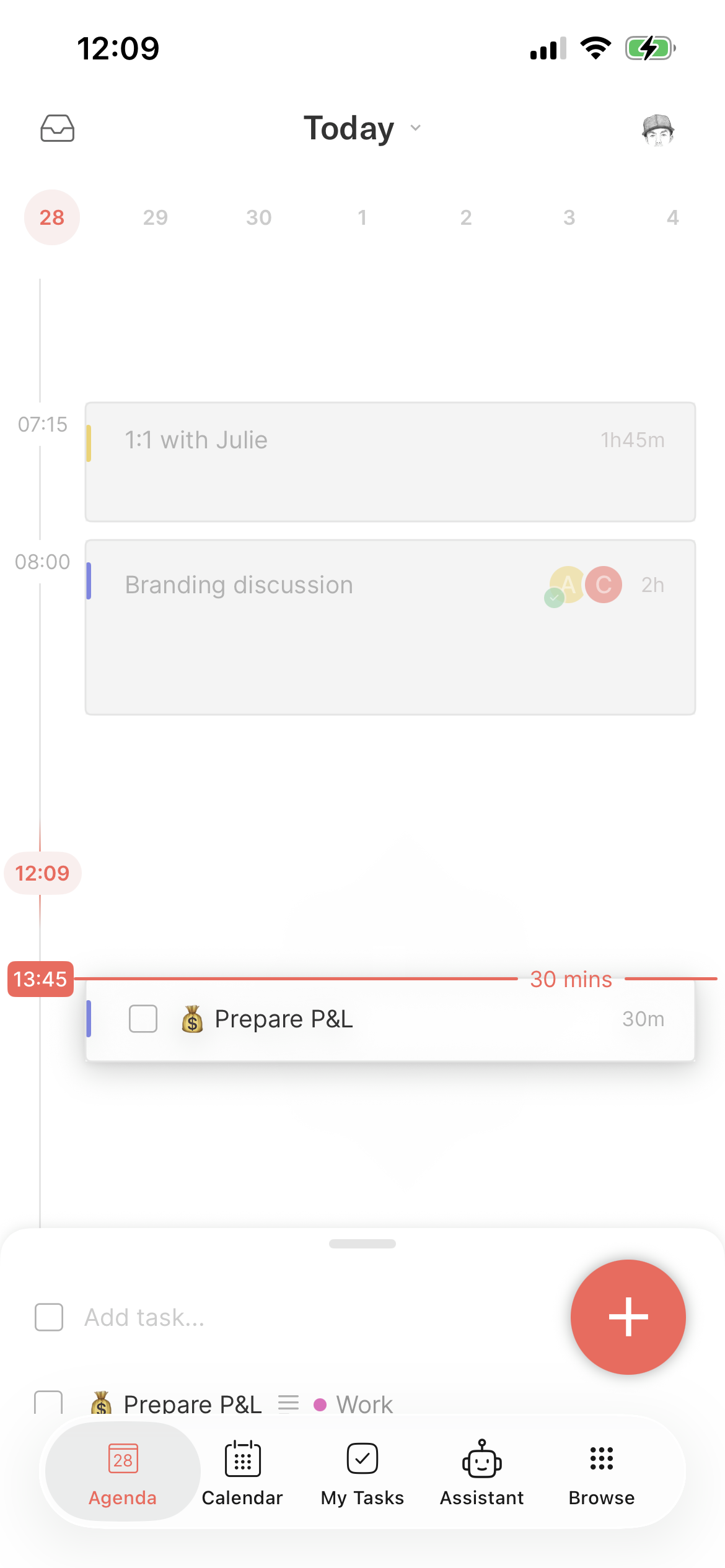
Routine 2.3 is mostly about improving the mobile experience. The mobile apps are lagging behind but we are now committed to focusing on stability and bringing mobile to par with desktop.

๐Ÿ—ฃ๏ธ Voice commands

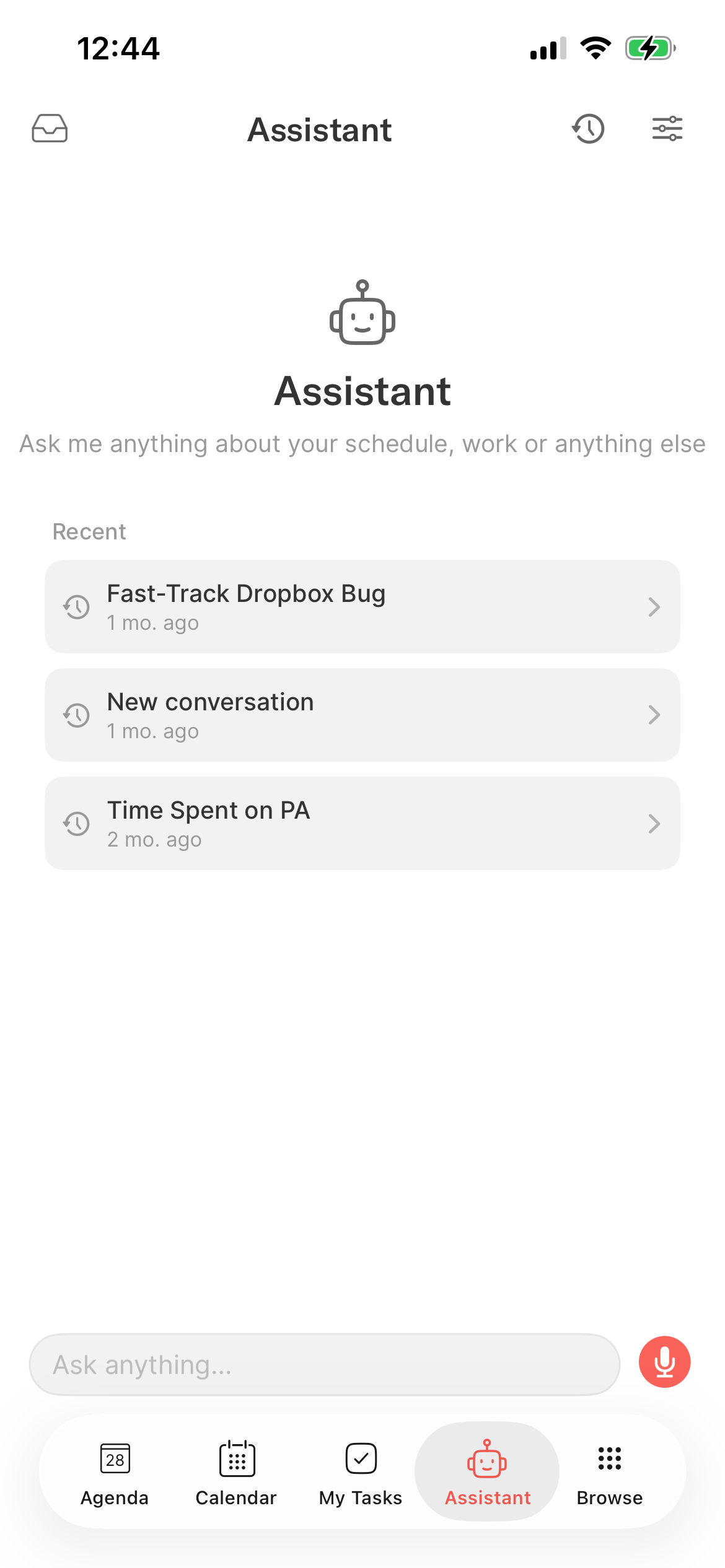
Routineโ€™s voice has been rebuilt from the ground up to offer a better experience:

  • The voice assistant now follows the user preferences you set in the Web/desktop app

  • It can act through integrations (e.g posting on a Slack channel), staging each action as a card for you to approve

  • It can dictate into writable third-party tables (a Notion database for example)

  • The voice assistant can also answer questions e.g โ€œWho won the FIFA world cup in 2026?โ€

  • And if it is missing a detail, it now asks you for precisions

โœ… Tasks on mobile

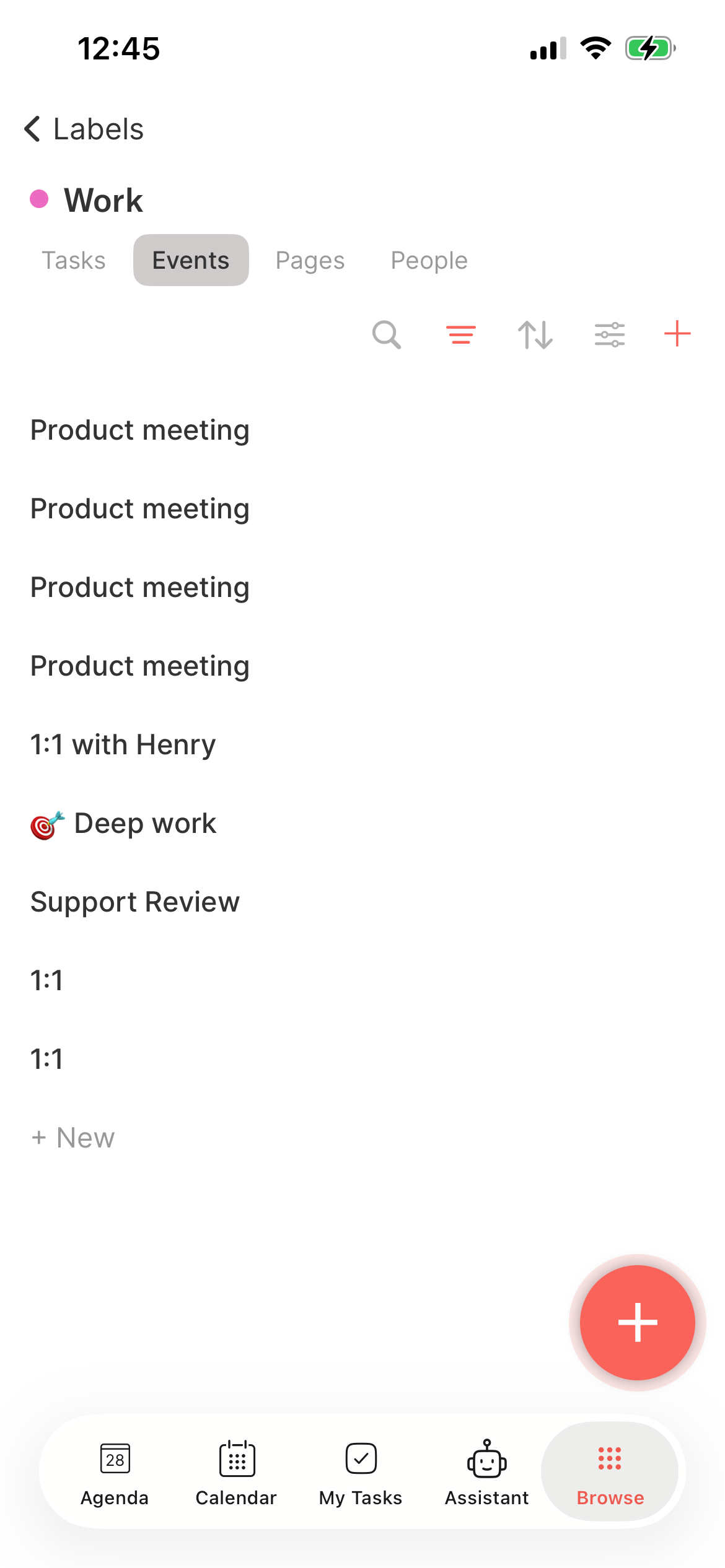
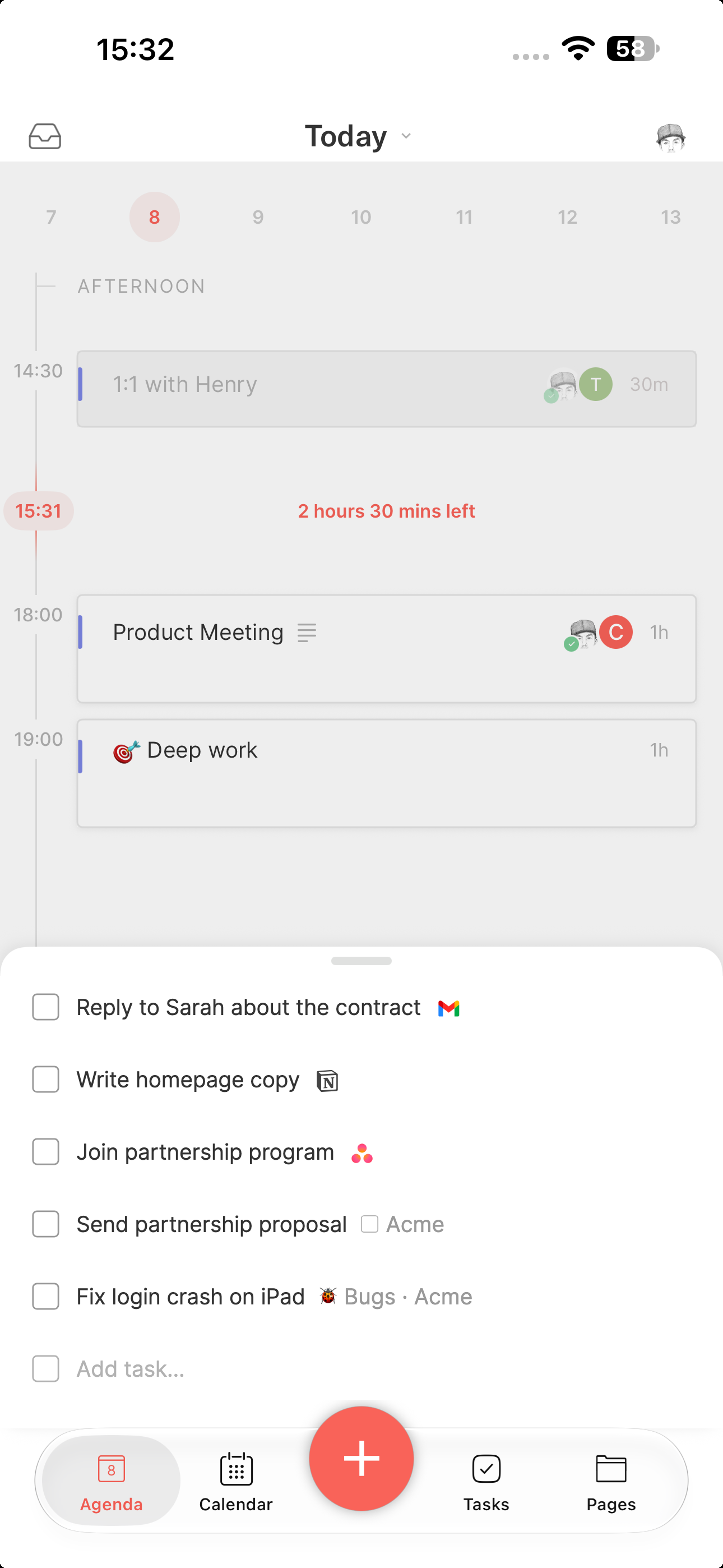
The tasks on mobile have been greatly improved.

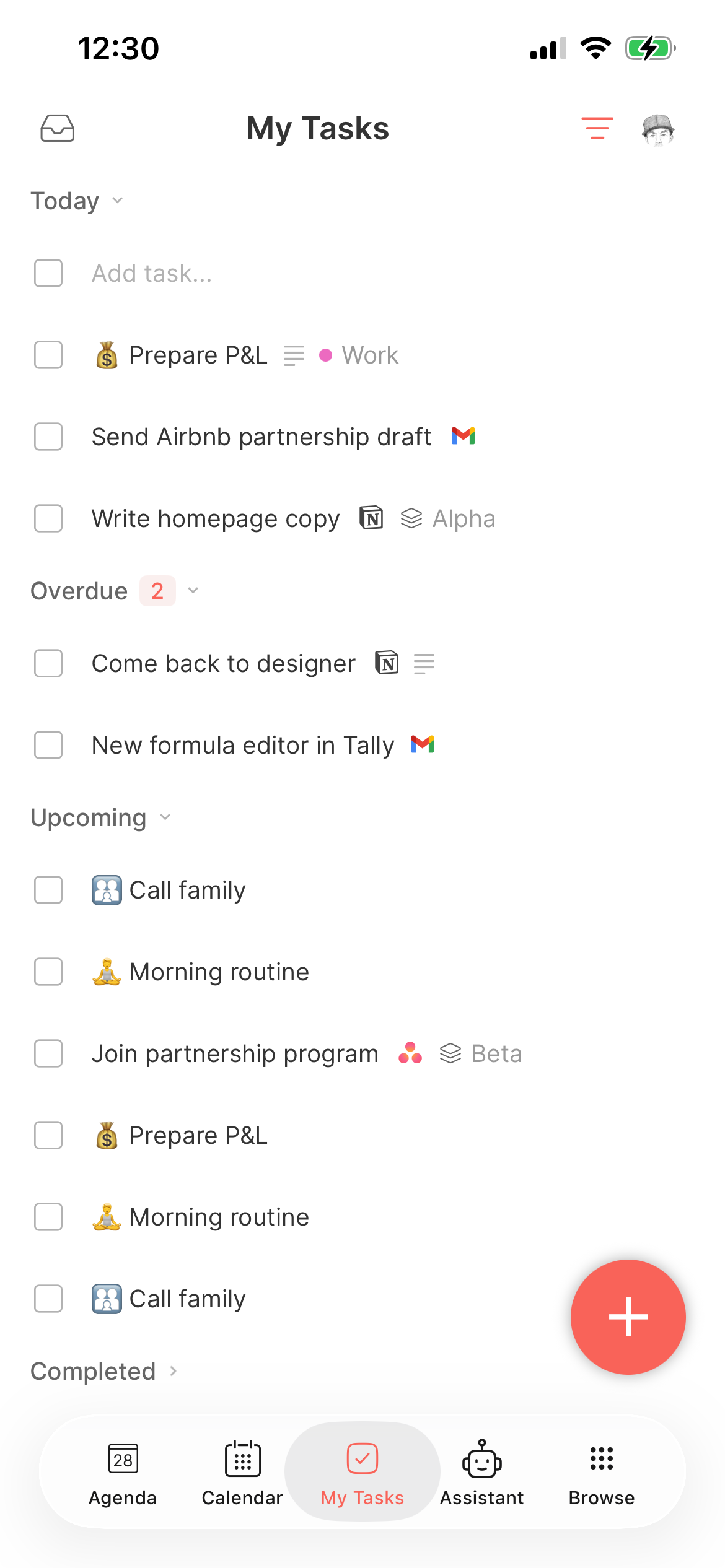
Not only is there a new Tasks screen (with overdue, upcoming, etc. sections), but the tasks coming from integration (Todoist, Gmail, Slack etc.) and the team spaces can now be operated on mobile.

Tasks from integrations and teams on mobile.

๐Ÿค Meetings

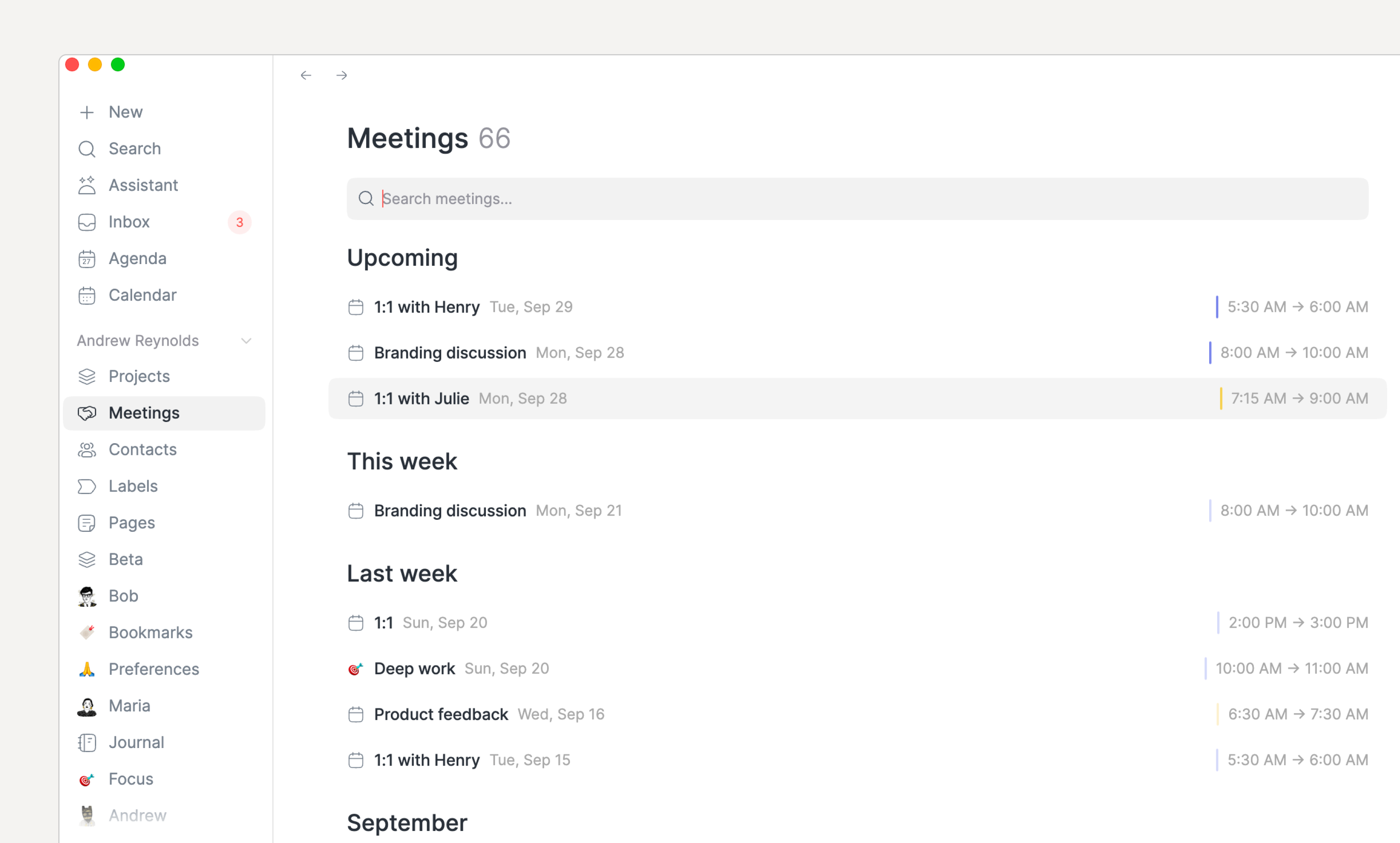
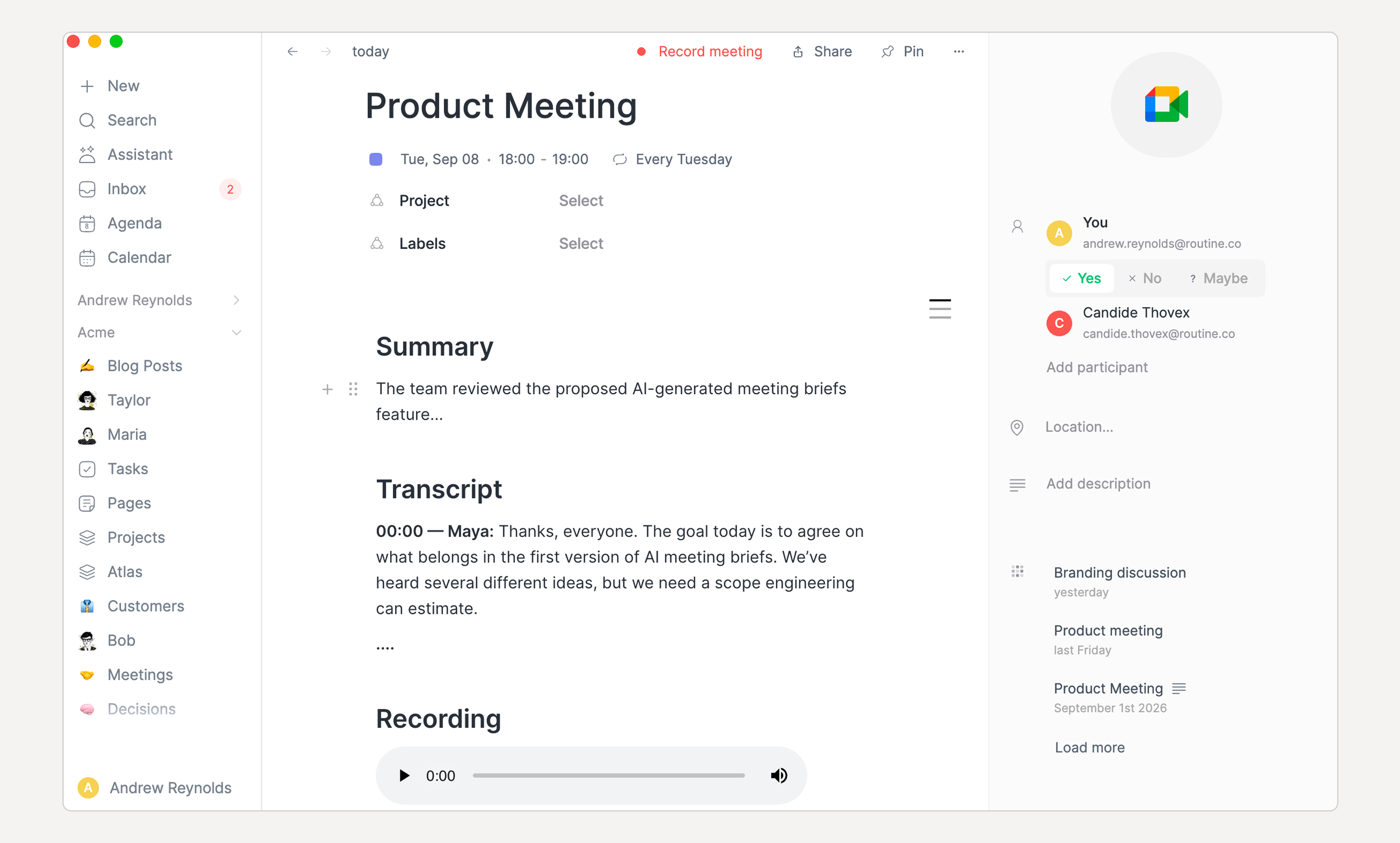
Meeting recordings have been greatly improved as well:

  • The audio recording is now added at the end of the meeting notes

  • You can now select the language you speak (in Settings / Meetings), or set to automatic for auto detection, though only 10 languages can be auto detected

  • The default summary prompt has been reworked. In order to benefit from it, go to Settings / Meetings, and click the Reset button next to the automation. You can delete the previous one.

AI meeting recording now include summary, transcript and audio recording.

๐Ÿ” Search (in screen)

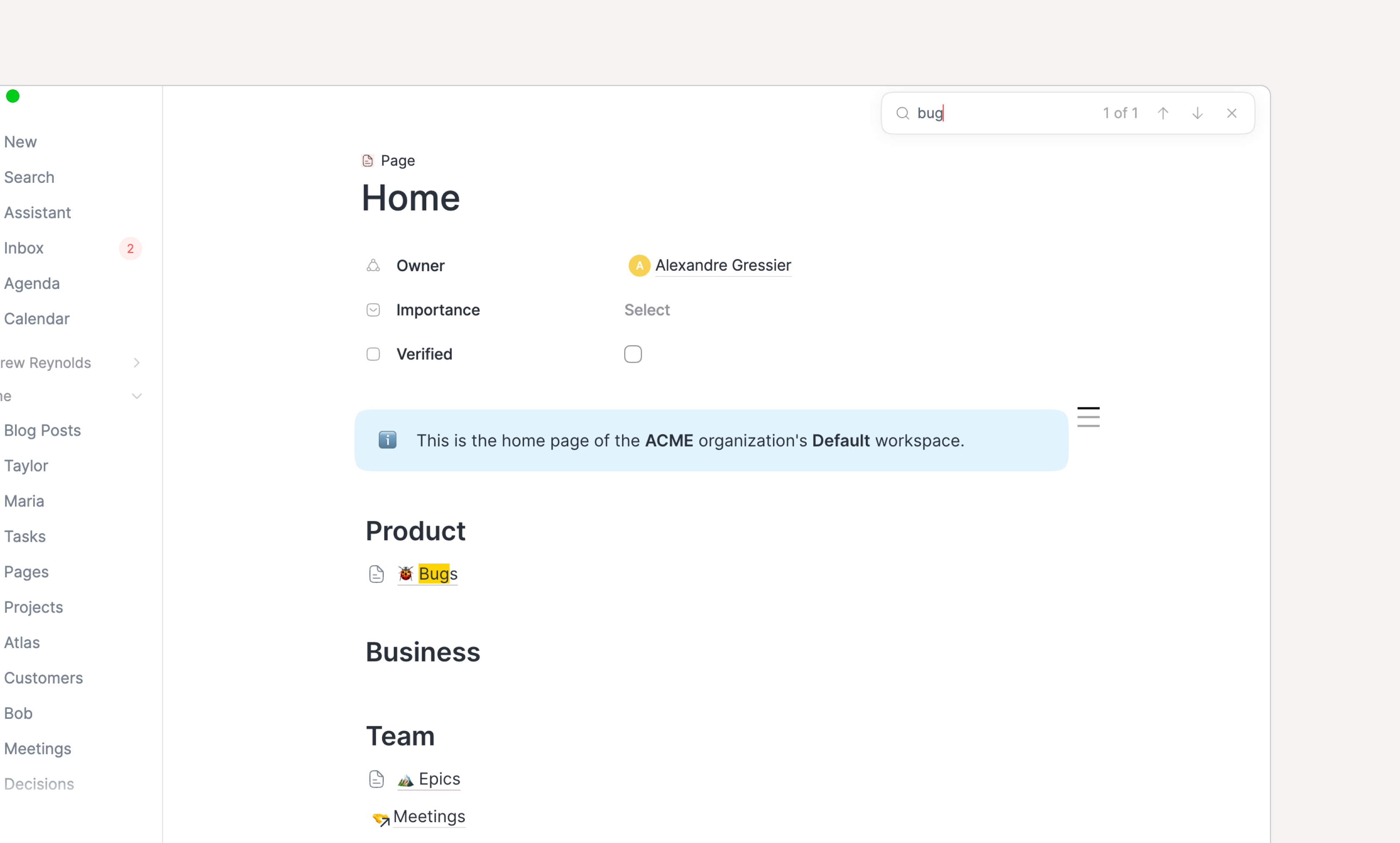
You can now search inside the current screen with CMD/CTRL+F as you would in a browser.

If you use this shortcut in a Database screen, the focus is put in the Database search input.

Search inside your content.

๐Ÿงฉ Integrations

A few integrations have been improved/fixed

  • The Notion integration has been fixed and now supports explicit status, checkbox and due-date property mappings.

  • GitLab issues can now be synced as tasks, either the ones assigned to you or every issue in a project, with their due date and open/closed state kept in sync both ways.

  • The Slack data source's channel picker now explains that a private channel only shows up once Routine has been invited to it with /invite @Routine.

  • Google Calendar, Google Contacts and Google Workspace Directory accounts can now be disconnected individually from the integration's settings page.

๐Ÿ—’๏ธ Notes

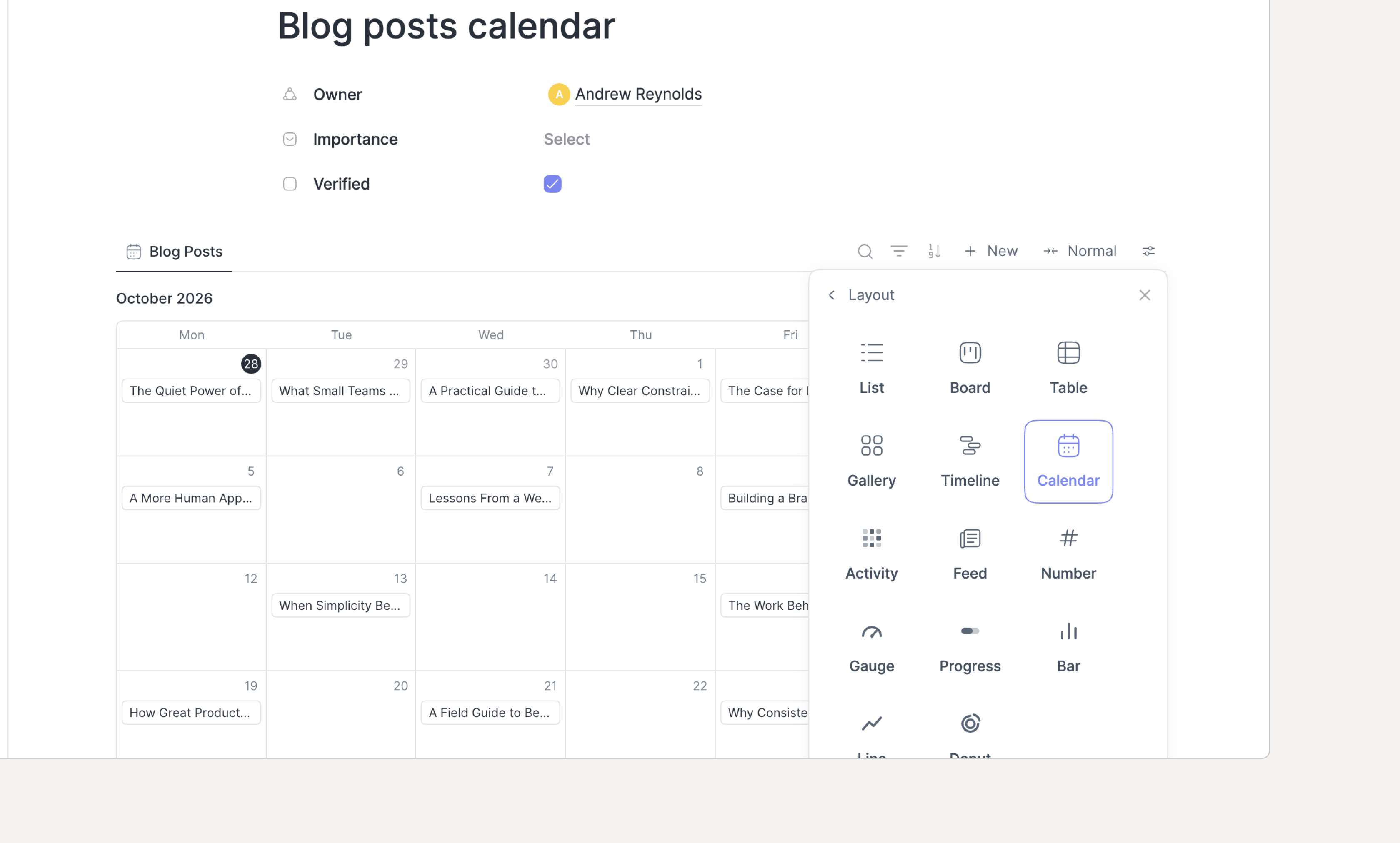
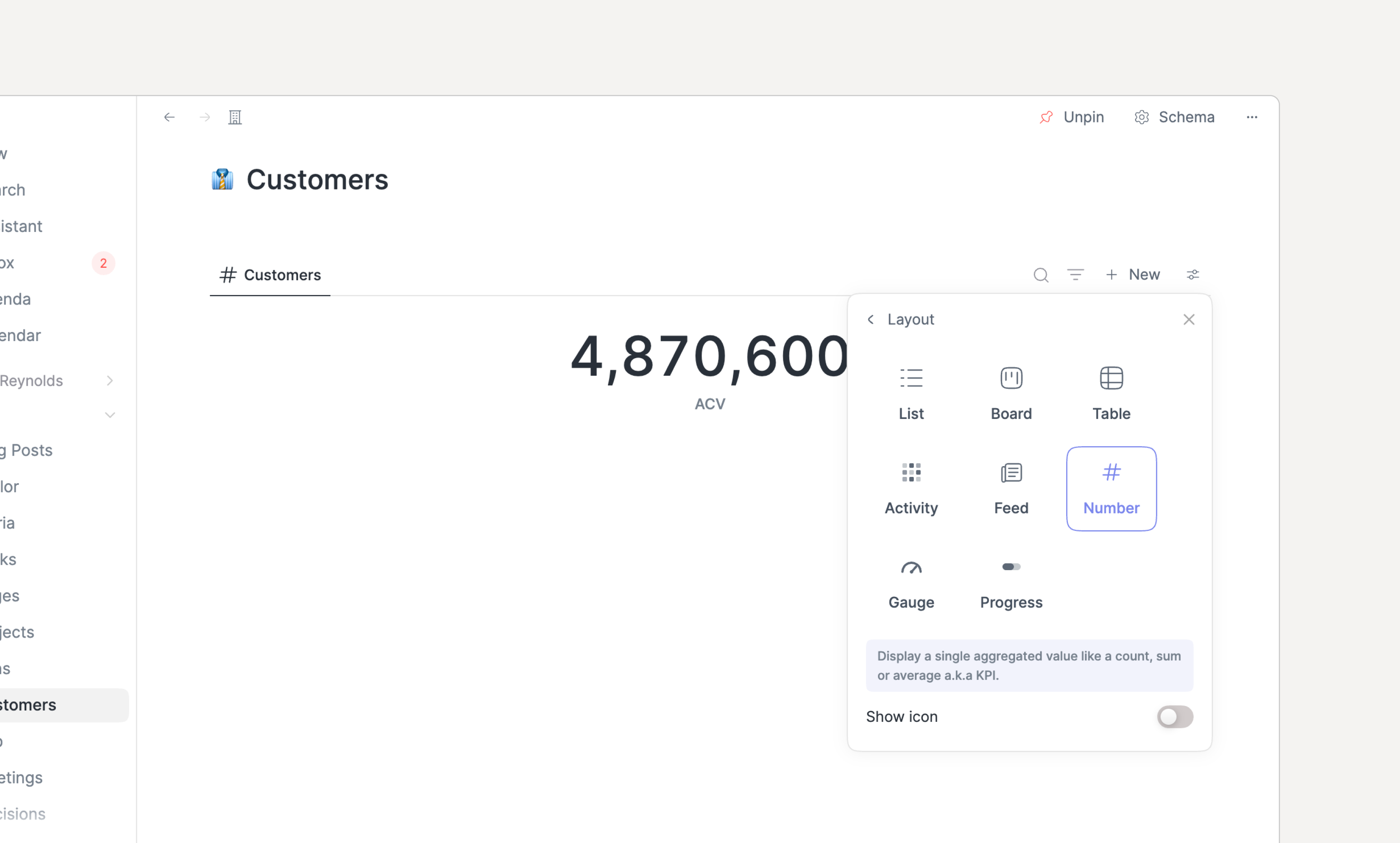
As requested, we included new data visualizations: number, gauge and progress bar.

All are similar as they provide aggregates (sum, average, count, percent etc.).

New data visualizations: number, gauge and progress bar.

โž• Other

A few other things worth mentioning following your valuable feedback:

  • Calendars settings now offer a separate default calendar for time blocking

  • Scrolling to the bottom of the editor's @ menu now loads more search results, so items beyond the first page can be reached

  • Contextual capture on macOS now captures the active tab from Microsoft Edge, Vivaldi, Opera, Opera GX, Wavebox, Chromium, Google Chrome Canary, Dia, and Comet, in addition to the previously supported browsers

  • Dragging a task by its handle to reorder a list keeps that task selected, instead of moving the selection to whichever task lands at its old position.

  • Opening the console on macOS no longer asks for Accessibility or per-app Automation permission unless Contextual Capture is enabled

  • Organizations, agents, automations, and conversations can now be referenced from the notes editor's @ and [[ menus

  • A new Apps settings page lists direct downloads of the desktop and mobile apps for every platform

๐Ÿž Bugs

  • The note editor synching engine has been strengthened across all platforms

  • Voice sessions now recover from errors: a start that fails retries on its own

  • The Calendars settings no longer let the default calendar be switched off nor disabled

  • A label's chosen color is now used on task rows, planner and agenda events, console completions, and grouped views

  • Deleting a default or custom object now properly cleans blocks in their parentโ€™s notes

  • Duplicating an default or custom object now properly deep clones it

  • On macOS, the "Record this meeting?" prompt removed the app from the Dock. This has been fixed.

  • Renaming a todo block in a custom object's notes now renames the task behind it

  • Setting up a task sync no longer shows "Setting upโ€ฆ" forever when the data source fails or takes too long to be created: the wizard now explains what happened and can be closed

  • Typing "in 1 month" (or "in N months") in the date picker now selects the week one month ahead, like the console and the "In 1 month" shortcut

  • The microphone monitoring on Windows that took too much CPU has been fixed and disabling auto-detection removes it altogether

๐Ÿ“ฃ Shoutout

Ricardo has built a CLI on top of Routineโ€™s MCP, along with an Omarchy shell plugin.

โ†’ Check it out.

๐Ÿ‘‰ Coming Next

  • Fix more bugs across the apps, in particular on iOS & Android

  • Add more integrations

  • Improve & optimize AI

August 28th, 2026

iOS

Android

macOS

Windows

Linux

Web

This release brings improvements across almost every part of Routine.

Connect your favorite AI clients directly to Routine with our completely reworked local MCP server, organize your day exactly the way you want with task reordering and event coloring, and take advantage of new integrations, more powerful database views, improved collaboration, better internationalization and dozens of smaller improvements throughout the app.

If you want to see the improvements in action, hereโ€™s a video. Otherwise keep reading ๐Ÿ˜‰.

๐Ÿค– MCP server

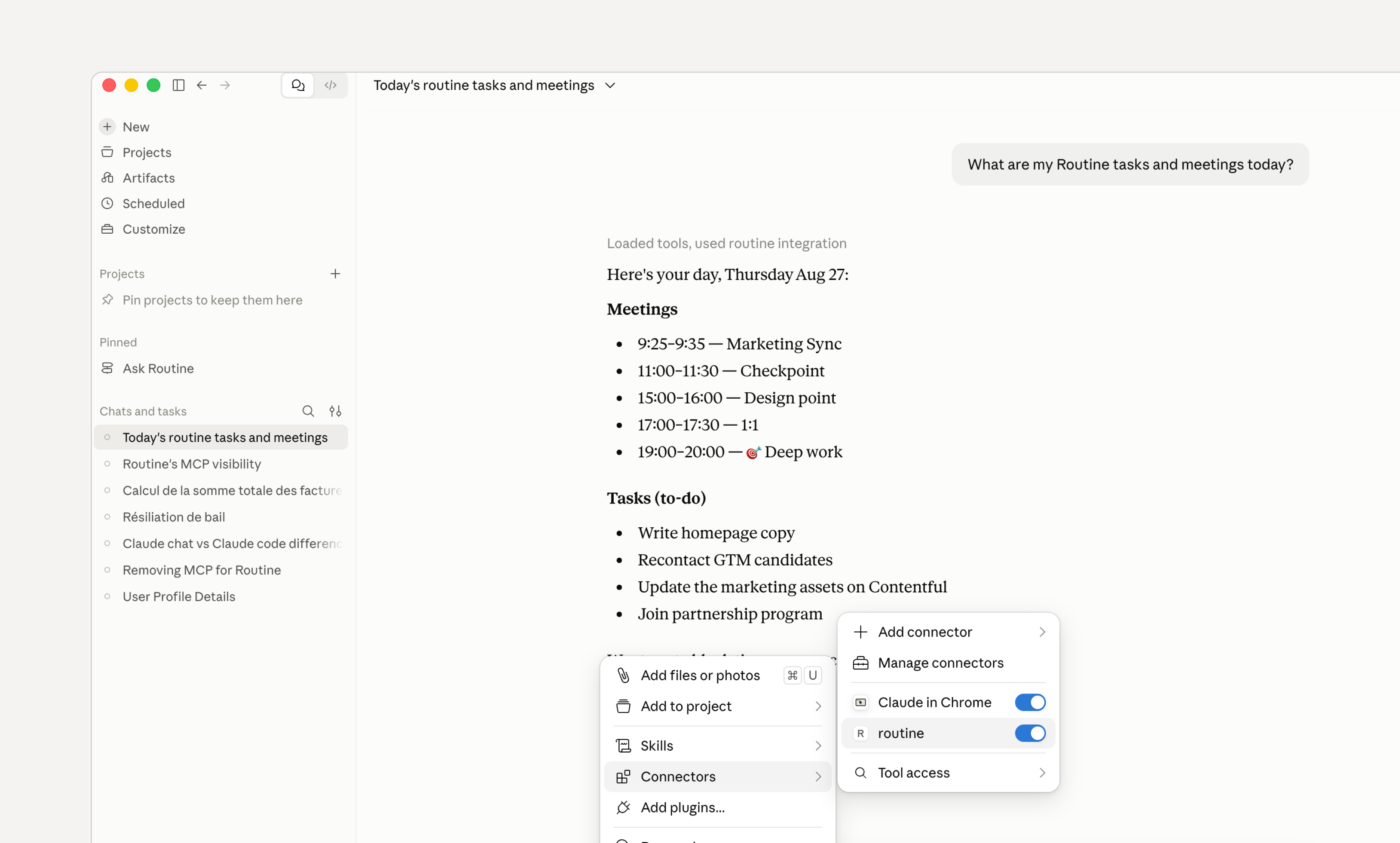
We have completely reworked our MCP server to allow you to connect your favorite AI client (ChatGPT, Claude etc.) to Routine.

Note that Routineโ€™s MCP server runs locally (not in the cloud). This means that it can be used offline i.e with an offline AI model.

It also means that you can only use it from desktop applications e.g ChatGPT desktop, Codex, Claude desktop, Cursor etc.

Head to Settings / Plugins, then enable the MCP server and follow the instructions.

Routine's MCP server allows you to connect you favorite AI client e.g Claude, ChatGPT etc.

โ—˜ Reorder your tasks

Itโ€™s been asked for a long time. It is finally here!

You can reorder your tasks in the lists. Note that some lists do not allow to reorder because of space constraint (e.g Calendar footer) or because they are already sorted (e.g Overdue).

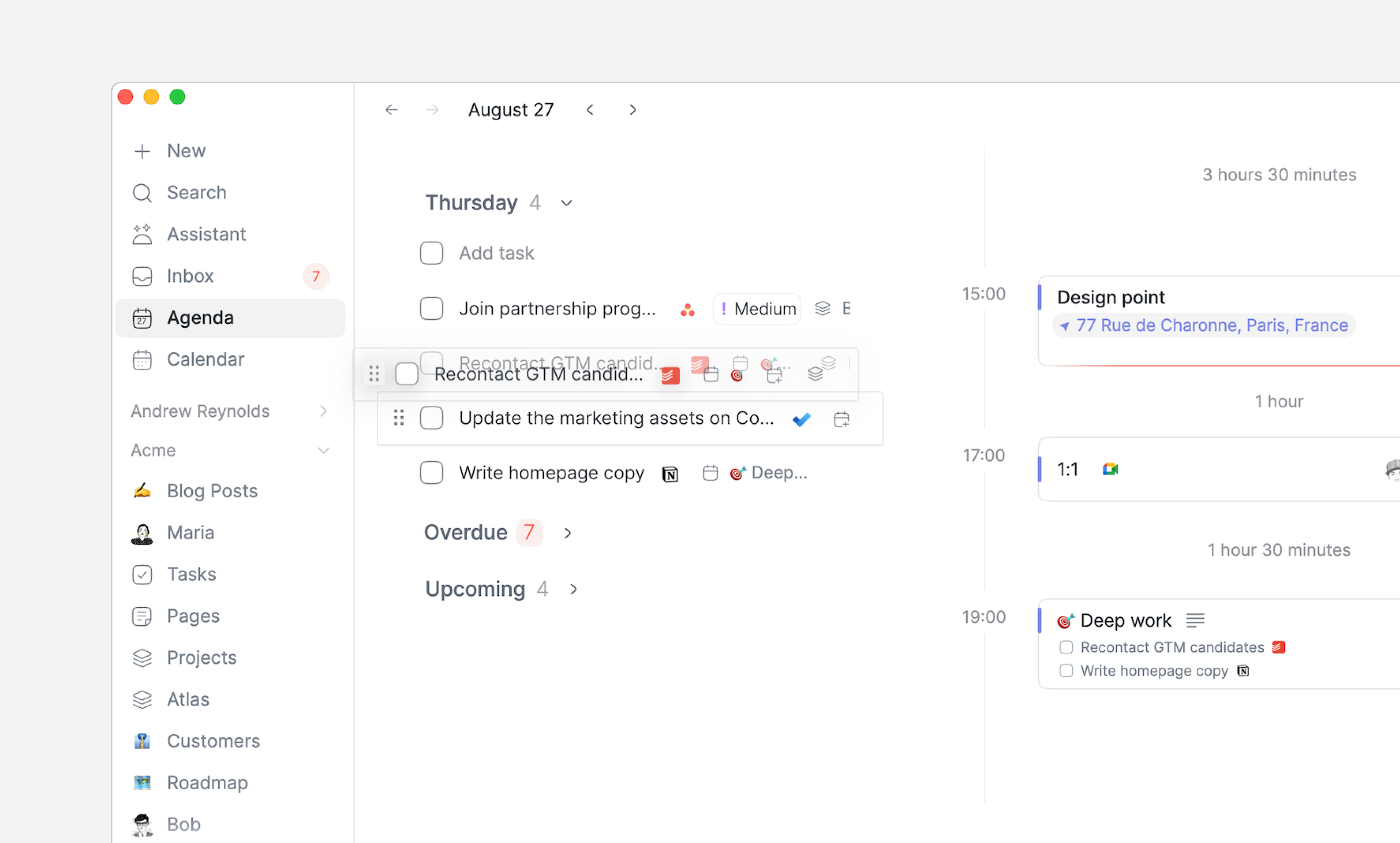
To reorder a task, click the handle left of the checkbox and drag it in the list. To drag a task outside of the list to drop it in another section or the calendar, click the rest of the task and drag it.

Reorder your tasks.

๐Ÿงฉ Integrations

Weโ€™ve added a few new integrations that can synchronize items as Routine tasks:

  • Attio: with their deadline

  • Featurebase: optionally limited to a single board

  • ClickUp

In addition some existing integrations have been improved:

  • Microsoft To Do tasks now sync their due date to Routine

  • Todoist tasks now sync their due date to Routine.

  • Asana task sync now offers My Tasks (assigned to you) instead of All tasks

Finally a few improvements have been made for managing integrations easier:

  • You can now force-sync a connection through its integration screen

  • The last time an integration was synchronized is now displayed when hovering the synchronization status

  • The integrations screen has been added a search bar

๐ŸŽจ Event coloring

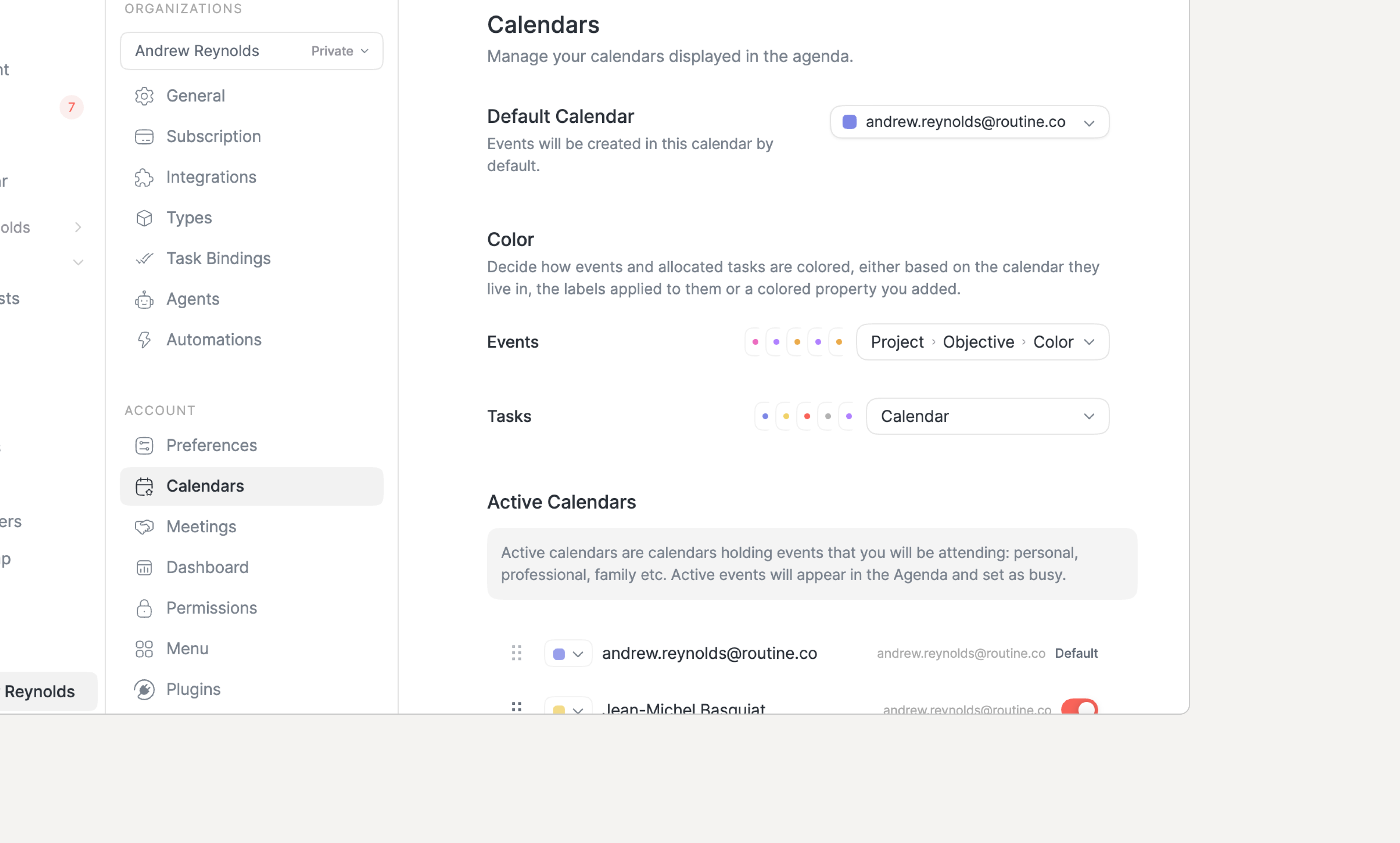
You can now define the color of your events and tasks (allocations) in the calendar.

Though Routine does not behave as other calendars. Instead of being able to set each event color individually, Routine computes the color based on a direct or indirect property.

By default, the color is deduced from the calendar the event belongs to. You can change it to use the labels associated with the event in which case the color of the first label will be used.

But you can go further and define a property or even follow relations until you pick a Select property whose values carry a color.

The calendar events keep a calendar-colored bar but the fill color follows the computed color.

NOTE: if you want to set a color manually, just add a Select property named Color to your Event type and you will achieve the exact same result.

Define how events/tasks get colored in your Calendar.

๐Ÿงฟ Databases, types & views

The views have been drastically improved with new layouts and a better overall experience.

Order & color

  • You can now edit a type/database and re-order its properties

  • Select propertiesโ€™ options can also be reordered and each color can now be set

Grouping

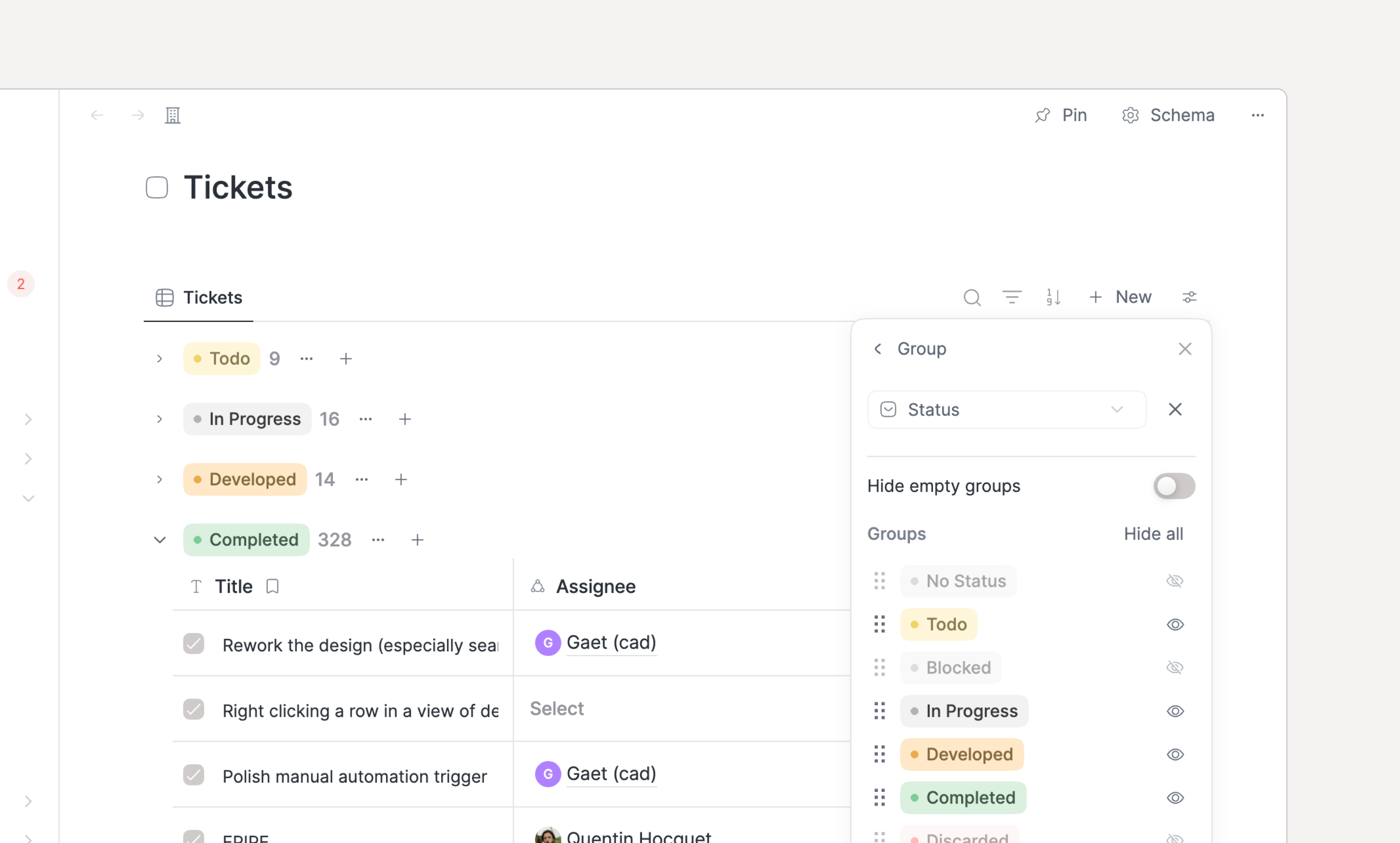
  • Each group now displays โ€ฆ and + buttons next to the group heading and a + New button at the end of the list of records

  • Groups can be reordered & hidden in the view configuration

Improved grouping.

Layouts

  • The new Feed layout displays objects as an infinitely scrollable feed

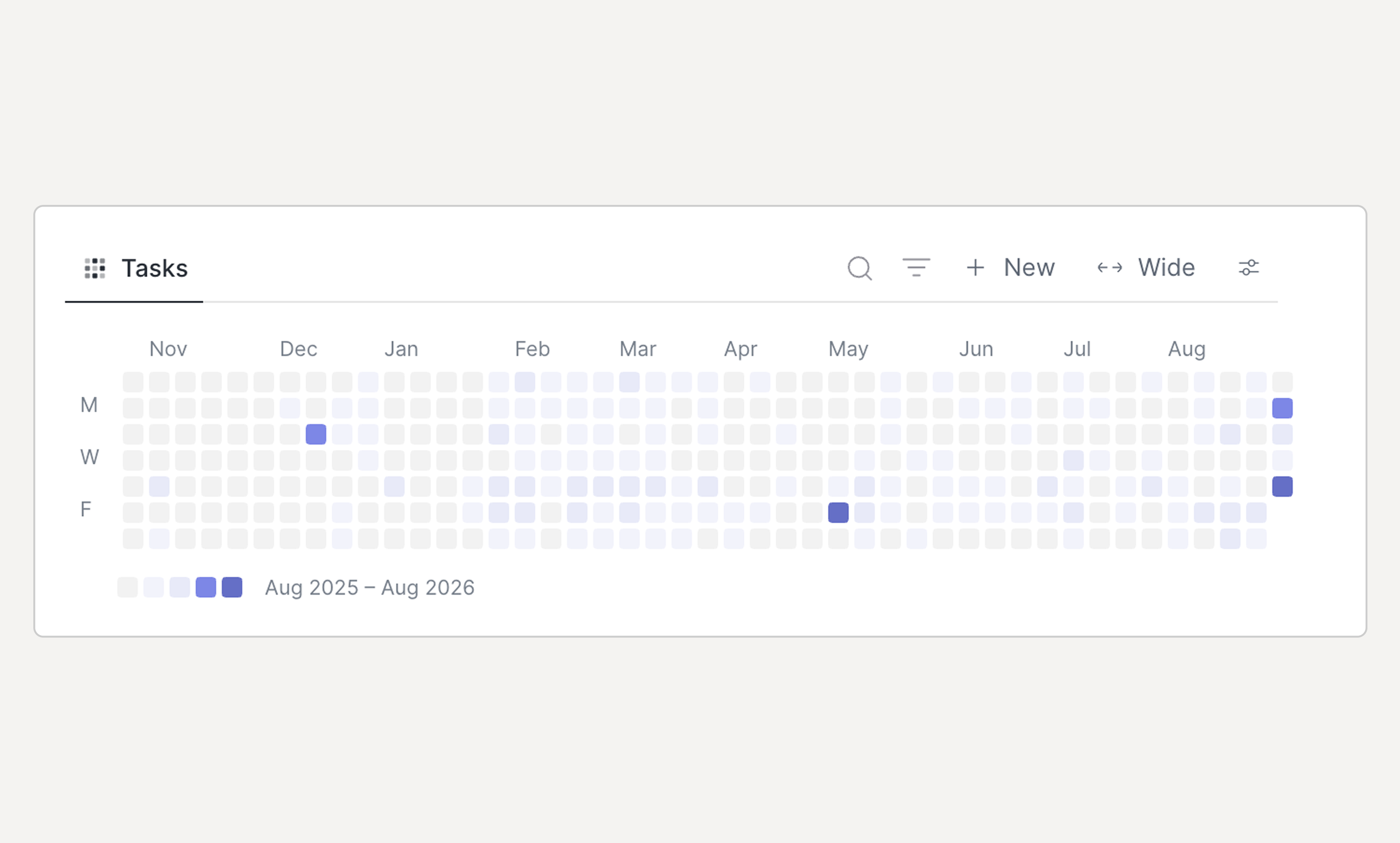
  • The new Activity layout displays a heatmap, counting how many objects have the date property in question

New activity layout to visualize information spread over time.

Interaction

  • A view entry can now be selected by single-clicking it, right clicked and double clicked to open

  • Once an item is selected, you can now press UP/DOWN to change the selection and the keyboard shortcuts to operate the selected object

  • Drag & dropping an item between groups has also been improved

๐Ÿ—’๏ธ Notes

The note editor has also been improved and strengthened:

  • The note editor now loads instantly when you press ENTER

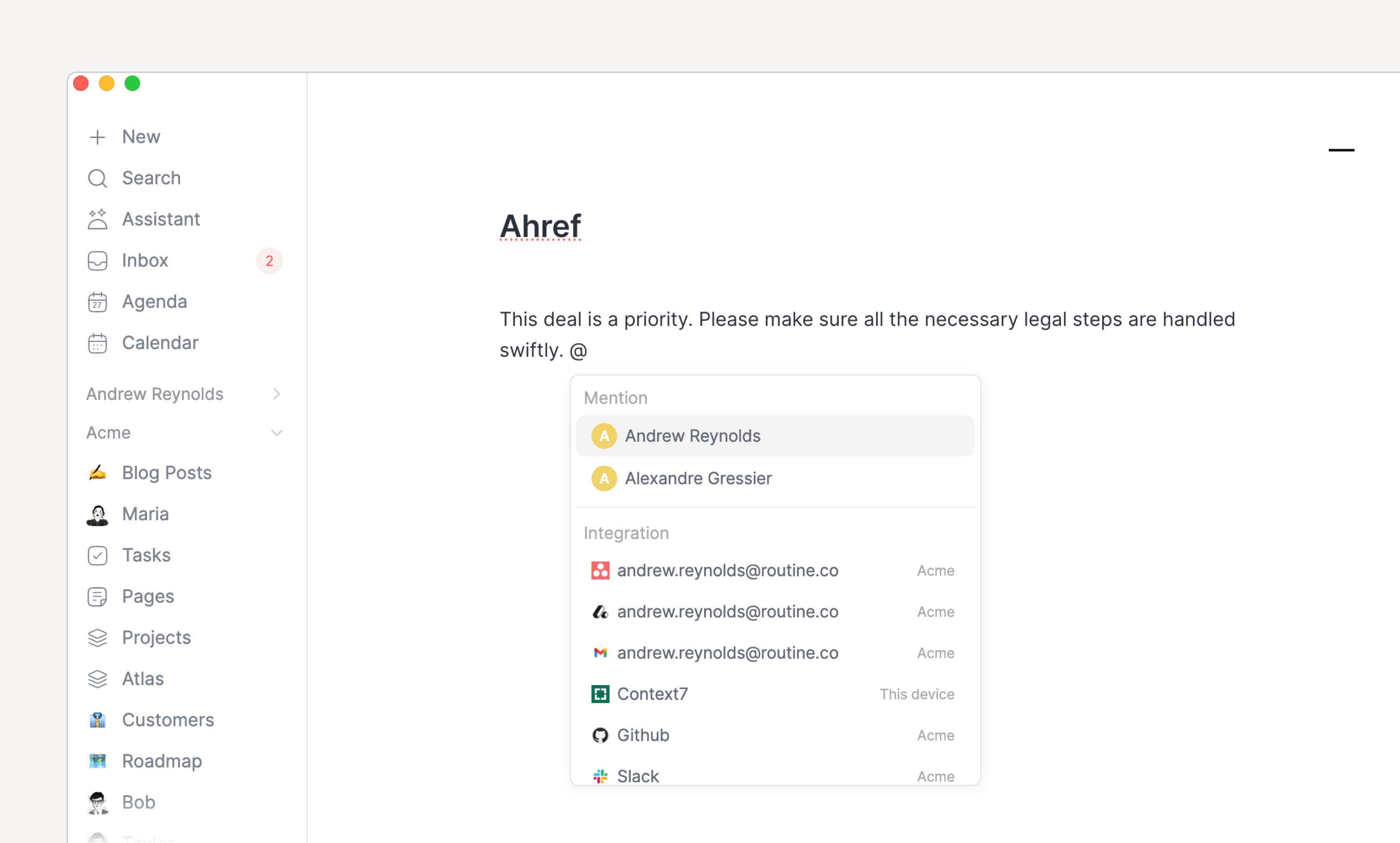
  • The @ menu now aggregates all the operations that relate to โ€œlinkingโ€ such as referencing another object, mentioning a team member, stamping the notes or linking an integration.

  • A new + menu has been introduced for creating an object and referencing it from this note

  • Embeds such as images, videos, PDFs etc. can now be resized by dragging the left or right edge

  • Toggling code formatting no longer drops after the first character is typed

  • Typing a space when using @ no longer closes the menu; press ESCAPE to cancel

New @ menu to link anyting.

๐Ÿ“… Agenda & Calendar

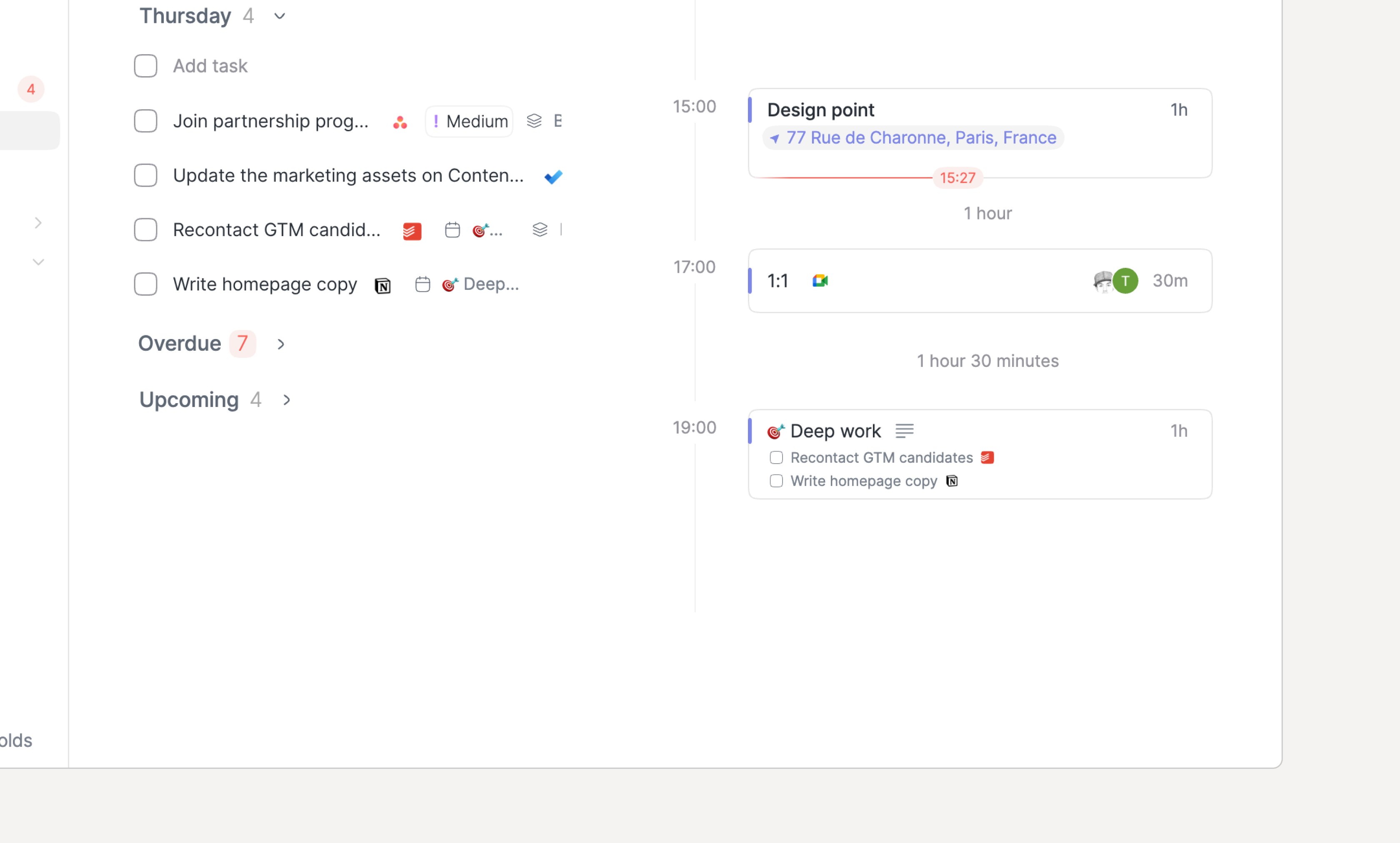
  • Agenda events now show linked tasks and custom objects from their notes when space allows. This is great when dragging task in an event e.g Deep work

Tasks dropped inside an event are now displayed in the Agenda
  • The calendarโ€™s sidebar now displays the tasks from Today while the Agenda displays the tasks of the week; leading both screens to have the same lists of tasks

  • The planner's current time indicator now extends across the timezone columns

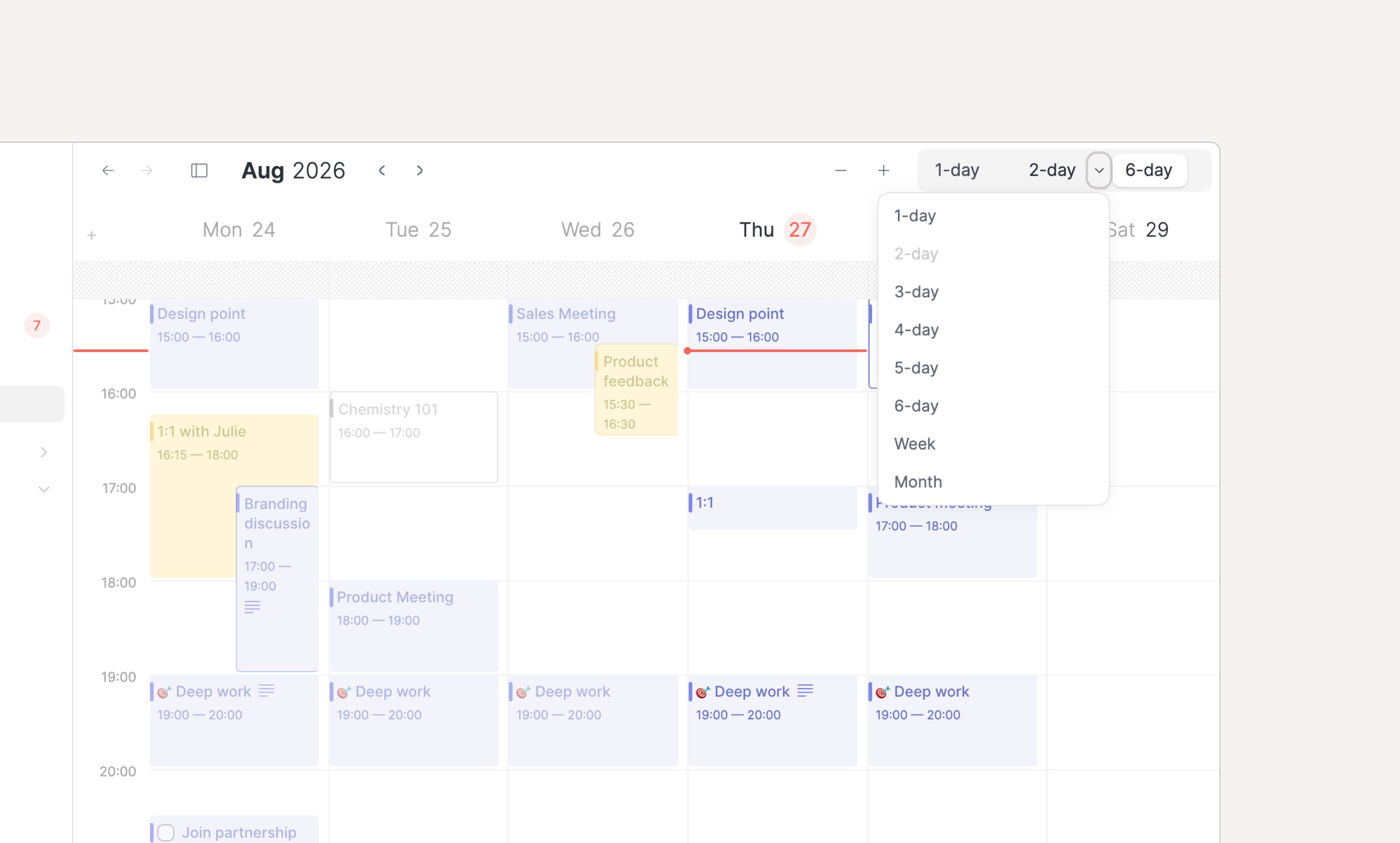
  • The Calendar layout 3 buttons can now be customized

Customize the calendar's 3 layout buttons

โ›ฉ๏ธ Internationalization

IME input (Japanese, Korean, Chinese, and accented characters) are now properly supported across the app.

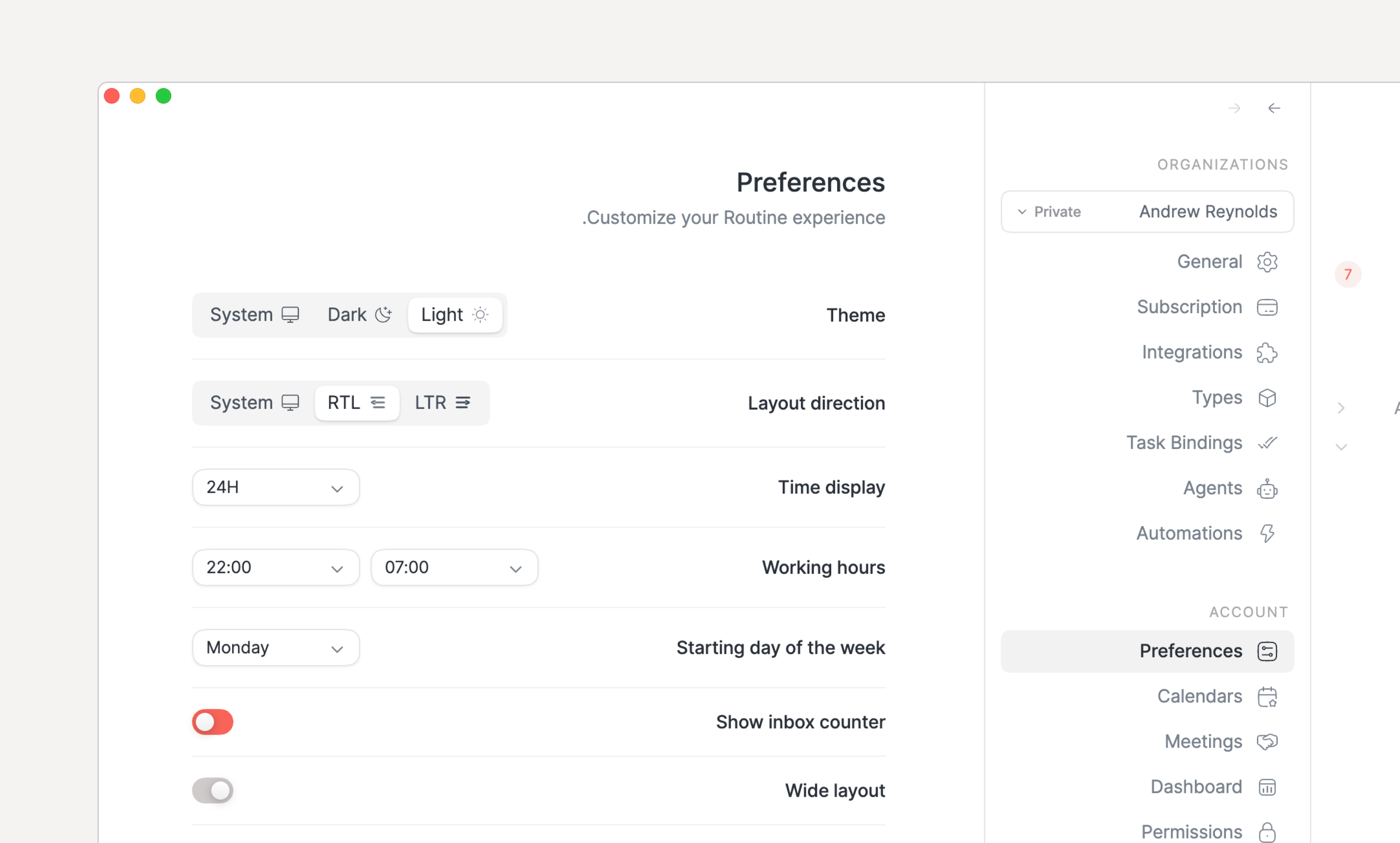
In addition, right-to-left language support was added. It can be configured in Settings / Preferences.

Right-to-left language support.

๐Ÿ‘ฅ Team collaboration

Several aspects of collaboration have been improved:

  • Team tasks can be assigned from the right-click menu or CMD/CTRL+SHIFT+A

  • The Project screen now displays a progress bar with the number of tasks that are not completed nor discarded

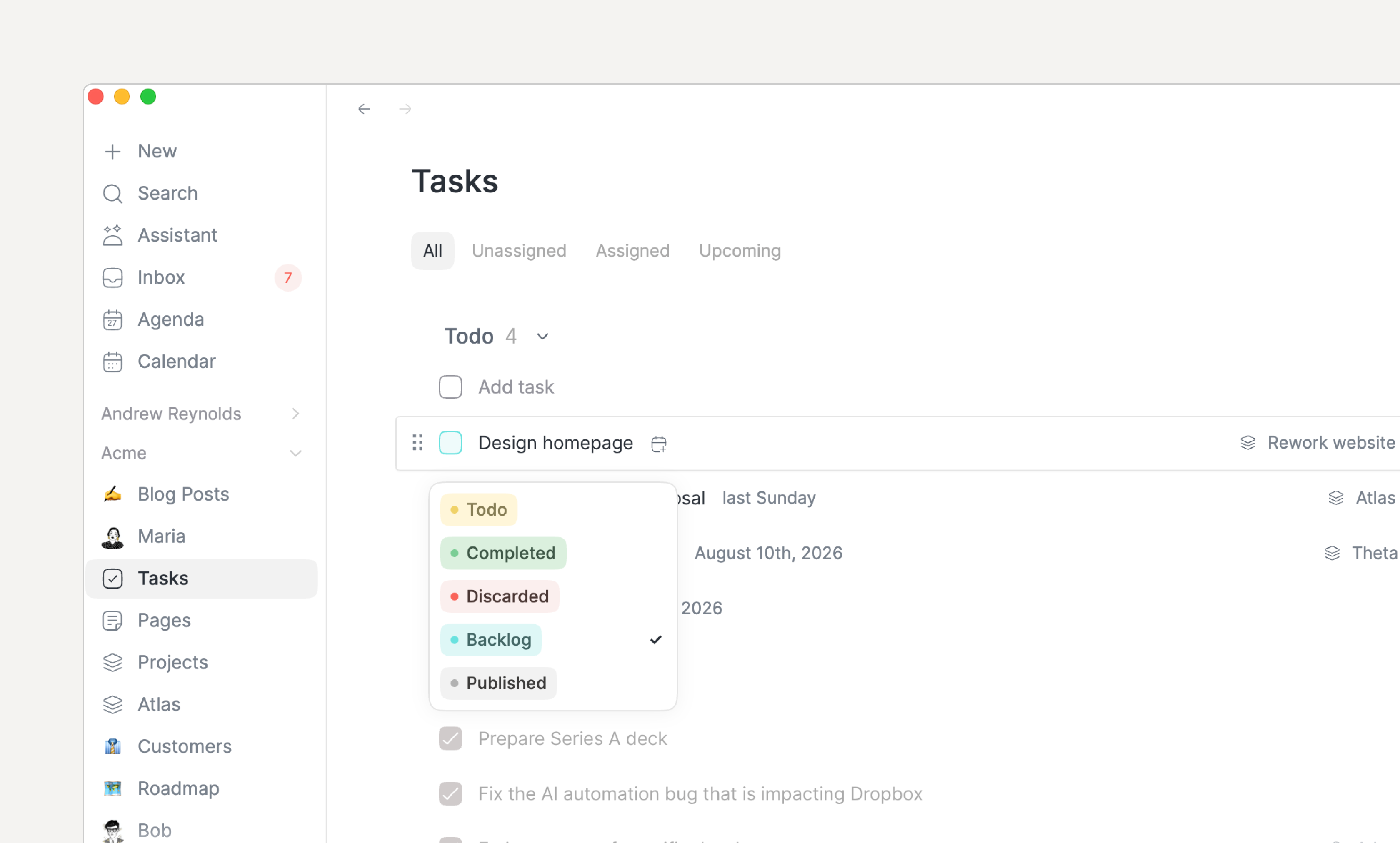
  • If you extend the values of the Status property of your team Task type, then:

    • The checkbox is now colored to represent the status value it holds while hovering over it displays its exact value

    • Long-pressing the checkbox displays a dropdown pop-up to set the value without having to open the task

Long-pressing a checkbox of an extended Task's Status property allows to set its value.

๐Ÿท๏ธ Labels

The labels have been improved to allow setting the color but also more easily deleting them.

๐Ÿ‰ Other

  • The primary menu can now be resized horizontally

  • Deleting a task, page or object that has children in its notes now asks for confirmation

๐Ÿž Bug fixes

  • Keyboard shortcuts on macOS show Cmd again instead of Ctrl

  • Pasting a single formatted line into notes no longer splits it into several blocks

  • Pasting formatted text into a title (creation modals, object pages) now inserts its plain text instead of nothing.

  • On Windows monitors with fractional display scaling (e.g. 175%), the menu bar widget no longer grows indefinitely

  • Right-click menus no longer extend outside the window

  • Calendar timezones have been fixed

  • Dragging and resizing agenda events no longer crashes Firefox

  • The console now supports using as TYPE with several types of the same name

  • Tasks coming from integrations and other workspaces are now displayed in the dashboard

  • and many many many moreโ€ฆ

๐Ÿ‘‰ Coming Next

Our current focus is on:

  • Bring iOS and Android to par with desktop

    • Team collaboration

    • Databases

  • Add more integrations in particular for integration tasks

  • Improve and optimize AI

August 12th, 2026

iOS

Android

macOS

Windows

Linux

Web

Following the introduction of AI in Routine 2.0, weโ€™ve continued improving the foundations for organizing and collaborating on your work.

This new version introduces projects and expands tasks for teams, making collaboration easier.

๐ŸŒ€ Projects

Routine is now equipped with a new Projects screen that allows to easily group your tasks together based on an objective.

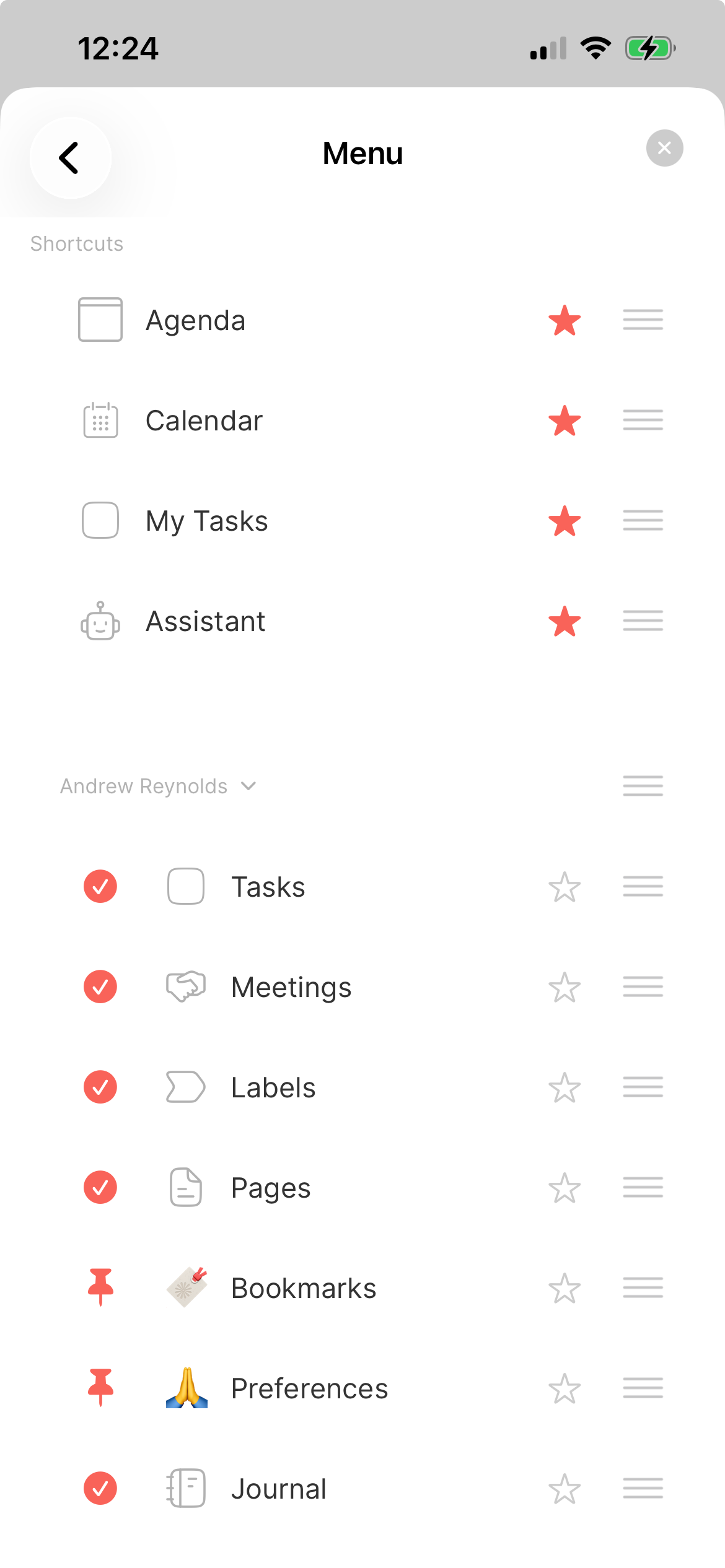
You will see appear a new Projects screen in your personal organization. If not, head to Settings / Menu to add it to your menu.

Tasks, pages & projects in every organization.

In addition, every team organization is now also provisioned with the same concept, allowing for an easier collaboration around tasks & projects.

To attach a task to a project, double click the task and set (or create) the Project relation property.

Whenever a task is associated with a project, the project is displayed as a chip on the right side of the task to more easily see which tasks belong to what.

๐Ÿ‘ฅ Team tasks

Tasks are becoming truly collaborative! ๐ŸŽ‰

Each organization now has new Tasks, Pages and Projects screens, very much like your private space.

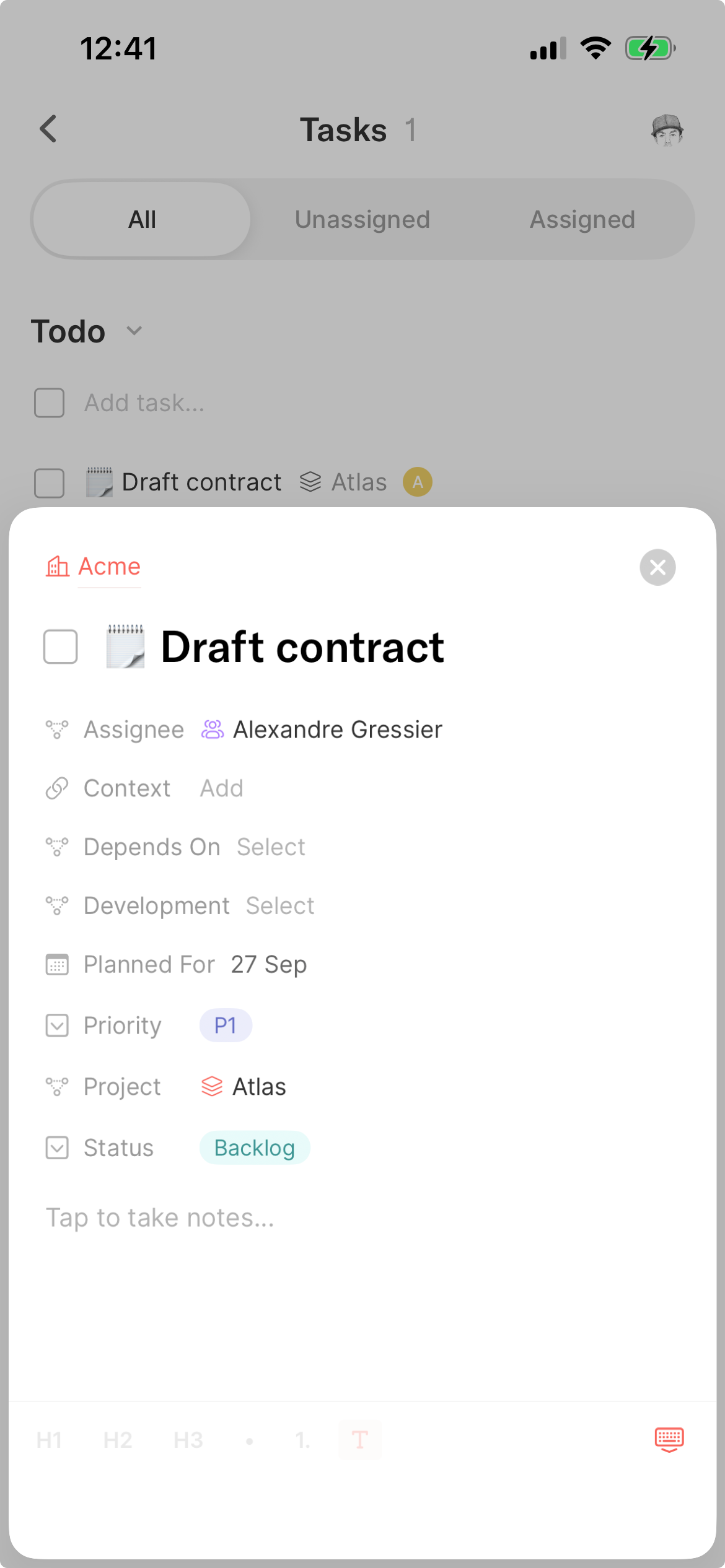
The differences with your personal tasks is that team tasks can be assigned to a member of the workspace.

Task assignments between a workspace's members.

In addition, the Task type comes with the same Todo/Completed/Discarded states used by your private tasks. However, when it comes to team tasks, you can edit the type to give more meaning to the Status property e.g add Backlog, In Progress, Reviewed or whatever makes sense for you.

Together, projects, tasks and assignments provide the foundations for coordinating work across a team without turning Routine into yet another heavyweight project management tool.

๐Ÿž Fixes & improvements

  • We have improved the speed of the Desktop app by 21% and fixed a lot of bugs, including:

    • When creating a page, the cursor is now placed directly in the title, so you can start typing immediately.

    • Settings and plugins tied to an entitlement can now always be turned off, even after that entitlement has expired. Only enabling them requires the corresponding entitlement.

๐Ÿ‘‰ Coming Next

More integrations, MCP clients to use all the MCP servers you want (already available in beta), a brand new Routine MCP server for you to connect your favorite AI apps to Routine and more.

Stay tuned!

July 21st, 2026

iOS

Android

macOS

Windows

Linux

Web

When AI exploded, every product rushed to add it. We didn't.

Instead, we waited until we could build AI that genuinely makes work easier, not just another chatbot.

Today, we're excited to introduce Routine AI, built on top of your existing workspace.

DISCLAIMER: If AI isn't for you, you can simply hide these new screens. And as always, your data remains yours. It is never shared with AI providers unless you explicitly use an AI feature, is never used to train models, and Routine will never sell your data. Ever!

๐Ÿ’โ€โ™‚๏ธ Assistant

The AI Assistant brings a ChatGPT- or Claude-like experience directly inside Routine.

Ask any question, research the web, or let it operate Routine on your behalf: schedule meetings, create tasks, update notes, manage databases, and much more.

AI Agent Overview
The AI assistant is like ChatGPT inside Routine.

๐Ÿ’ฌ Voice commands a.k.a super Siri

What if you could simply talk to your assistant whenever you wanted something done?

With AI Voice Commands on iOS and Android, that's now possible. Speak naturally to Routine to create reminders, schedule meetings, capture notes, update projects etc. Routine takes care of the rest.

See video at the top.

๐Ÿค– Agents

Need a specialist on your team? Meet AI Agents.

Install an agent from the catalog in Settings โ†’ Agents, then chat with it just like you would with the assistant.

What makes agents different is that they can be customized for your organization:

  1. Instructions & knowledge. Give agents specific instructions and connect company knowledge such as customer profiles, strategy documents, databases, or internal documentation.

  2. Tools & integrations. Give agents access to services (Gmail, Slack, WhatsApp, LinkedIn, Attio, Twitter/X, and many other services) so they can perform work across your entire stack.

AI Agents
Add AI agents to your workfoce.

โฏ๏ธŽ Automations

Automate anything in your work with AI.

Connect your apps, describe your workflow in natural language, and let Routine execute it.

Automations can run manually, on a schedule (every morning, every Monday, etc.), automatically when something happens in Routine (e.g new event created) or one of your connected apps (e.g new Gmail email received).

AI Automation Config 1 Step
Automate your workflows with AI

๐Ÿ‘‰ Coming Next

Our current focus is making Routine faster and more stable by fixing as many bugs as possible.

The next release will also introduce collaborative tasks, pages and projects, a brand new MCP server, human-in-the-loop AI, and much more.

July 8th, 2026

iOS

Android

macOS

Windows

Linux

Web

Routine 1.1 is here, packed with new features and improvements.

Letโ€™s dive right in.

๐Ÿ’ฐ New plan

We listened to you and introduced a new Personal plan at $5/month that includes time blocking & boxing, exporting, unlimited file uploads and more.

Check it out at https://routine.co/pricing.

โ˜‘๏ธ Task integrations

You can now bring your tasks from Gmail, Todoist, Asana and Microsoft To Do.

Bring all your emails, tasks, and more into a single place: your Routine Universal Inbox.

Universal inbox with tasks synchronized from Asana, Microsoft To Do, Todoist, Gmail and Notion.

๐Ÿ–ฅ๏ธ Multi window support

Because you can do so much inside Routine โ€” from managing your tasks, scheduling meetings, maintaining your team knowledge base, tracking projects and more โ€”, it can sometimes feel like you need to navigate a lot to switch context.

Routine now support multiple windows, allowing you to open as many windows and contexts as you want.

You can either open new windows by clicking the main Routine menu in your operating system bar (at the top on macOS) or pressing CMD/CTRL+SHIFT+N. Even more, you can press OPT/ALT when performing an action in Routine to open it in a new window e.g OPT/ALT while double clicking a task will open it in a new window.

Open as many windows as you want to work across contexts.

Note that we will soon introduce tabs to further split context inside a single window.

๐Ÿ’พ Exporting

You can now export your information as PDF, HTML, or Markdown, making it extremely easy to share information with people external to your Routine environment.

Export your objects as PDF, Markdown or HTML.

๐Ÿ•ฐ๏ธ Time zones

Working with teammates across time zones is now much easier. Just add as many timezones as you want to your calendar. Great to easily and quickly schedule meetings.

Add time zones to your calendar.

๐Ÿค Meeting recording

In addition to making meeting recording more reliable across a variety of operating systems, a few new features are making meeting recording easier to do and harder to forget.

First, a new dedicated Settings screen has been introduced:

Control all aspects of your meetings: auto start, meeting detection, prompt etc.

From there, you can now define exactly the prompt that is used. As a result, you could tell Routine to save the transcript itself instead of summarizing, or summarizing them in a way that best fits your workflow.

We also added a /meet command to allow taking notes anywhere. This is particularly useful for taking meeting notes in your team, either in pages, or in a database of meeting notes for example.

/meet to record meetings in any workspace.

Finally, because Routine does not involve a bot joining your meetings automatically, it is easy to forget to launch recording.

Luckily, Routine now detects you joining a meeting (Google Meet, Slack Huddle, Zoom, Microsoft Teams and more) and offers you to record it.

Be notified whenever you join a call to record it.

๐Ÿงฉ Integrations

The following new integrations are now available:

  • Apollo

  • Asana

  • Attio

  • ClickUp

  • Gitlab

  • Jira

  • Linear

  • Pipedrive

  • Trello

  • WhatsApp

๐Ÿ’ฝ Databases

Databases have been improved:

  • Creating an object from a filtered view applies the filters to the new object

  • Text properties can now span multiple lines

  • You can now filter by is empty/is not empty

  • Databases can be pinned to the menu

๐Ÿ—’๏ธ Notes

The note editor has also been improved:

  • If you type [[ to create a reference, you will be invited to create a new object of any type in your system

  • We have made it easier to drop a file in the notes, even if those are empty

  • You can now press SHIFT+ENTER in any text block to insert a new line

  • Databases can now be referenced e.g try [[Label

๐Ÿ‘ฅ Team

Setting up an organization has been made easier through a brand new wizard. In addition, a new Workspace screen has been introduced which lists all the objects in your workspace.

Easily set up a team organization by following a wizard

๐Ÿž Other

Many bugs have been fixed, among them:

  • Fixed search in views

  • Fixed setting multi-select values in creation modal

  • Fixed type icon setting in Web

  • Fixed hiding menu bar widget when disabled

  • Fixed left-pane calendar hiding when deselecting an event (re-hide it)

  • Strengthened audio recording to better handle disconnections

  • Improved support for pasting formatted text into Routine

  • Improved dashboard loading performance

  • Fixed 3-day calendar layout

  • Fixed filtering by label

  • Prevent wrong working hours

  • Fixed two clicks on Exit on Windows to quit

๐Ÿ‘‰ Coming Next

Here's what we're working on next:

  • Tasks in workspaces to make collaboration easier

  • AI (assistant, voice commands, agents, automations and human in the loop) i.e already in betaโ€ฆ

April 10th, 2026

Thatโ€™s it, Routine 1.0 is here!

This is a huge milestone for both the product and the team behind it.

Routine wouldnโ€™t exist without your feedback, support, and patience along the way. Thank you ๐Ÿ™.

Now, letโ€™s dive into whatโ€™s new.

๐ŸŒ Google agnostic

You can now sign up/in by email and most importantly use Routine without Google.

๐Ÿงฉ Integrations

A lot of integrations have been added to Routine, with a lot more to come in the coming months. Some integrations are task, calendar or contact specific, while other synchronize (always bidirectionally) with a Routine database.

๐Ÿท๏ธ Labels & priorities

Labels have been introduced for you to easily organize and group your tasks by topic. The same labelling system can be used to label/tag your contacts, events and pages.

In addition, quick capture has been improved to support setting labels as you create tasks; simply press # to list all the labels and select one.

โ— Priorities

As for labels, you can now set the priority of your tasks.

Just open a task and set the priority field or use the ! symbol in the quick capture console.

๐Ÿ” Navigation sidebar/menu

The menu has been improved to better understand the difference between your private objects (tasks/events/pages/contacts) and the organizations you are part of.

The menu now groups the pinned objects per organizations so that it is easier to understand to which organization they belong.

In addition, the menu items can now dragged to reorder and right clicked to act quickly on the object being pinned.

๐Ÿ‘๏ธโ€๐Ÿ—จ๏ธ Context, everywhere

Contextual capture has always been one of the impressive features in Routineโ€™s quick capturing mechanism, allowing to capture the browserโ€™s URL, selected text etc. as you create a task, giving it more information or context.

This mechanism has now been extended to work with any type to add context to anything that you create through the dashboardโ€™s quick capture.

Here is how it works.

  1. Edit the type you want to enhance to add a Context property

  2. Whenever you open the dashboardโ€™s quick capture, use the as keyword to select the type of object you want to create

  3. Choose to create an object of that type with or without the context

Here is an example with a Candidate database to which a context property has been added.

Whenever you are on LinkedIn for example, you can quickly add the person to your database of candidates.

You will find the context property filled so you can click to go back to the context, in this instance, the LinkedIn page.

In addition, you can now select a file in your Finder and open the dashboardโ€™s quick capture and the file will be uploaded and attached as part of the context.

๐Ÿ  Organization & workspace

New screens have been introduced as entry points for your organizations and workspaces.

The organization screen lists the workspaces and integrations while the workspace screen displays the databases and the hierarchy of objects to easily browse your data.

Note that those screens can be pinned to the menu for easy and quick access.

๐Ÿ’ฝ Databases

The database views have been greatly improved and now feature:

  • Better filtering/grouping/sorting, with searchable input fields

  • A view-based search

  • A title tag to indicate which property acts as the title

  • Right click on rows to quickly act upon them

  • Improved dragging between groups (e.g Kanban board)

Also, databases can now be pinned to the menu for easy access.

๐Ÿ“† Calendar

The calendar now features a brand new 3-day layout.

๐Ÿ“„ Notes

The note editor has been improved with the following:

  • You can now press SHIFT+ENTER to create a new line within a block

  • Embeds now support 2000+ providers. That should be enough to cover most of your cases ๐Ÿ˜œ

  • Whenever you paste a link in Routine, the editor now offers you to convert it into an embed or create a reference

  • You can now copy the link of a block e.g to share with someone or create a reference with

  • Stamps have been introduced to let you provide more structure to your document such as the current date, week etc.

  • Large content pasting has been improved e.g when copying a document from another app and pasting it in Routine

๐Ÿค– AI meeting notes

AI meeting recording has been improved to be more reliable.

But more importantly, auto start/stop has been added so that recording starts as soon as you open the meeting.

Note that you can disable auto start in your Preferences.

๐Ÿ‘‰ Coming Next

The team is currently focused on bring powerful AI to Routine, allowing you to delegate work to specialized agents and automate your work.

January 19th, 2026

macOS

Windows

Linux

Web

Routine Desktop 0.25 brings a brand new experience for teams!

๐Ÿค Collaboration

Until now, Routine was focused on individuals, providing a unique and combined experience around calendars, tasks, notes & contacts.

Routine is entering a new age, allowing for teams to work together to manage their knowledge, projects, clients or more.

To start, head to Settings, click the organization dropdown menu and click + New to create a new organization.

You can then invite people to join your organization. Remember that, by default, the invited users are not part of any workspace. You must add them manually to the workspaces you want to grant them access to.

From that point, create your data model by defining the object types you want to manipulate, create objects anywhere and visualize them through Views.

Note that, by default, a single workspace is created but you can create more if you subscribe to the Business plan.

๐Ÿ‘‹ Mentions

Along with collaboration, a mention mechanism has been introduced to notify a member of something that requires his or her attention.

Every mention generates an item in the Inbox, allowing you to quickly see where your attention is required.

Note that the Inboxโ€™s counter now turns red whenever a mention or meeting invitation has landed in your inbox.

To mention a team member, simply use the @ symbol, followed by the name of the person you want to mention.

Note that, until now, the @ symbol was used for linking/referencing objects. This symbol is now dedicated to mentions. To create a reference, use [[ followed by the name of the object to link to (which was already supported).

โœ”๏ธŽ Checklists

Checklists have been introduced to allow creating a list of items to be done without relying on tasks which are rich objects that can be planned, dragged into your calendar, but also show up in your Inbox.

With checklists, you can more easily break down something to do into smaller parts and tick them as you go.

๐Ÿ’ฝ Databases

A new database screen has been introduced to more easily overview the items of a given type.

You can navigate to such a database either through the main + menu or through a relation property:

The relation properties have also been improved to allow unsetting a value and creating a new object directly from the relation field (+ New).

๐Ÿ“ Note editor

In addition to the introduction of checklists and mentions, the note editor has been improved:

  • The latest inputted characters were sometimes lost; this has been fixed

  • CMD/CTRL+S can now be pressed to force the flush/save of notes

  • The selection of todo blocks in notes reverted the status of those tasks; this has been fixed

๐Ÿ“… Calendaring

The calendar has also been improved:

  • The calendar footer can now be resized manually

  • The completed, discarded & todo tasks of the past days are now displayed in the calendar footer

  • The Add task... input field in the calendar footerโ€™s lists has been moved to the top to always be accessible

  • The calendar time increment was wrong when the very first eventโ€™s start time was not on the hour; it has been fixed

โœ… Task management

Task management has been improved as well:

  • Like any other task, recurring tasks can now be moved to another parent

  • When a paused recurring task is resumed, the un-generated occurrences are now generated as Discarded. Until now, those โ€œcame backโ€ in the Overdue section.

โž• Other

Other areas have also been improved.

  • Preferences: the preferences were not saved across launches; this has been fixed. We are very sorry about that.

  • Menu: the menu is now synchronized across your devices

  • Search/references: the search/reference results have been increased to 50 items and are scrollable

๐Ÿ‘‰ Coming Next

The next release should be out in a few weeks, bringing our brand new integration engine!

December 21st, 2025

macOS

Windows

Linux

Web

Routine Desktop 0.24 introduces major new features that are bringing Routine closer to the 1.0 milestone ๐Ÿ˜‹.

๐Ÿค– AI meeting notes

You can now ask Routine to automatically record and summarize your meetings. You might think that many services already do that, and you would be right. Butโ€ฆ

Existing standalone AI meeting recording services create yet another data silos by saving the meeting notes and action items in a dedicated tool that does not connect to your daily workflow.

Routineโ€™s vision is to break such data silos. And because Routine already handles your meetings, notes and tasks, it is the ideal place to put more of those, just now automatically thanks to AI.

Oh and, cherries (plural) on the cake:

  • Routineโ€™s AI does not rely on a bot that joins your meetings, making it less intrusive

  • You can take private notes and those will be taken into account when summarizing the meeting; and

  • The action items are converted into real Routine tasks that can be planned, enriched and blocked into your calendar! ๐Ÿคฏ

โœŠ Extendable default types

You thought AI meeting recording was huge, well wait for that one!

Routine now allows you to extend your tasks, events, pages, contacts and calendars (what we call default types) with additional properties.

Do you know of a calendar that allows you to extend the meaning of events to add information to them, such as a label, a priority or even linking your events to customers? Short answer: no.

This is exactly what Routine allows you to do. And the possibilities are infinite ๐Ÿš€โ€ฆ

๐Ÿ“‚ Attachments

Attachments are here!

You can now upload PDF files, videos, images and more, making it a lot easier to enrich your documents with additional information.

The embeds have also been improved to support more platforms and file formats.

๐Ÿ“‘ Floating table of contents

A floating table of content is now displayed next to your notes.

The table is discreet at first and can be expanded and clicked when you hover your mouse over it. And it follows as you scroll through the document, making it accessible at all times.

โœ๏ธ Spellchecking

You can now configure Routineโ€™s spellchecker to take into account the languages you write in or disable the spellchecker if you prefer.

๐Ÿ‘‰ Coming Next

Thatโ€™s a wrap for 2025โ€ฆ

2026 is going to be even bigger!

Expect the following as early as January:

  • Collaboration

  • Integrations

October 16th, 2025

macOS

Windows

Linux

Web

We are trilled to present Routine Desktop 0.23.

This release is a very important one as it brings together a large number of polished improvements that will make using Routine feel like a breeze.

๐Ÿ“š Journaling

Not everybody works the same! Some people are all about action and love Routineโ€™s Agenda for its ability to summarize the whole day. But other are more about writing and reflecting.

This is why Routine is now equipped with a Journal screen.

The Journal can be used as an entry point for your day, to reflect on yesterday but also to plan by creating tasks or link your thoughts through references, effectively creating a digital brain.

NOTE: the previous Journal screen has been decommissioned in favor of the Agenda. Indeed, the Agendaโ€™s past days now lists the completed/discarded tasks of the day along with the tasks you had planned to do but did not.

๐Ÿ‘ฑโ€โ™‚๏ธ Contacts

Please welcome another brand new screen: Contacts.

Since the early days of Routine, our vision has been to combine tasks, calendars, notes & contacts into a single app.

Contacts had been left on the side for now. This is no longer the case even though a lot remains to be done. In the meantime, the new Contacts screen provides an entry point to all your contacts.

๐Ÿ“ Note editor

The note editor has also been improved with the introduction of callout blocks:

๐Ÿ“… Calendaring

We have been hard at work improving the calendaring experience, both in the Agenda and Calendar.

Below are some of the most important features, improvements and bug fixes:

  • Set the attendance through the right click menu

  • Switch between your calendars when time blocking by pressing TAB

  • Week numbers are now displayed in the Calendar

  • Event descriptions are now displayed in HTML

  • Calendar hours are now synced with your working hours preferences, allowing to hide night hours for instance

  • A sound notification is emitted 1 minute before every Agenda event (can be turned off in Settings / Preferences)

  • Zoom in/out in the Calendar

  • All-day event creation ghost is now displayed

  • Draft events can be dragged around to be repositioned

  • The Agendaโ€™s dragging abilities have been greatly improved

  • Multi-day events are better displayed in the Agenda

โœ… Task management

Task management has also been greatly improved, providing core functionalities that were so far missing to get a complete experience.

Letโ€™s take a look at whatโ€™s new:

  • Drag tasks between sections (Overdue, Upcoming, Unplanned etc.)

  • Drag tasks inside events & allocations in your timeline, effectively moving the task to another event/task

  • Block time multiple times for a single task by pressing ALT and dragging an existing allocation

  • Duplicate objects (tasks, events etc.) with CMD+D, right click etc.

  • You can now scroll within the lists of tasks in the Calendar footer

  • Wonโ€™t do has been renamed Discard and a Discarded section has been introduced

  • Sections (Overdue, Upcoming etc.) and stars are now displayed in future days/weeks allowing you to better plan in the future

  • Search results now display the status checkbox of tasks

  • ALT+ENTER in the โ€œAdd taskโ€ฆโ€ input field creates the task and puts focus right back in the input field

  • ALT+ENTER at the end of a task in notes creates another Task block underneath

๐Ÿ‘‰ Coming Next

The next Desktop release is due in about 2 weeks and should include:

  • AI meeting recording & transcription

  • Extending default types (Task, Event, Page, Person) with custom properties

  • Spellchecking

  • Floating table of contents in notes

October 9th, 2025

Android

Routine Android 0.3 is now on par with Routine iOS, providing a full-fledged experience arounds tasks, notes, calendars & contacts.

๐Ÿพ New Features

  • You can now use Routineโ€™s calendar on Android; everything is two-way synced with Google calendar and your other Routine apps

    This includes switching between layouts (3-day, 5-day, month), creating/editing/deleting events & meetings, opening the details etc.

  • The Routine Android app now supports taking notes, anywhere, anytime!

    Be it for meetings, pages, tasks or else, Routineโ€™s note editor comes with all the whistles you might expect to make your notes beautiful!

    Even more, you can now create tasks in your notes, allowing you to structure your action items more easily.

  • You can drag a task onto your calendar to block time and make sure you will dedicate the time that task deserves

  • Routine is blazingly fast on Android thanks to the offline mode and a few performance optimizations weโ€™ve implemented for the experience to be flawless

  • The main + button allows for quickly creating tasks, events & notes

  • The Pages screen has been improved:

    • Quick access to the recently accessed pages

    • Expand/collapse the hierarchy of pages/subpages

    • Create tasks in notes

  • You can configure your preferences: first day of the week, time display, theme etc.

๐ŸŽฏ Coming Next

We are currently working on bringing daily notes/journaling to all apps, allowing you to quickly take notes for the day.