Collaboration, mentions & checklists
Routine Desktop 0.25 brings a brand new experience for teams!
🤝 Collaboration
Until now, Routine was focused on individuals, providing a unique and combined experience around calendars, tasks, notes & contacts.
Routine is entering a new age, allowing for teams to work together to manage their knowledge, projects, clients or more.
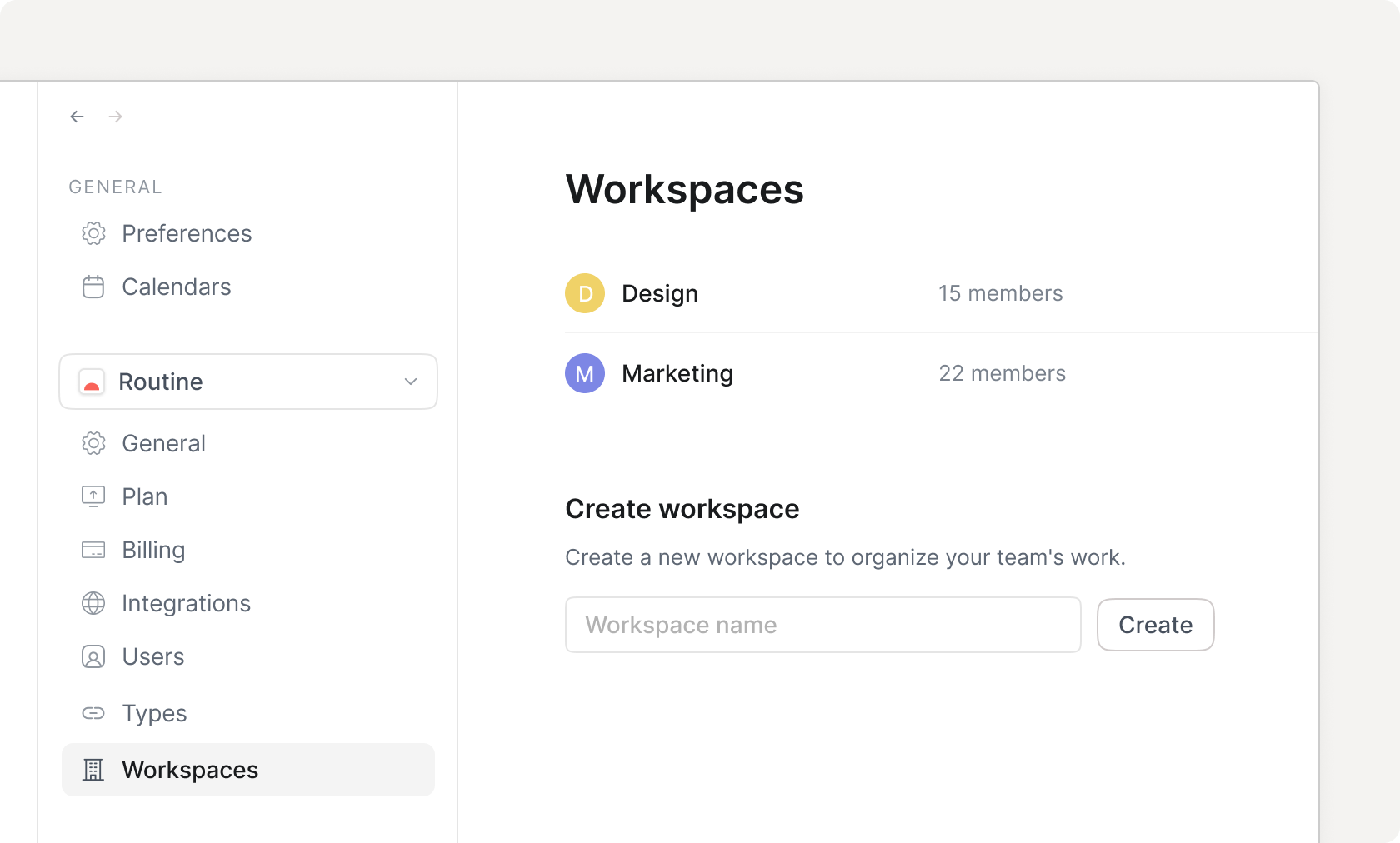
To start, head to Settings, click the organization dropdown menu and click + New to create a new organization.
You can then invite people to join your organization. Remember that, by default, the invited users are not part of any workspace. You must add them manually to the workspaces you want to grant them access to.
From that point, create your data model by defining the object types you want to manipulate, create objects anywhere and visualize them through Views.
Note that, by default, a single workspace is created but you can create more if you subscribe to the Business plan.
👋 Mentions
Along with collaboration, a mention mechanism has been introduced to notify a member of something that requires his or her attention.
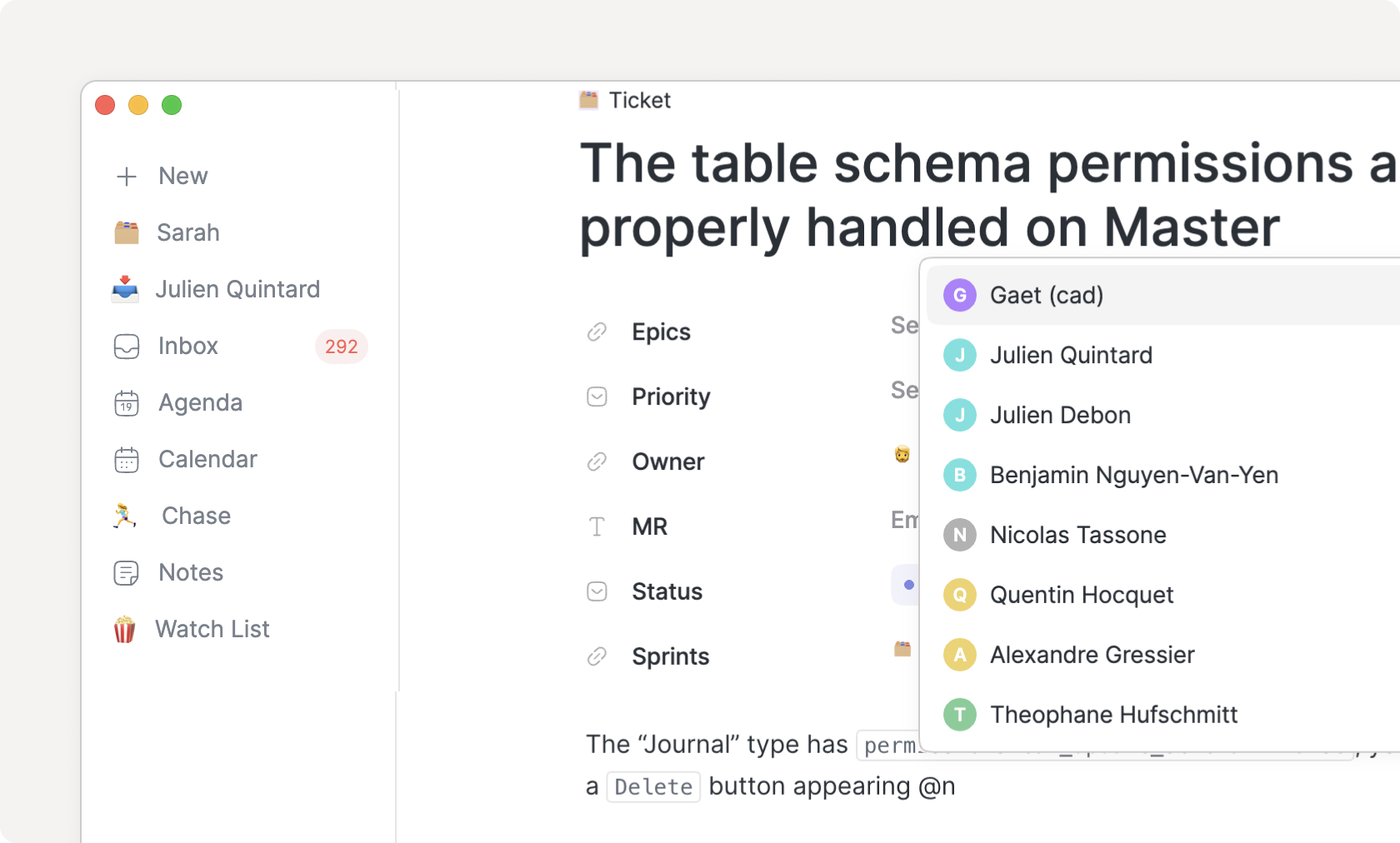
Every mention generates an item in the Inbox, allowing you to quickly see where your attention is required.
Note that the Inbox’s counter now turns red whenever a mention or meeting invitation has landed in your inbox.
To mention a team member, simply use the @ symbol, followed by the name of the person you want to mention.
Note that, until now, the @ symbol was used for linking/referencing objects. This symbol is now dedicated to mentions. To create a reference, use [[ followed by the name of the object to link to (which was already supported).
✔︎ Checklists
Checklists have been introduced to allow creating a list of items to be done without relying on tasks which are rich objects that can be planned, dragged into your calendar, but also show up in your Inbox.
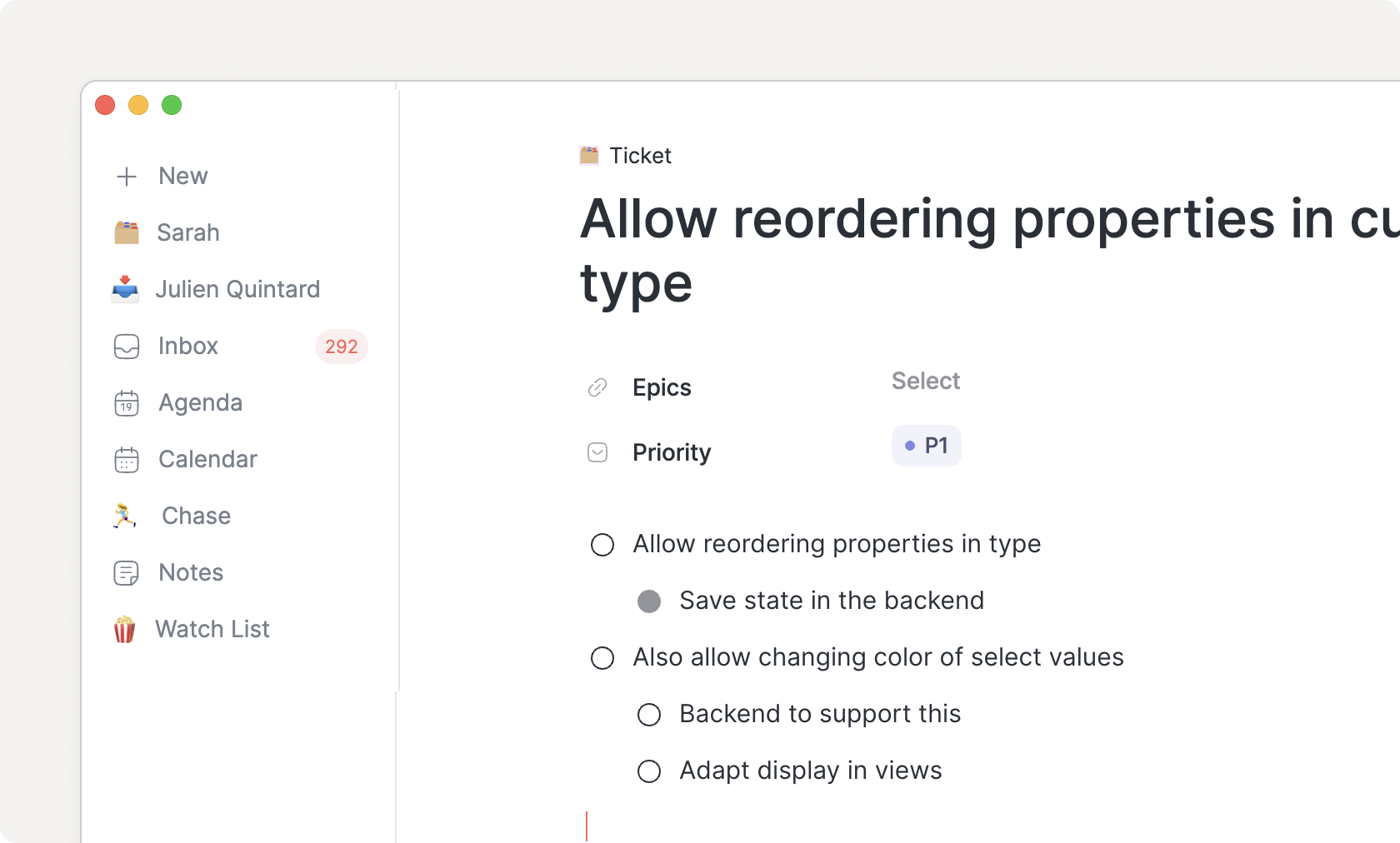
With checklists, you can more easily break down something to do into smaller parts and tick them as you go.
💽 Databases
A new database screen has been introduced to more easily overview the items of a given type.
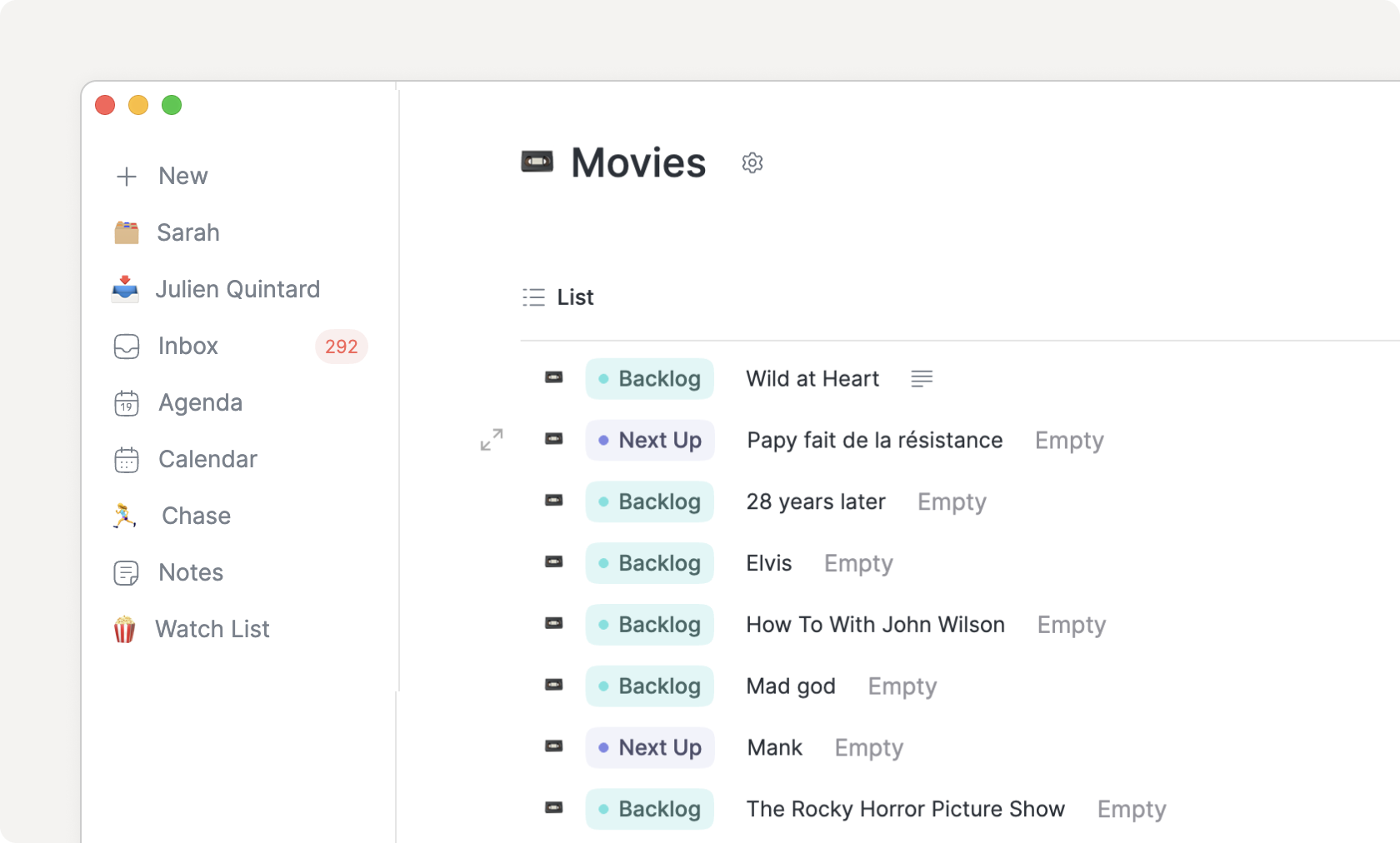
You can navigate to such a database either through the main + menu or through a relation property:
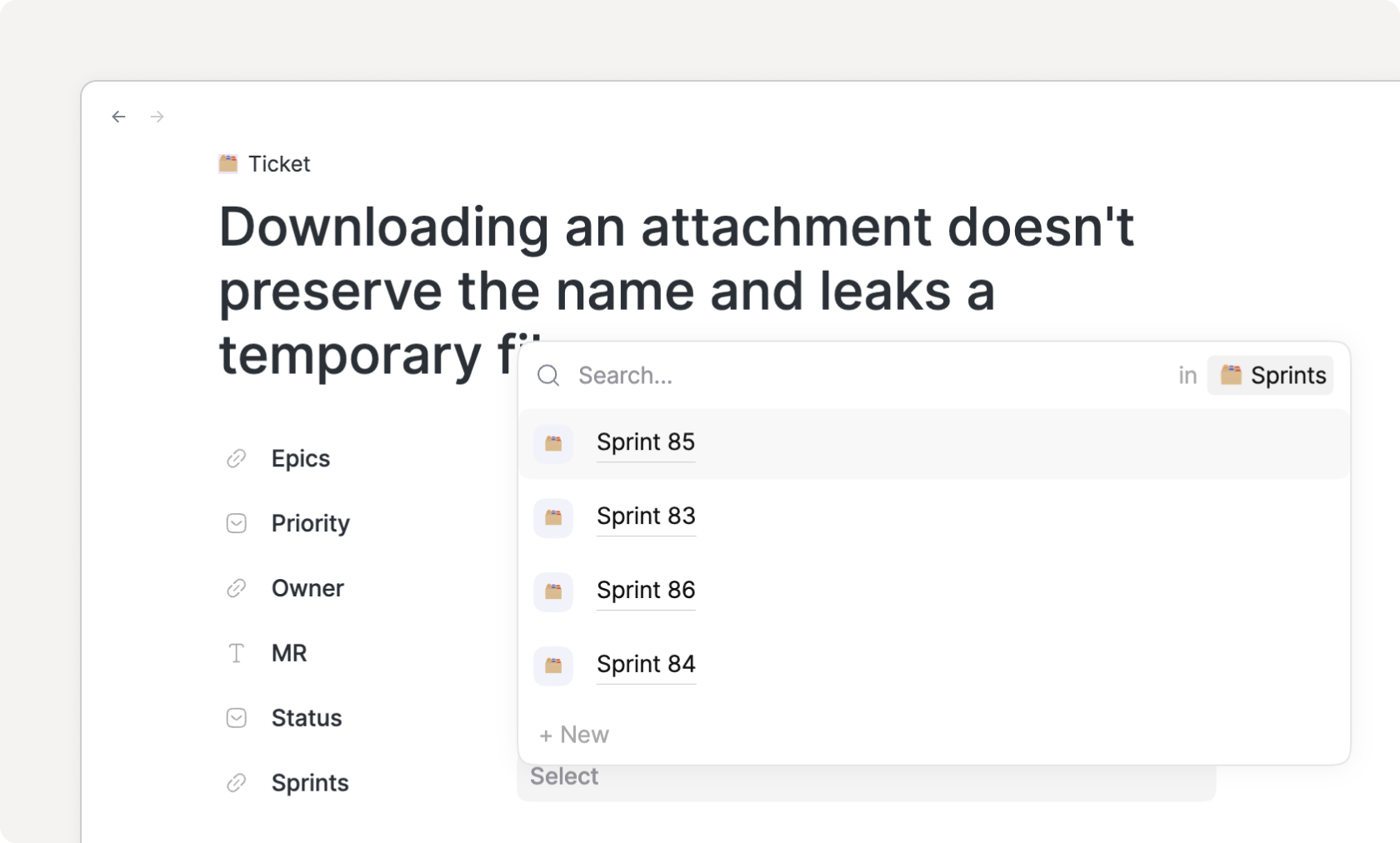
The relation properties have also been improved to allow unsetting a value and creating a new object directly from the relation field (+ New).
📝 Note editor
In addition to the introduction of checklists and mentions, the note editor has been improved:
The latest inputted characters were sometimes lost; this has been fixed
CMD/CTRL+Scan now be pressed to force the flush/save of notesThe selection of todo blocks in notes reverted the status of those tasks; this has been fixed
📅 Calendaring
The calendar has also been improved:
The calendar footer can now be resized manually
The completed, discarded & todo tasks of the past days are now displayed in the calendar footer
The
Add task...input field in the calendar footer’s lists has been moved to the top to always be accessibleThe calendar time increment was wrong when the very first event’s start time was not on the hour; it has been fixed
✅ Task management
Task management has been improved as well:
Like any other task, recurring tasks can now be moved to another parent
When a paused recurring task is resumed, the un-generated occurrences are now generated as Discarded. Until now, those “came back” in the Overdue section.
➕ Other
Other areas have also been improved.
Preferences: the preferences were not saved across launches; this has been fixed. We are very sorry about that.
Menu: the menu is now synchronized across your devices
Search/references: the search/reference results have been increased to 50 items and are scrollable
👉 Coming Next
The next release should be out in a few weeks, bringing our brand new integration engine!