preferences don't save when app updates or is fully closed
when I go to update the program or if I need to fully exit the app from the bottom right of the screen as shown in the image
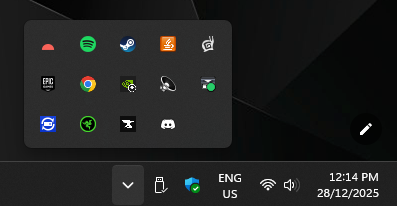
when I launch Routine again none of my preferences are saved so I have to go through and turn dark mode back on, set calendar to home, turn off inbox counter. etc
- Platforms
- Windows
Comments1
Nicolas Tassone
Dec 29, 2025
Hi Thomas,
We’re aware of an issue saving the preferences, and @Julien Quintard has worked on it.
It should be fixed really soon