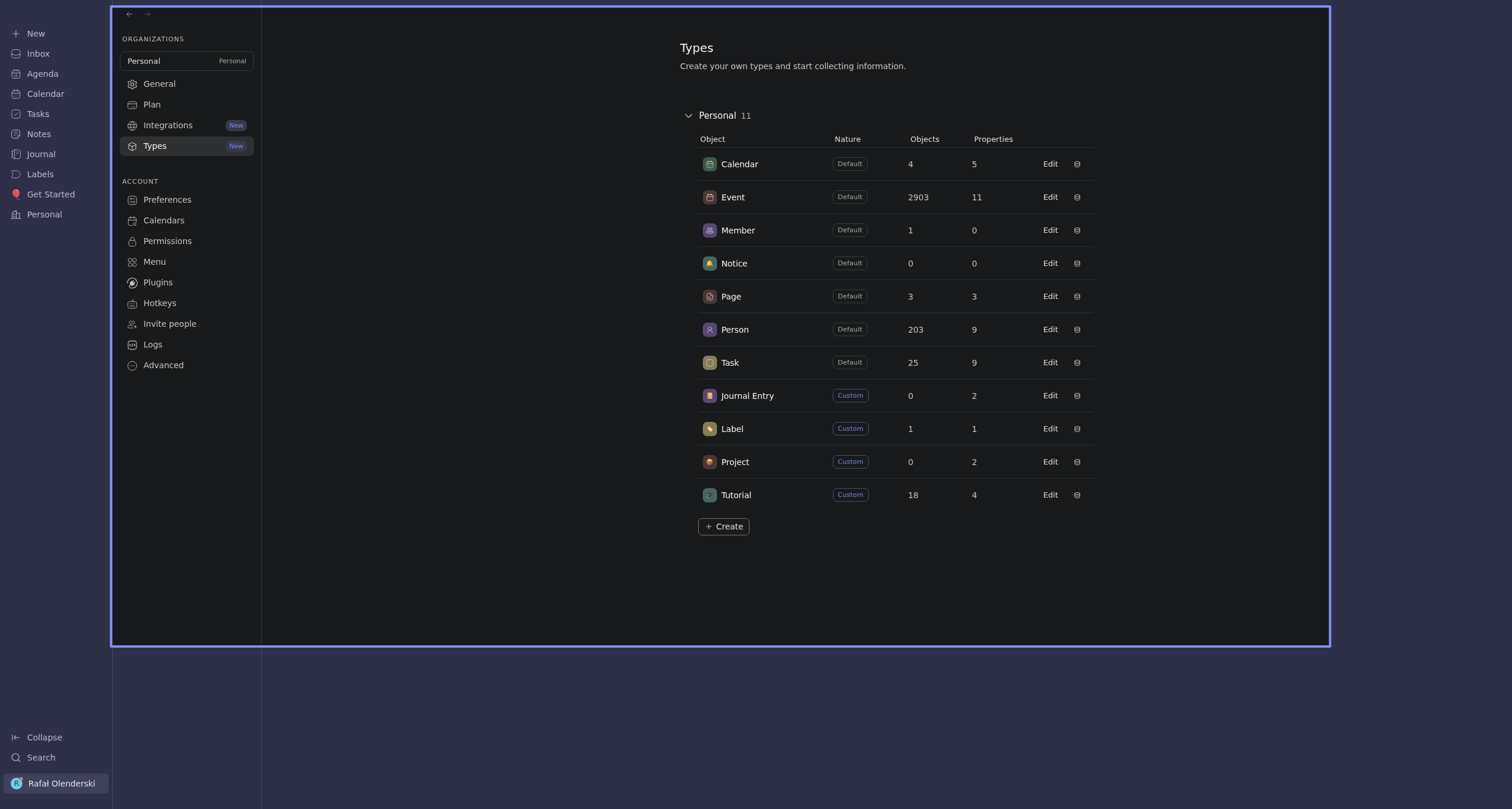
I would like to pin some things to my side bar. I have created “Project” object but cannot customise sidebar menu. In options and cannot pin it in sidebar also
Hi Rafael, you can click the Database icon that you see, either through Settings / Types or the + New menu. Then, once on the Database screen, you will find a Pin button in the top right corner.
Rafał Olenderski
•
Apr 11
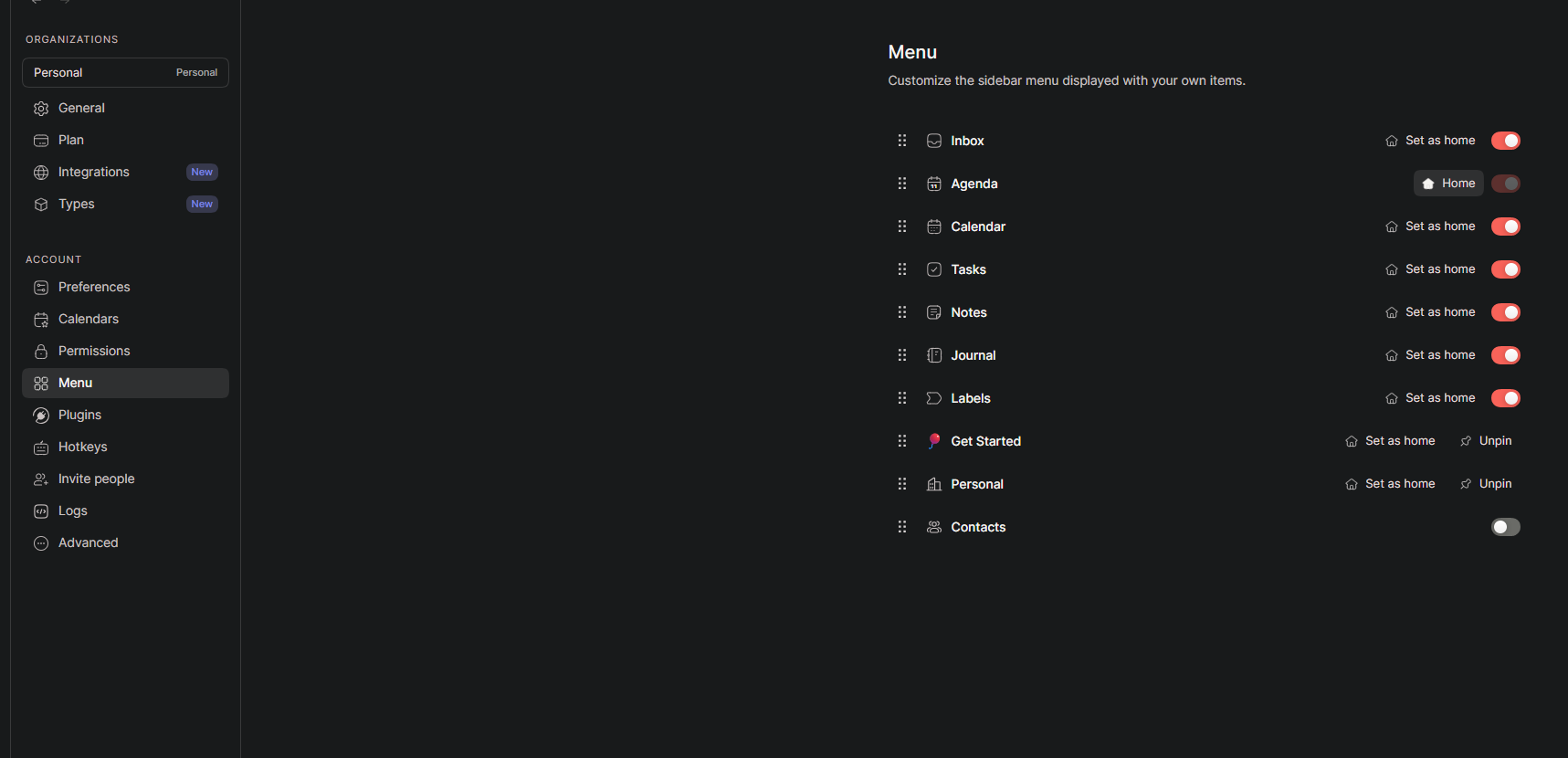
Seems to be I do not see there Pin option
Also in menu
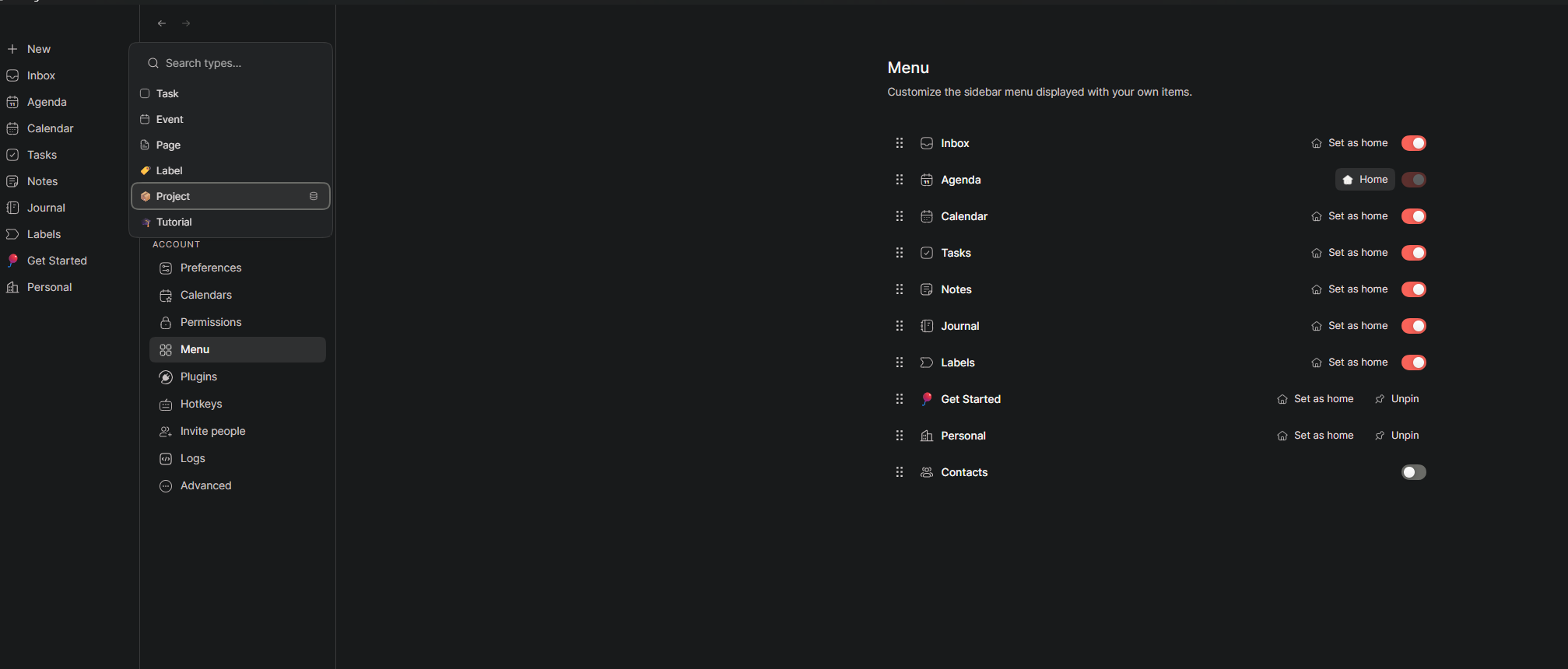
For specific object in Database it is working
But not for Database for types like “Project”
Julien Quintard
Team•
Apr 11
Hey Rafal (sorry for calling you Rafael, my mistake) and thanks for your patience.
My guess is that you’re not on the last version of the app. Can you go to Settings / Advanced? You should see the version number. If you’re not on the 1.0.1, click Update. If it’s not doing anything, go to routine.co/download and download the latest version. It will likely fix your issue.
Sorry about that.
Rafał Olenderski
•
Apr 12
Hello, no worries.I’m not mad.
Version was, and is up-to-date. Tried reinstall Routine twice:
Install from new installer
Uninstall old, then install from new installer
Maybe I am doing something wrong.
Julien Quintard
Team•
Apr 12
That is indeed very strange. Maybe the pinning of database is not yet in production but I checked and it should.
Is it the same with all your databases? Maybe an issue with the size of the window? Try reducing the width? Sorry I’m a bit lost, it should definitely be there.
In the meantime, you can create a page (that you pin to the menu), type /view, select Project and you will achieve the same thing inside a page.
Rafał Olenderski
•
Apr 12
Yes seems to be it is related to all databases. Below examples with smaller size of the window.
Other databases also do not have Pin option
I created new one for test
For the workspace “Personal” it is working
Workaround aslo is working
One thing what I notice in the page after move mouse outside window Routing is hinding Unpin, maybe it is related to this.
Julien Quintard
Team•
Apr 14
Will be fixed in the next release. Sorry about that.
Rafał Olenderski
•
Apr 16
No worries. I mentioned to let Routine aware.
From time to time a testing, checking, provide feedback. Oberving for future to move my bags from other apps. It looks really promising. Observing from the beggining.
I wanna make this app better for other users and myself :D.
Julien Quintard
Team•
Apr 17
We truly appreciate that. Without your feedback, we can’t know what’s wrong or in which direction to go. Keep it coming :)
Comments9
Julien Quintard
Apr 11
Hi Rafael, you can click the Database icon that you see, either through Settings / Types or the + New menu. Then, once on the Database screen, you will find a Pin button in the top right corner.
Rafał Olenderski
Apr 11
Seems to be I do not see there Pin option
Also in menu
For specific object in Database it is working
But not for Database for types like “Project”
Julien Quintard
Apr 11
Hey Rafal (sorry for calling you Rafael, my mistake) and thanks for your patience.
My guess is that you’re not on the last version of the app. Can you go to Settings / Advanced? You should see the version number. If you’re not on the 1.0.1, click Update. If it’s not doing anything, go to routine.co/download and download the latest version. It will likely fix your issue.
Sorry about that.
Rafał Olenderski
Apr 12
Hello,
no worries. I’m not mad.
Version was, and is up-to-date. Tried reinstall Routine twice:
Install from new installer
Uninstall old, then install from new installer
Maybe I am doing something wrong.
Julien Quintard
Apr 12
That is indeed very strange. Maybe the pinning of database is not yet in production but I checked and it should.
Is it the same with all your databases? Maybe an issue with the size of the window? Try reducing the width? Sorry I’m a bit lost, it should definitely be there.
In the meantime, you can create a page (that you pin to the menu), type /view, select Project and you will achieve the same thing inside a page.
Rafał Olenderski
Apr 12
Yes seems to be it is related to all databases. Below examples with smaller size of the window.
Other databases also do not have Pin option
I created new one for test
For the workspace “Personal” it is working
Workaround aslo is working
One thing what I notice in the page after move mouse outside window Routing is hinding Unpin, maybe it is related to this.
Julien Quintard
Apr 14
Will be fixed in the next release. Sorry about that.
Rafał Olenderski
Apr 16
No worries. I mentioned to let Routine aware.
From time to time a testing, checking, provide feedback.
Oberving for future to move my bags from other apps. It looks really promising. Observing from the beggining.
I wanna make this app better for other users and myself :D.
Julien Quintard
Apr 17
We truly appreciate that. Without your feedback, we can’t know what’s wrong or in which direction to go. Keep it coming :)