I'm attempting to add task or text into an existing object using Quick Capture, but nothing appears on the object page.
For tasks - The task gets added, but it only shows up in the agenda view with the Object displayed (not visible on the Object page itself)
For notes - It doesn't work at all
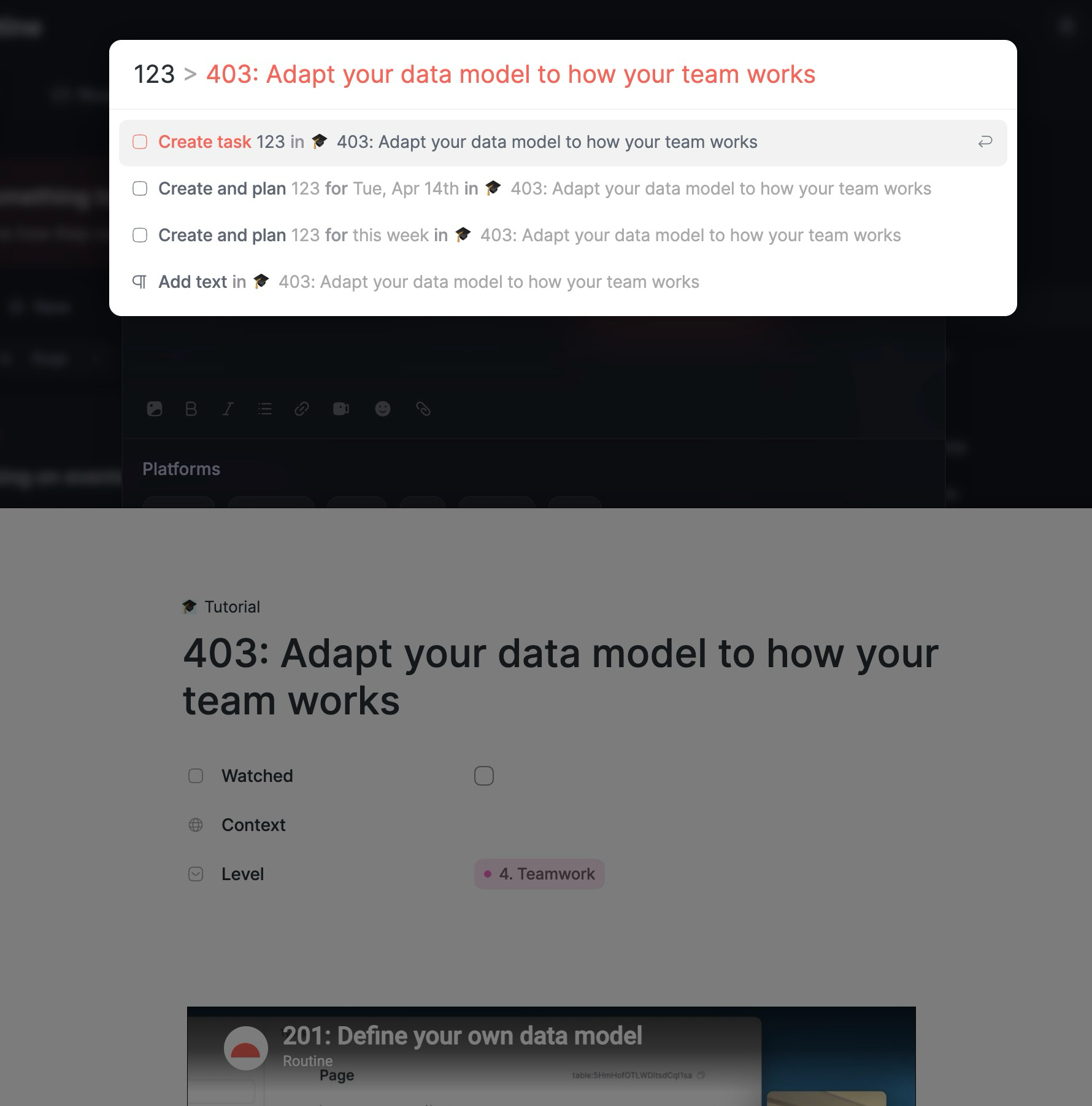
The screenshot shows a notification confirming that a task was added, yet it still doesn't appear on the object page.
Could you check if this happens on your side as well?
Julien Quintard
Team•
Apr 14
Hi. Thanks for the feedback.
Can you elaborate on what you are trying to accomplish?
Do you want to add content (notes or a task) to an exist object (e.g another task, or a Tutorial object in this instance)? If this is what you want, then the screenshot is right, you will be adding a task at the bottom of the Tutorial object.
Or do you want to create a new Tutorial object? In this case, you must use the ‘as’ keyword to specify which type of object you want to create.
Comments2
User
Apr 14
Hi!
I'm attempting to add task or text into an existing object using Quick Capture, but nothing appears on the object page.
For tasks - The task gets added, but it only shows up in the agenda view with the Object displayed (not visible on the Object page itself)
For notes - It doesn't work at all
The screenshot shows a notification confirming that a task was added, yet it still doesn't appear on the object page.
Could you check if this happens on your side as well?
Julien Quintard
Apr 14
Hi. Thanks for the feedback.
Can you elaborate on what you are trying to accomplish?
Do you want to add content (notes or a task) to an exist object (e.g another task, or a Tutorial object in this instance)? If this is what you want, then the screenshot is right, you will be adding a task at the bottom of the Tutorial object.
Or do you want to create a new Tutorial object? In this case, you must use the ‘as’ keyword to specify which type of object you want to create.