MCP server, tasks reordering, event coloring and more
This release brings improvements across almost every part of Routine.
Connect your favorite AI clients directly to Routine with our completely reworked local MCP server, organize your day exactly the way you want with task reordering and event coloring, and take advantage of new integrations, more powerful database views, improved collaboration, better internationalization and dozens of smaller improvements throughout the app.
If you want to see the improvements in action, here’s a video. Otherwise keep reading 😉.
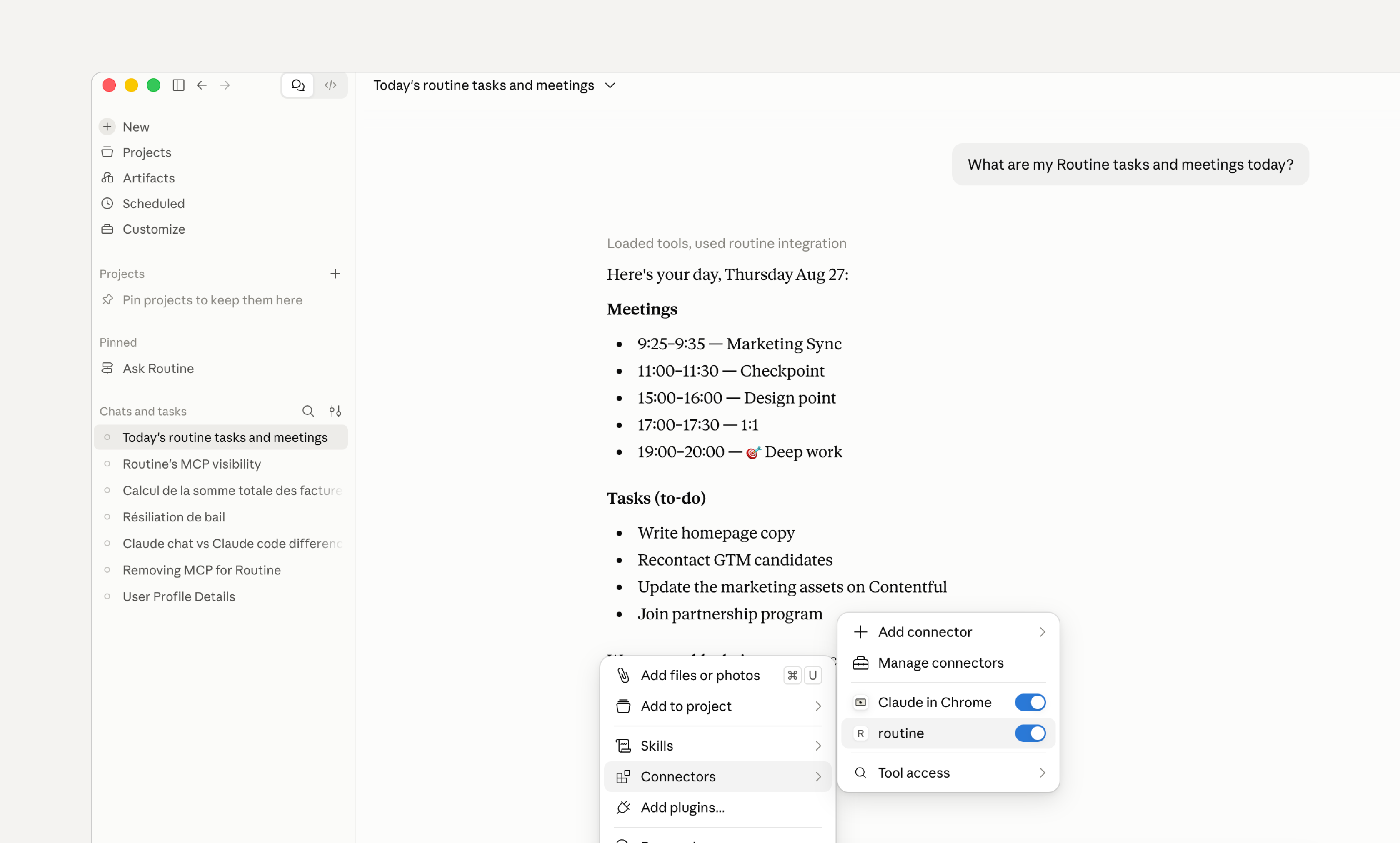
🤖 MCP server
We have completely reworked our MCP server to allow you to connect your favorite AI client (ChatGPT, Claude etc.) to Routine.
Note that Routine’s MCP server runs locally (not in the cloud). This means that it can be used offline i.e with an offline AI model.
It also means that you can only use it from desktop applications e.g ChatGPT desktop, Codex, Claude desktop, Cursor etc.
Head to Settings / Plugins, then enable the MCP server and follow the instructions.
◘ Reorder your tasks
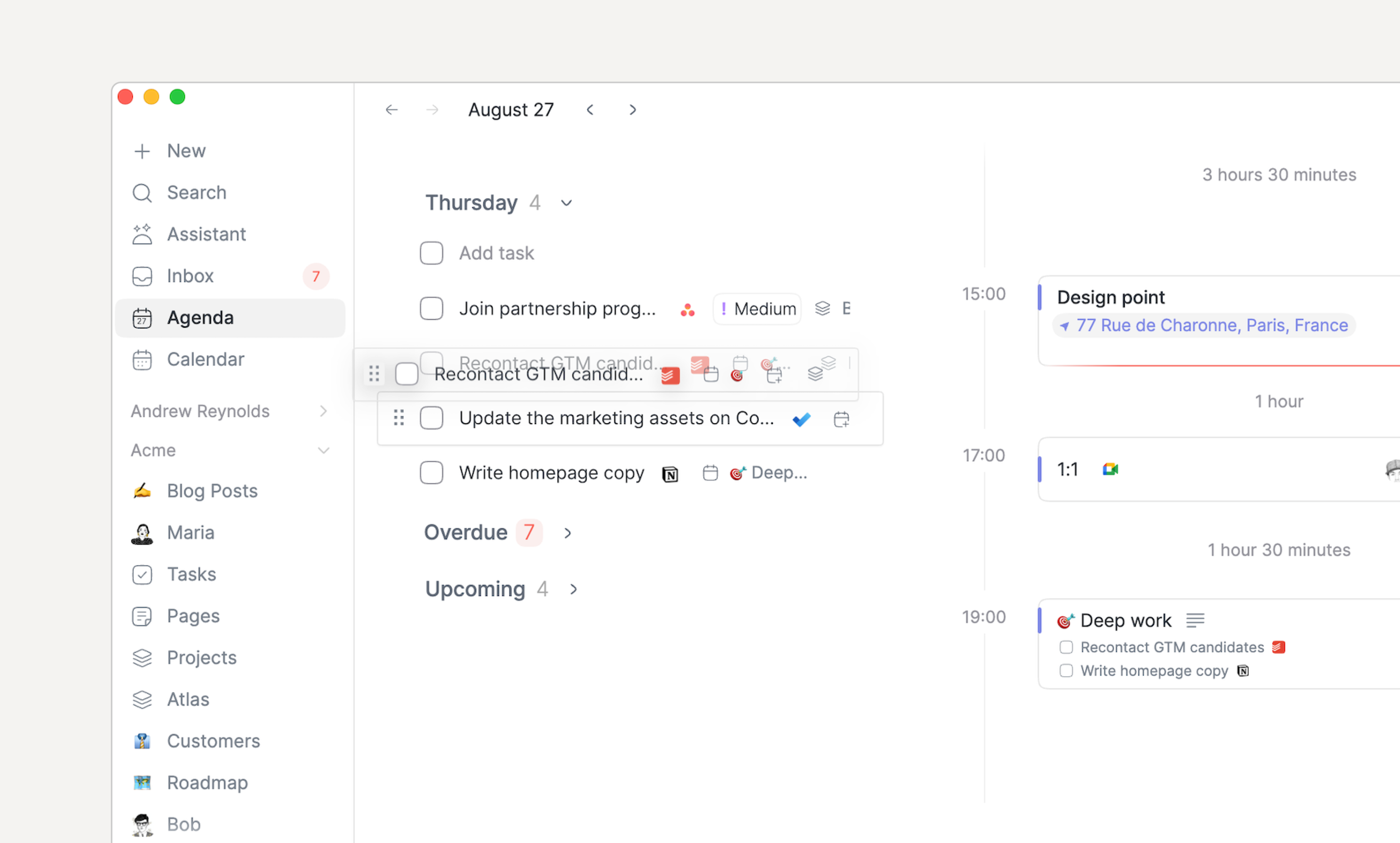
It’s been asked for a long time. It is finally here!
You can reorder your tasks in the lists. Note that some lists do not allow to reorder because of space constraint (e.g Calendar footer) or because they are already sorted (e.g Overdue).
To reorder a task, click the handle left of the checkbox and drag it in the list. To drag a task outside of the list to drop it in another section or the calendar, click the rest of the task and drag it.
🧩 Integrations
We’ve added a few new integrations that can synchronize items as Routine tasks:
Attio: with their deadline
Featurebase: optionally limited to a single board
ClickUp
In addition some existing integrations have been improved:
Microsoft To Do tasks now sync their due date to Routine
Todoist tasks now sync their due date to Routine.
Asana task sync now offers
My Tasks(assigned to you) instead ofAll tasks
Finally a few improvements have been made for managing integrations easier:
You can now force-sync a connection through its integration screen
The last time an integration was synchronized is now displayed when hovering the synchronization status
The integrations screen has been added a search bar
🎨 Event coloring
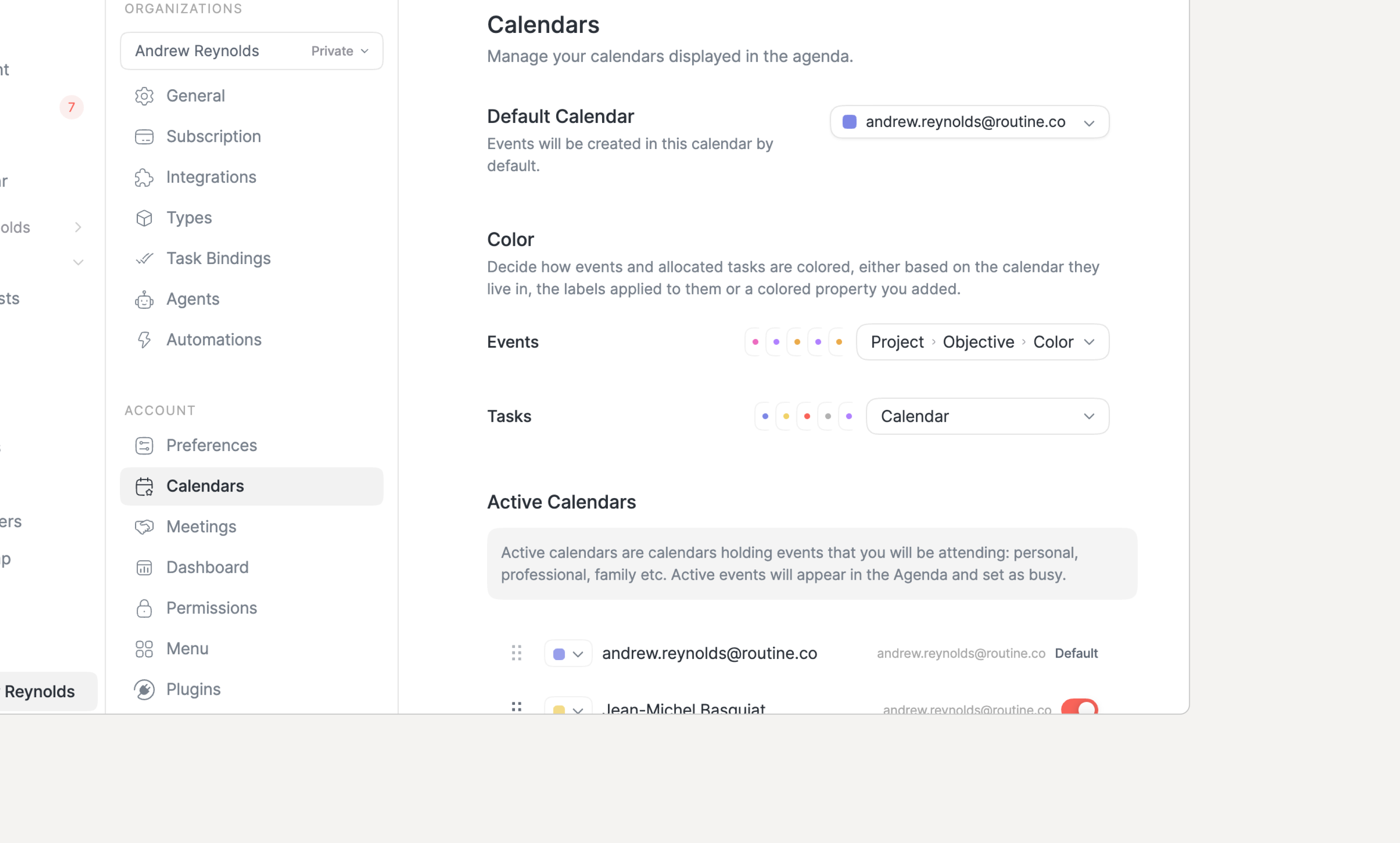
You can now define the color of your events and tasks (allocations) in the calendar.
Though Routine does not behave as other calendars. Instead of being able to set each event color individually, Routine computes the color based on a direct or indirect property.
By default, the color is deduced from the calendar the event belongs to. You can change it to use the labels associated with the event in which case the color of the first label will be used.
But you can go further and define a property or even follow relations until you pick a Select property whose values carry a color.
The calendar events keep a calendar-colored bar but the fill color follows the computed color.
NOTE: if you want to set a color manually, just add a Select property named Color to your Event type and you will achieve the exact same result.
🧿 Databases, types & views
The views have been drastically improved with new layouts and a better overall experience.
Order & color
You can now edit a type/database and re-order its properties
Select properties’ options can also be reordered and each color can now be set
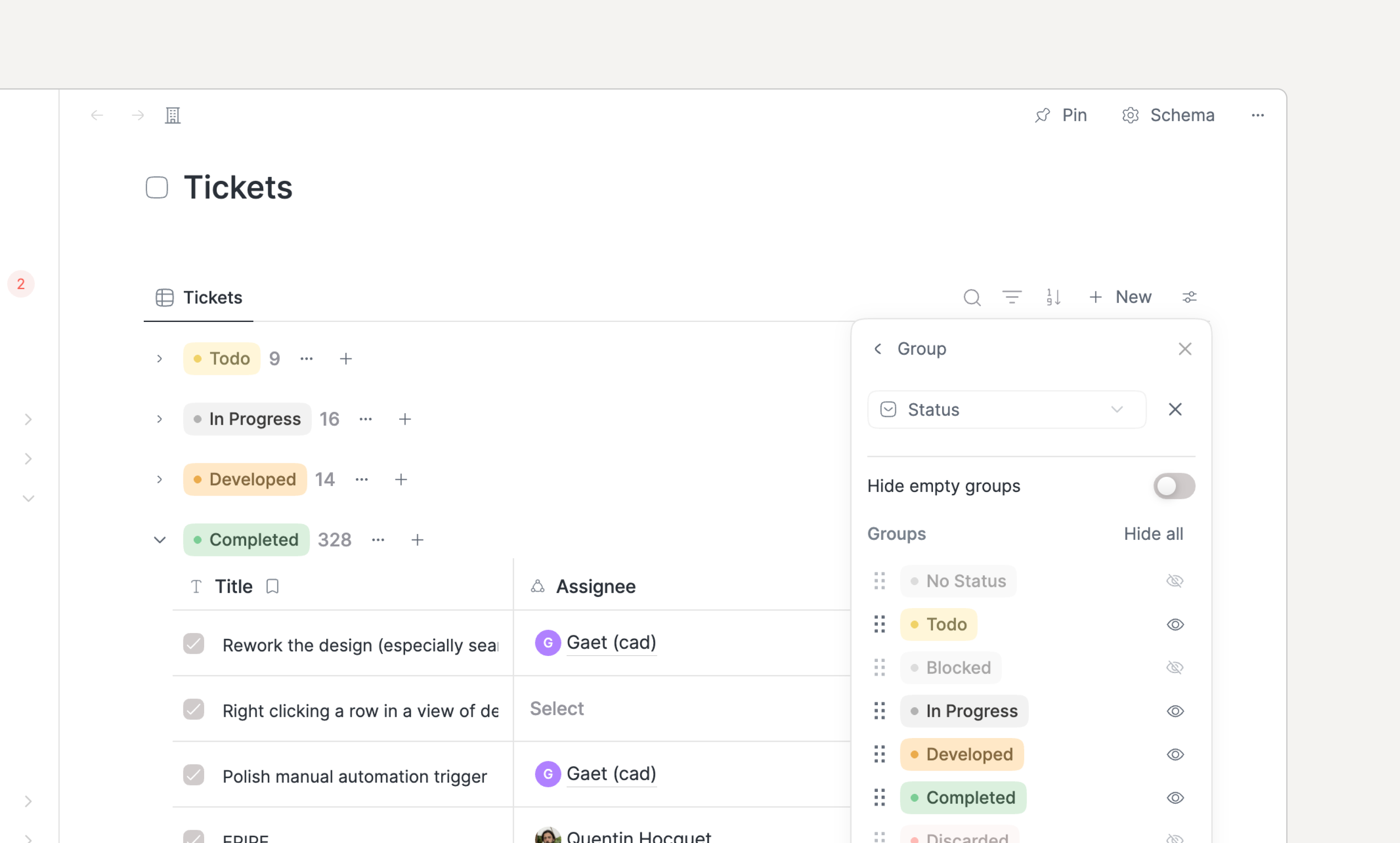
Grouping
Each group now displays
…and+buttons next to the group heading and a+ Newbutton at the end of the list of recordsGroups can be reordered & hidden in the view configuration
Layouts
The new Feed layout displays objects as an infinitely scrollable feed
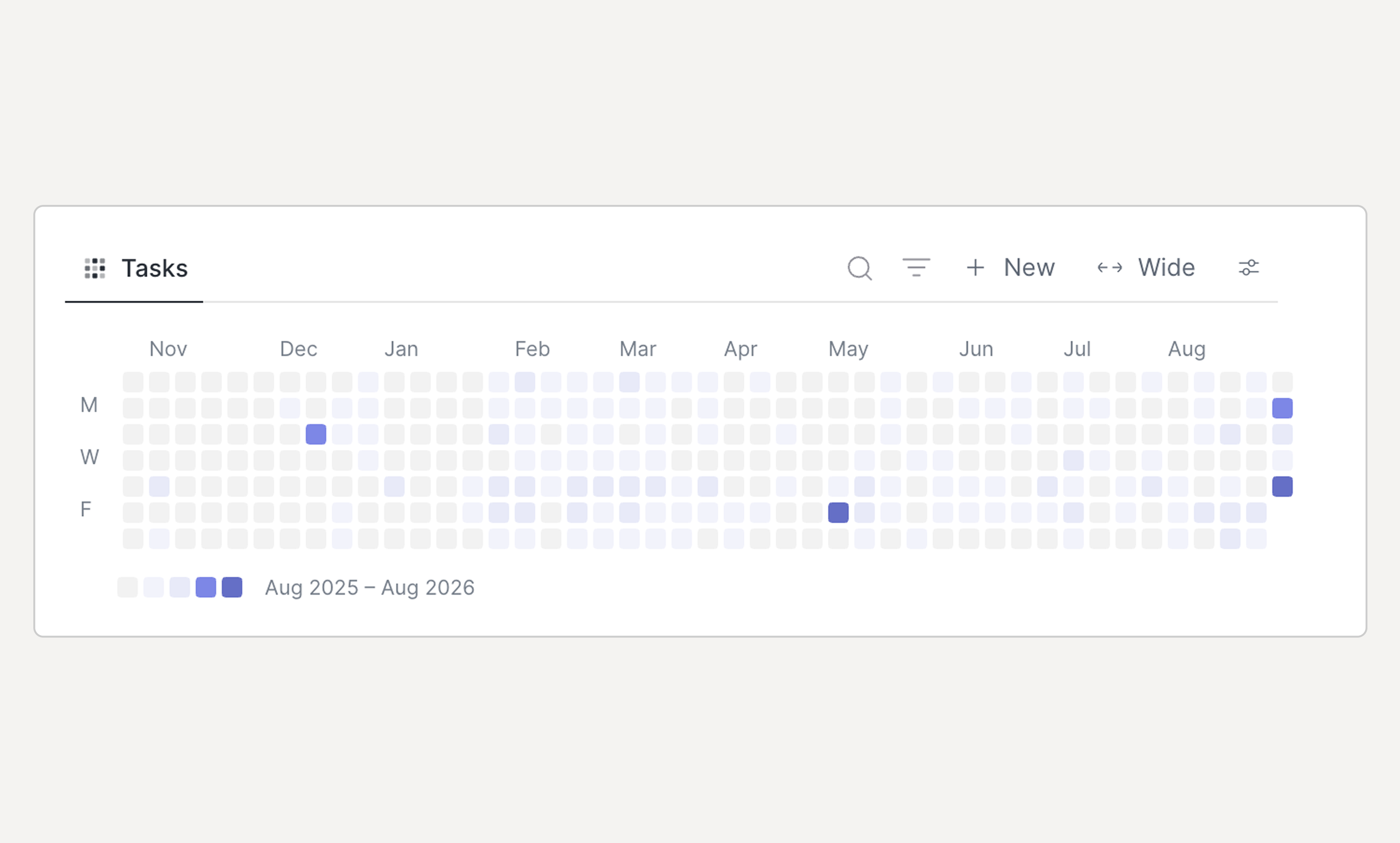
The new Activity layout displays a heatmap, counting how many objects have the date property in question
Interaction
A view entry can now be selected by single-clicking it, right clicked and double clicked to open
Once an item is selected, you can now press
UP/DOWNto change the selection and the keyboard shortcuts to operate the selected objectDrag & dropping an item between groups has also been improved
🗒️ Notes
The note editor has also been improved and strengthened:
The note editor now loads instantly when you press
ENTERThe
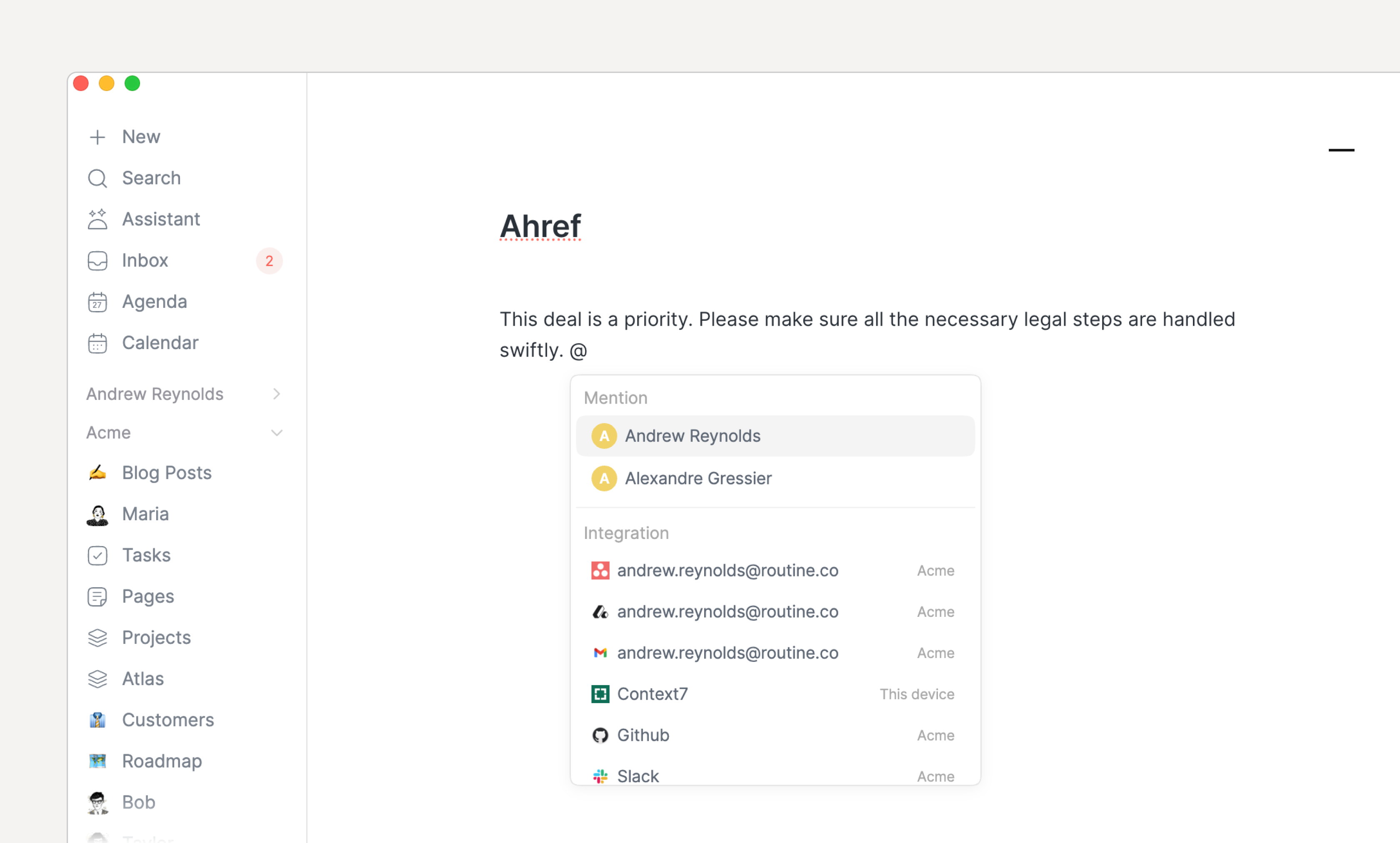
@menu now aggregates all the operations that relate to “linking” such as referencing another object, mentioning a team member, stamping the notes or linking an integration.A new
+menu has been introduced for creating an object and referencing it from this noteEmbeds such as images, videos, PDFs etc. can now be resized by dragging the left or right edge
Toggling code formatting no longer drops after the first character is typed
Typing a space when using
@no longer closes the menu; pressESCAPEto cancel
📅 Agenda & Calendar
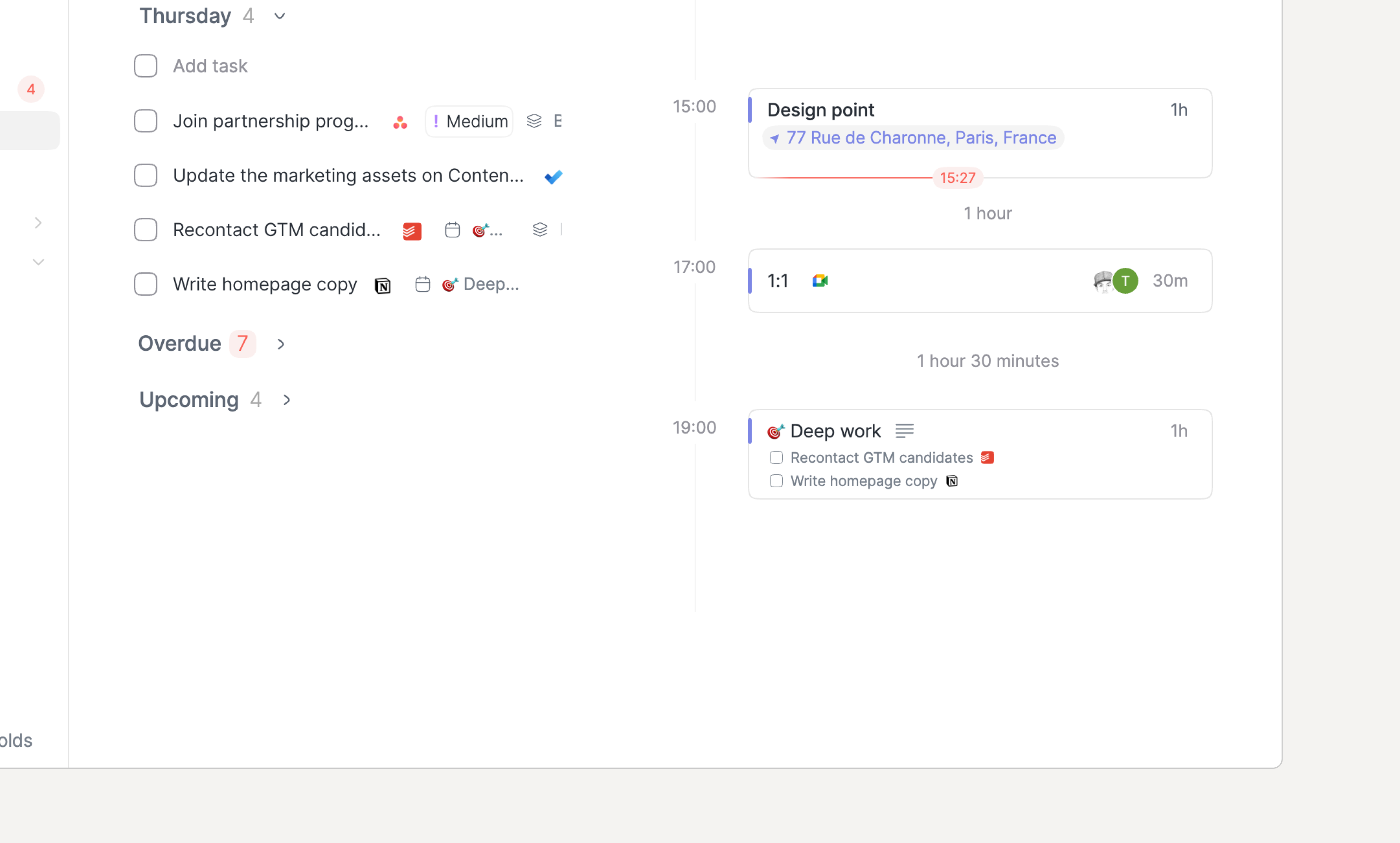
Agenda events now show linked tasks and custom objects from their notes when space allows. This is great when dragging task in an event e.g
Deep work
The calendar’s sidebar now displays the tasks from Today while the Agenda displays the tasks of the week; leading both screens to have the same lists of tasks
The planner's current time indicator now extends across the timezone columns
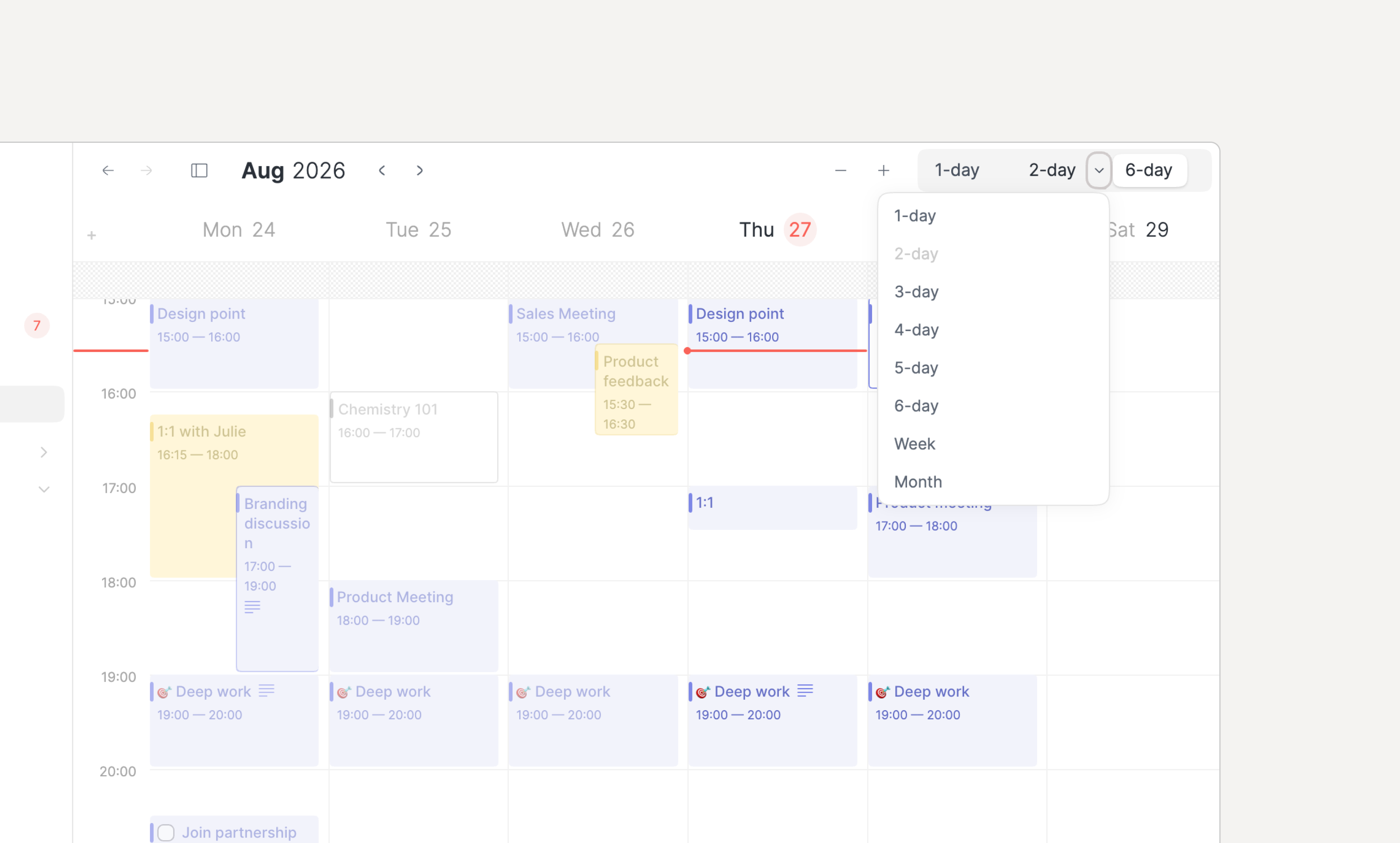
The Calendar layout 3 buttons can now be customized
⛩️ Internationalization
IME input (Japanese, Korean, Chinese, and accented characters) are now properly supported across the app.
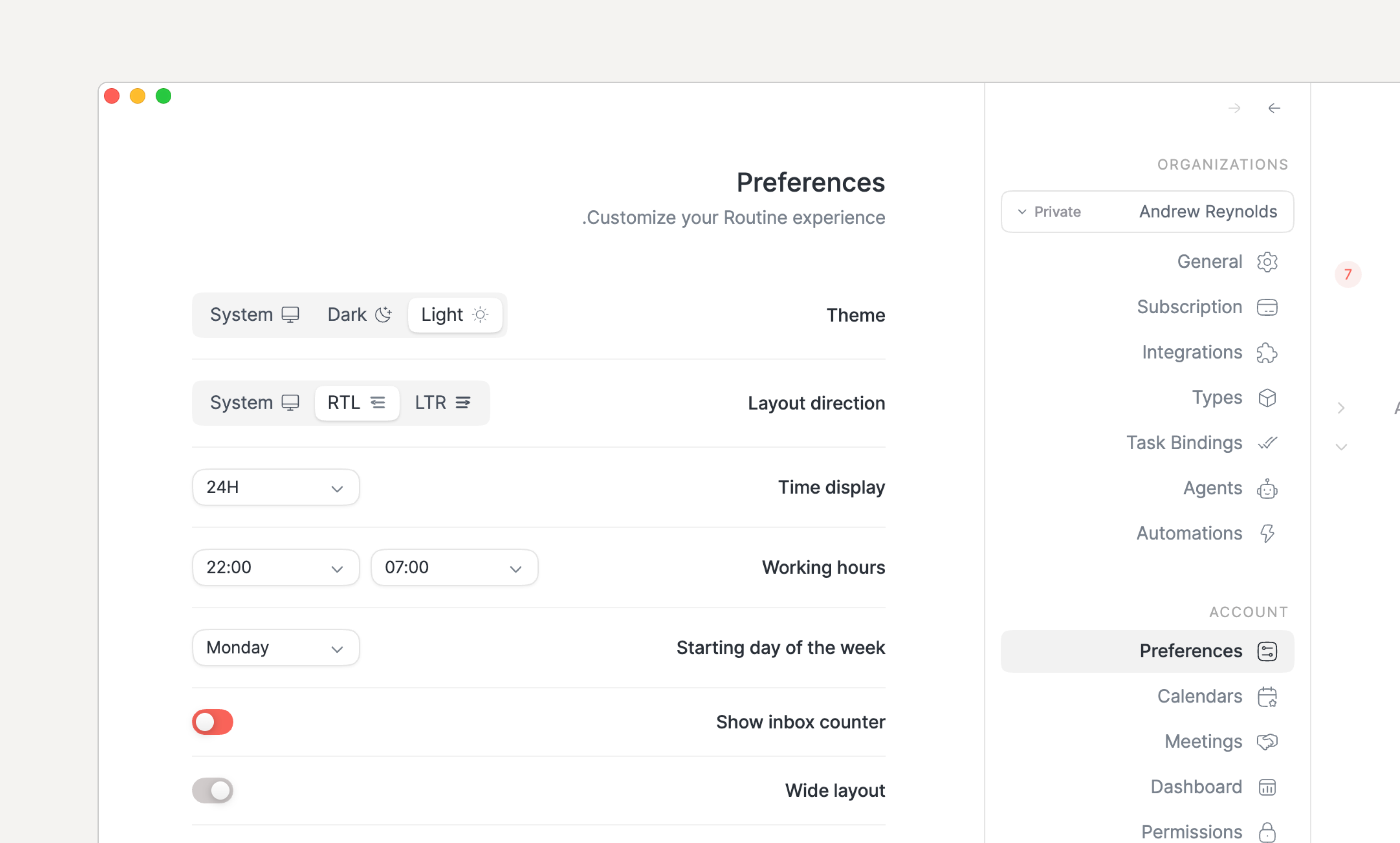
In addition, right-to-left language support was added. It can be configured in Settings / Preferences.
👥 Team collaboration
Several aspects of collaboration have been improved:
Team tasks can be assigned from the right-click menu or
CMD/CTRL+SHIFT+AThe Project screen now displays a progress bar with the number of tasks that are not completed nor discarded
If you extend the values of the Status property of your team Task type, then:
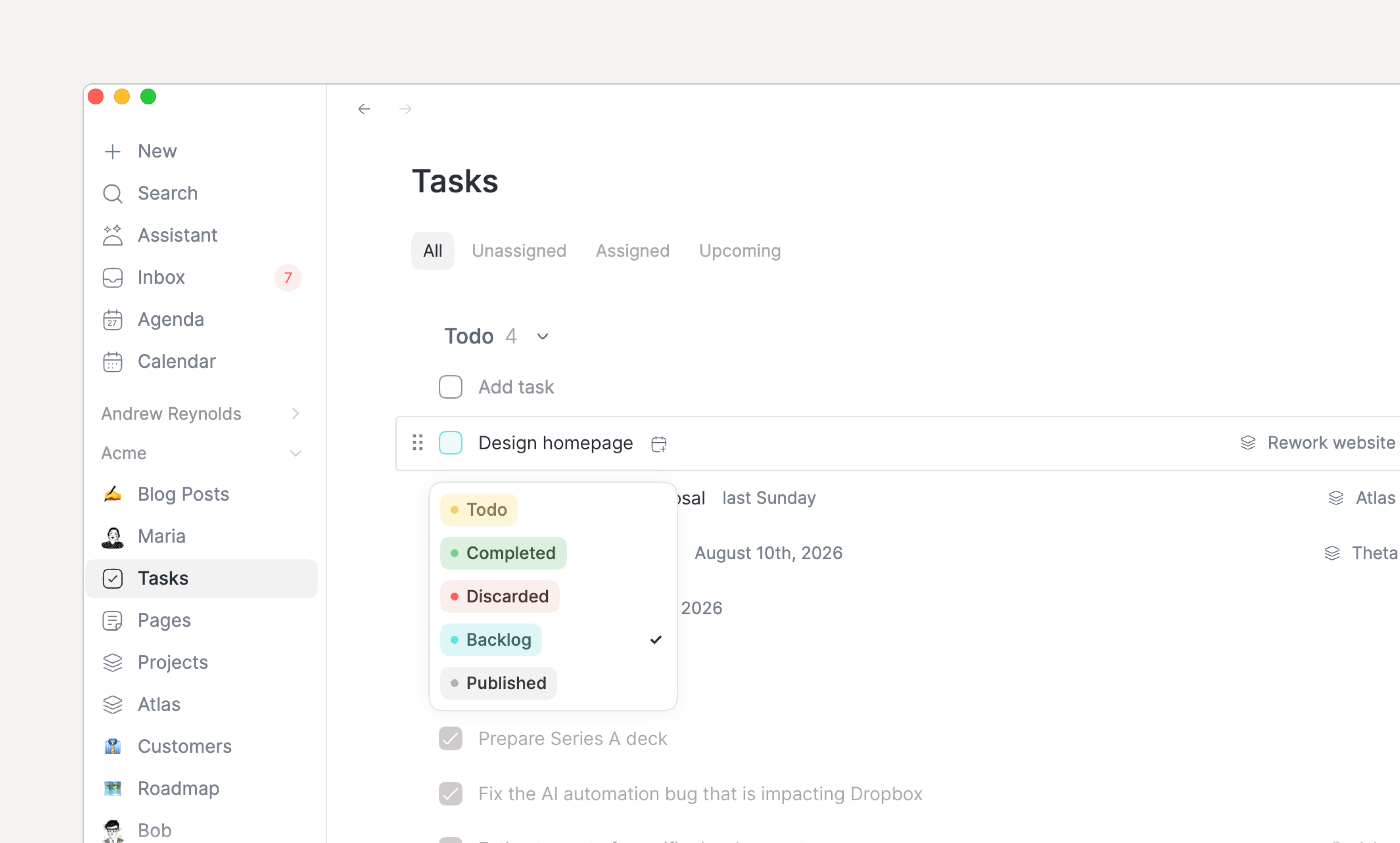
The checkbox is now colored to represent the status value it holds while hovering over it displays its exact value
Long-pressing the checkbox displays a dropdown pop-up to set the value without having to open the task
🏷️ Labels
The labels have been improved to allow setting the color but also more easily deleting them.
🍉 Other
The primary menu can now be resized horizontally
Deleting a task, page or object that has children in its notes now asks for confirmation
🐞 Bug fixes
Keyboard shortcuts on macOS show
Cmdagain instead ofCtrlPasting a single formatted line into notes no longer splits it into several blocks
Pasting formatted text into a title (creation modals, object pages) now inserts its plain text instead of nothing.
On Windows monitors with fractional display scaling (e.g. 175%), the menu bar widget no longer grows indefinitely
Right-click menus no longer extend outside the window
Calendar timezones have been fixed
Dragging and resizing agenda events no longer crashes Firefox
The console now supports using
as TYPEwith several types of the same nameTasks coming from integrations and other workspaces are now displayed in the dashboard
and many many many more…
👉 Coming Next
Our current focus is on:
Bring iOS and Android to par with desktop
Team collaboration
Databases
Add more integrations in particular for integration tasks
Improve and optimize AI