Time blocking & journal
Routine's desktop 0.4 has been released with some long-awaited features: time blocking and the journal.
🍾 New Features
You can now secure/block time for your most important tasks by drag & dropping them in your agenda
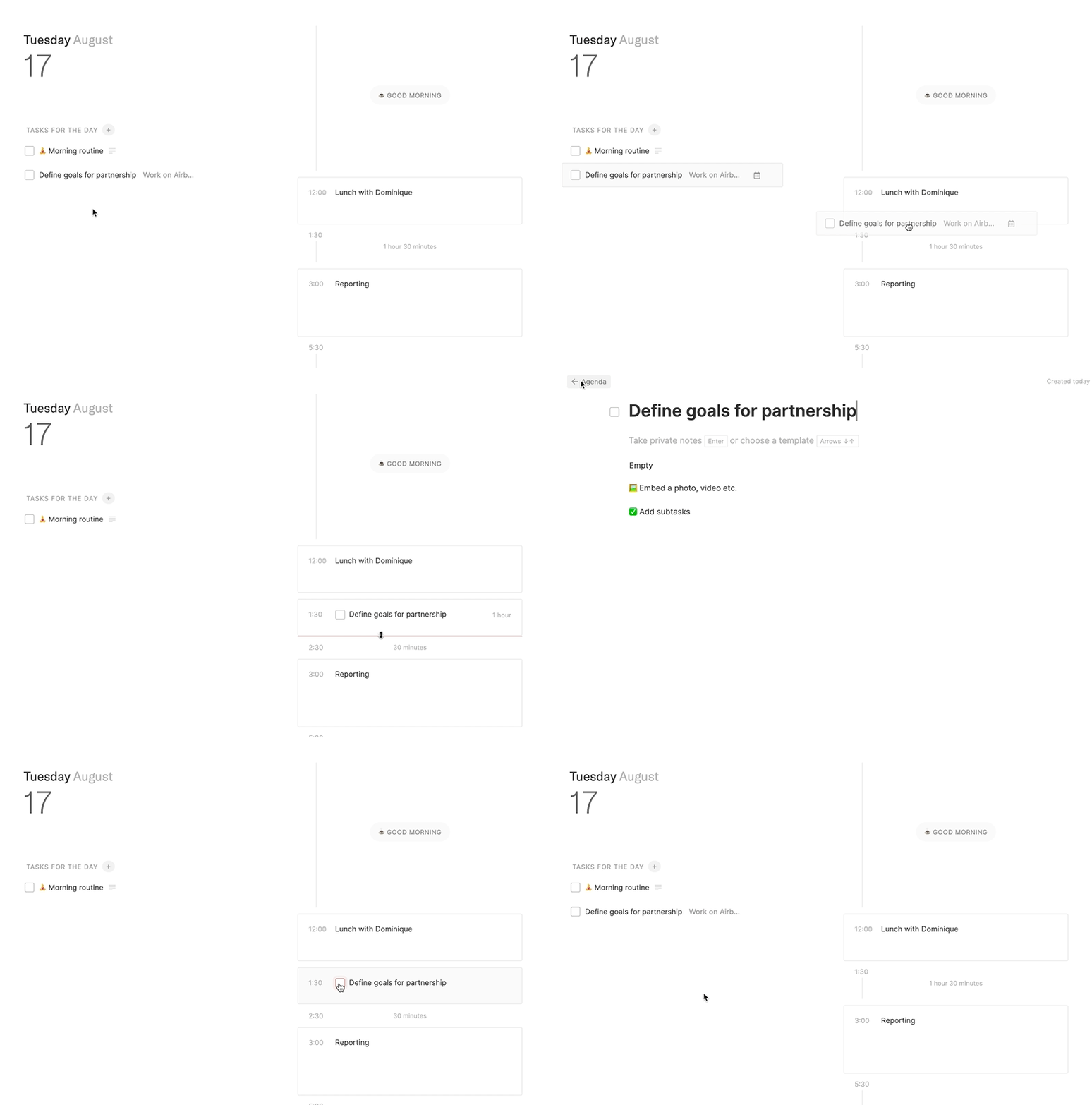
You can resize any event right from the Routine interface, allowing you to better organize and stay in control of your time
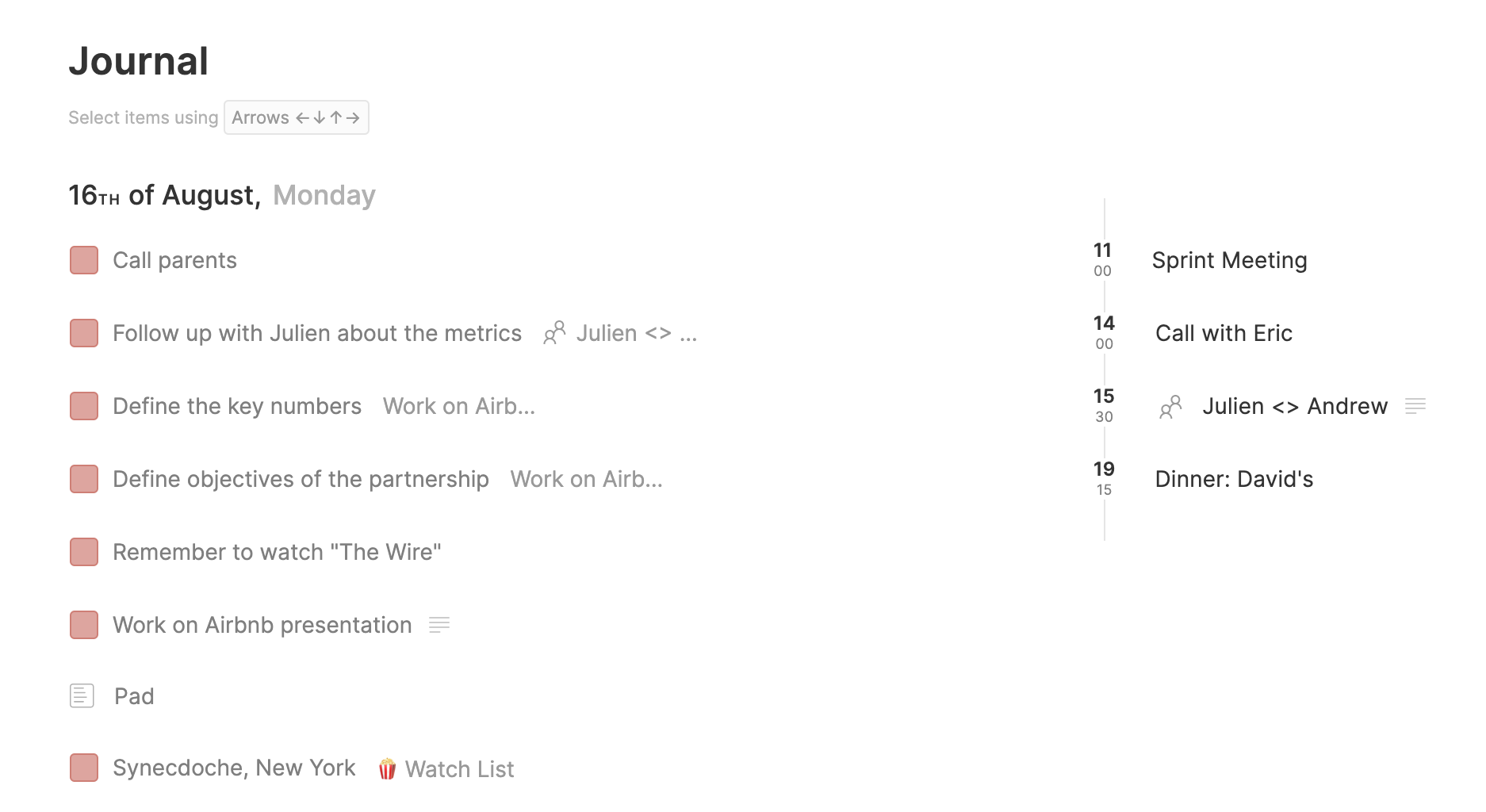
The newly introduced journal allows you to access your past activity, from archived tasks and pages but also past events. This is particularly useful for accessing notes taken in a past meeting for instance. But it as useful for restoring a task or page that has been archived by mistake.
✂️ Improvements
Routine now refreshes the content automatically: tasks, events etc. You can create tasks through Routine's iOS app or add/remove/change events in Google Calendar and those modifications will automatically be reflected in Routine's desktop app without the need to manually reload the app 🎉
Pages are now archived instead of deleted and can, as a result, be found and restored from the journal
You can now select a task and hit
CMD+Cto copy its titleYou can also edit a task name and select part of its content for copy by using
SHIFT+UP/DOWN,SHIFT+ALT+LEFT/RIGHTor evenCMD+Ato select everythingThe strike-through decoration for archived tasks has been removed to increase readability
The most recently accessed page is now opened when going back to the Pages section
Out-of-the-office events are no longer displayed in the agenda
The creation of subpages has been moved to the page menu
Some bugs have been fixed:
Event notes that were, sometimes, not properly saved
Notion integration's schema error at the database level:
missing required field: peopleCheckboxes that were not converted into tasks in notes
Clicking on pauses in the dashboard that led to an error
🎯 Coming Next
The next few releases will include:
The ability to create a checkbox and schedule its related task with natural language
Text formatting in notes: bold, italic, links etc.
Auto detection of links in text: task name, description, events etc.
Improved display of tasks and events when opened
and many more small improvements
🤗 Shout Outs
Saskia, Yannick and Pauline for your feedback