Routine 3.1: iOS app with new note editor, search, Siri & more
Routine 3.1 resolves many inconsistencies and adds a range of missing features on iOS.
📱 iOS
✏️ Note editor
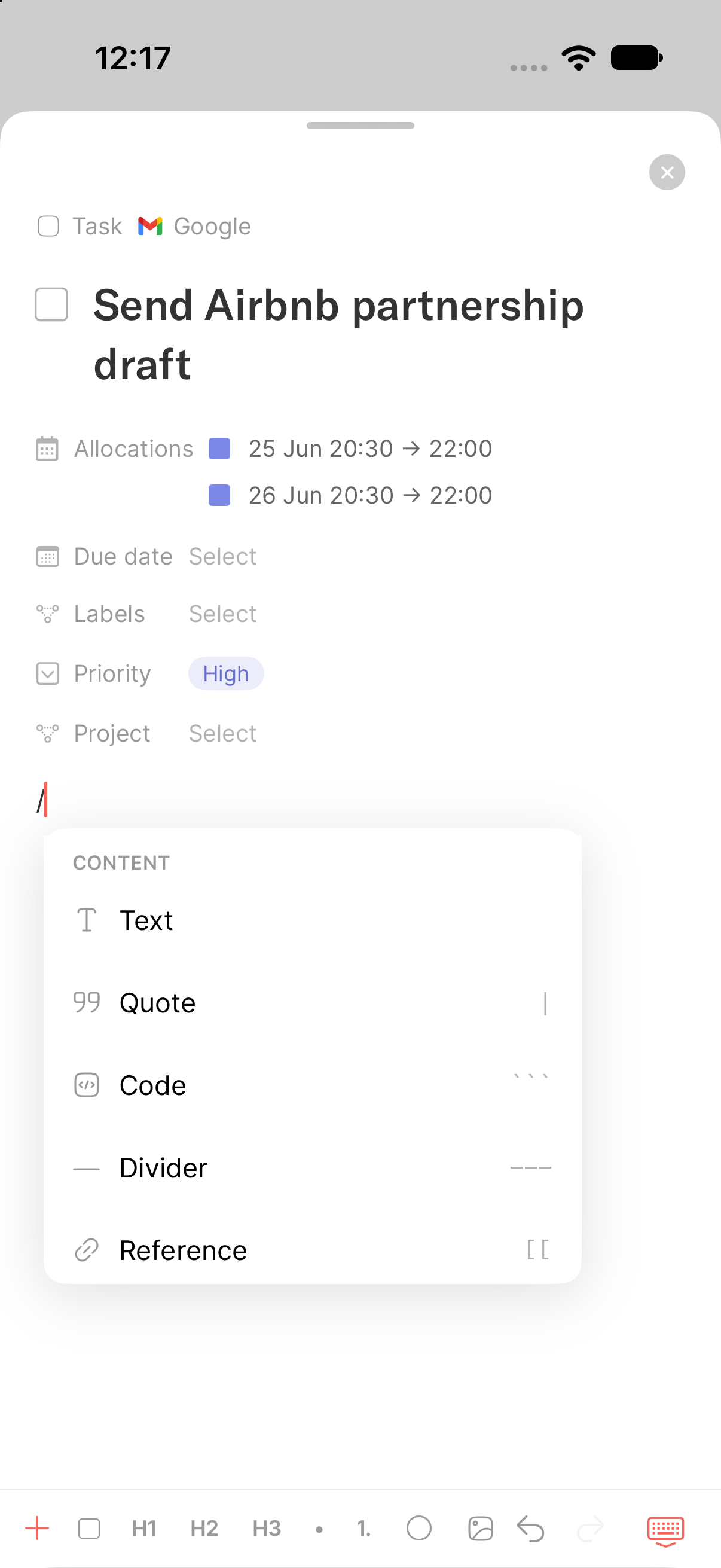
The note editor on iOS is not on par with desktop, supporting all blocks (code, callout, checklists etc.) including creating subobjects, uploading and embedding media and creating views.
In addition, you can now use /, @, [[ and + to create any block, reference objects and create inline items such as secrets, stamps etc.
The toolbar has been reworked for quick access to uploads and formatting, with options that adapt to the context e.g showing indent/outdent controls when editing a list item.
Finally, you can press and hold a block to access actions such as deleting it or replacing uploaded media.
🔍 Search
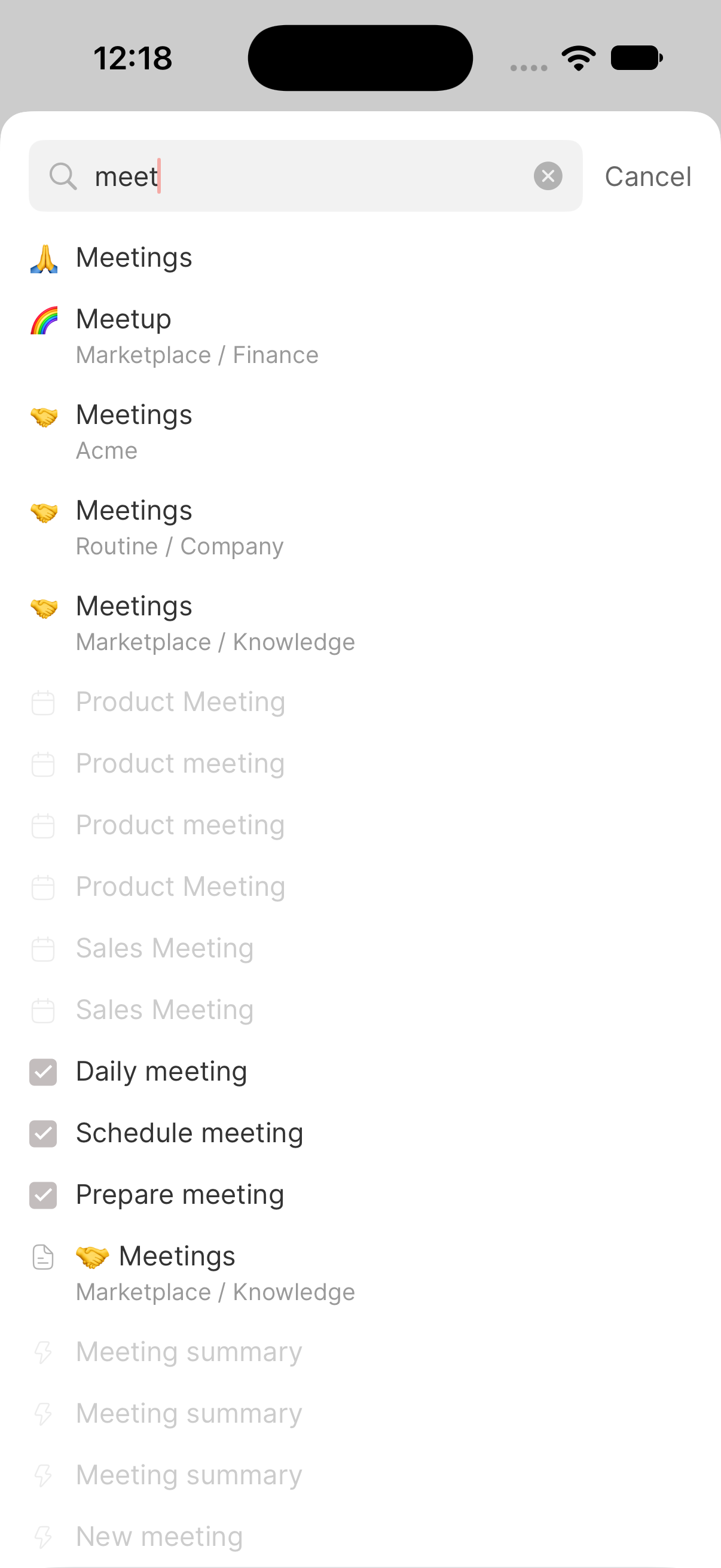
You can now quickly navigate and search your knowledge base through a quick search button.
📆 Calendaring
The Calendar screen has been improved:
You can now pinch to zoom in/out
Drag & dropping allocations has been further improved, in particular in iPhone landscape and iPad
The working hours are now taken into account as on desktop not to show hours of no interest
Support for recurring events was added
The task sheet in now lists the tasks related to the current week/days
The event location can now be opened through Google Maps/Apple Maps which can be configured in Preferences
The integration service a task is coming from is now displayed in allocations
You can now change the color of each calendar in Settings / Calendar, as on desktop
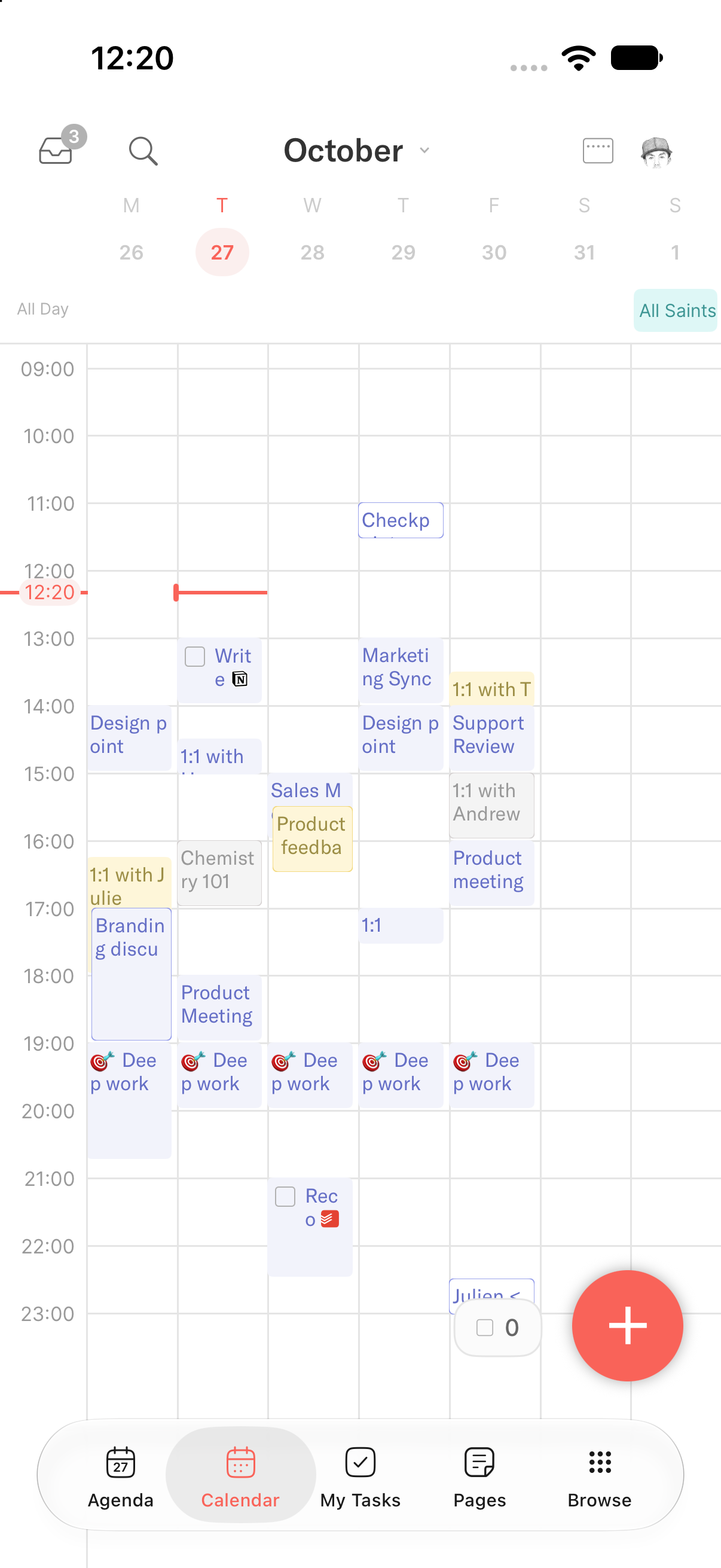
In addition, the Agenda now displays the all-day events.
➕ Capture
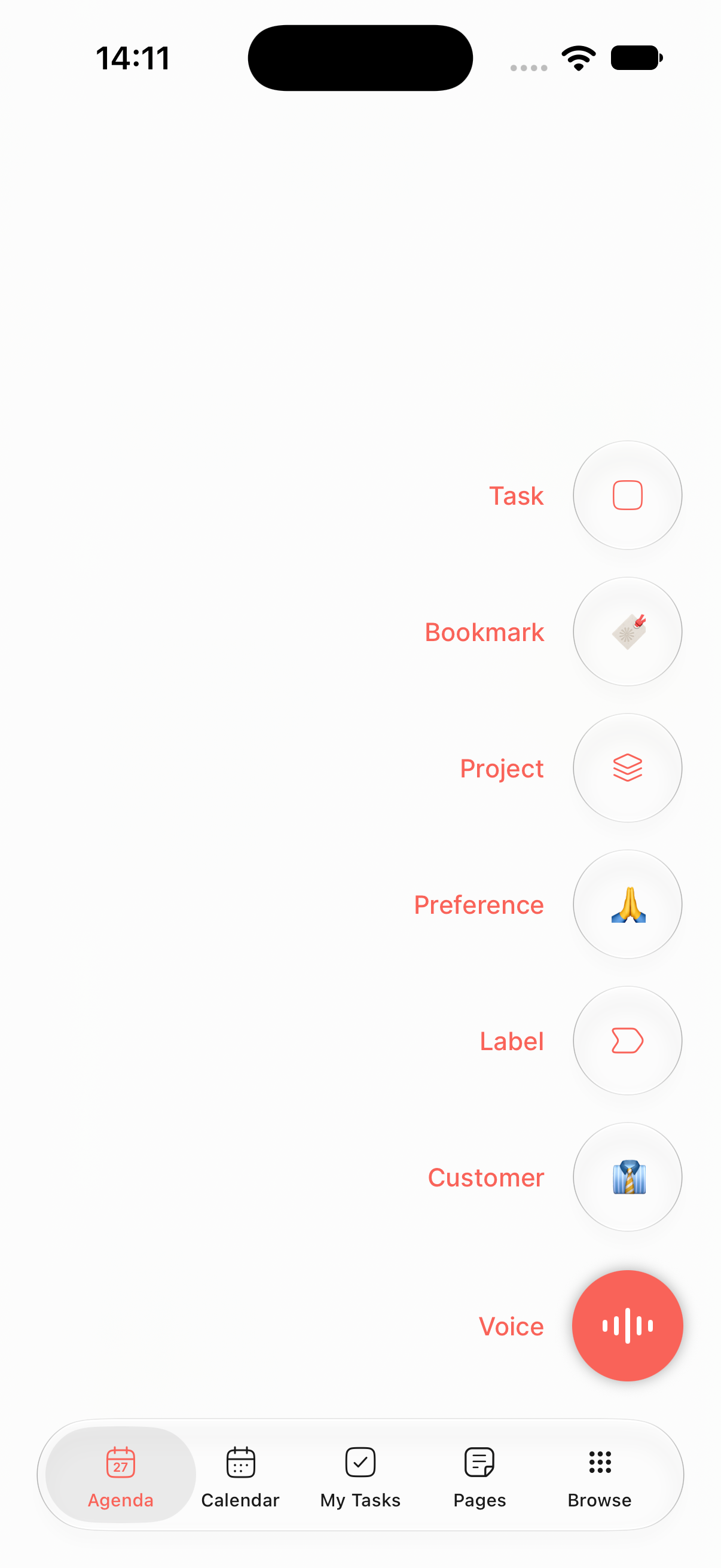
A new generic capture sheet has been introduce to allow you to quickly switch between the type of data you wish to create, task being the default.
In addition, the Share extension has been adapted to open the Routine app on the capture sheet, allowing you to create anything from your other apps while saving the context.
Finally, the quick capture shortcut buttons are now configurable in Settings / Quick capture. This allows you to define the objects you most often create.
💹 Widgets
Widgets have been reworked to be more reliable.
The widgets now indicate if the app must be opened for the state to be synchronized.
Likewise, a small circled arrow in the widget indicates that the data displayed is coming from an early day sync and might be out of date i.e reopening the app will resync the data.
The + buttons in the widgets now open the generic capture sheet, allowing you to create any type of information.
💬 Siri
Siri was broken for some time and is now fully operational. Remember to check in Settings to enable Siri with Routine but also to set the language you want Siri to understand. This is outside Routine’s control.
Note that we still strongly recommend preferring using Routine’s AI voice commands which is way more powerful than Siri as it understand your life/context and allows to perform multiple operations at once.
📀 Databases
You can now create and edit database types on iOS.
In addition, views were improved:
All the missing layouts were added: table, board, activity, feed etc.
Filtering has the same capabilities as on desktop
Creating an item from a filtered view now applies the proper values based on the filters
☑️ Tasks
Task management has also been improved.
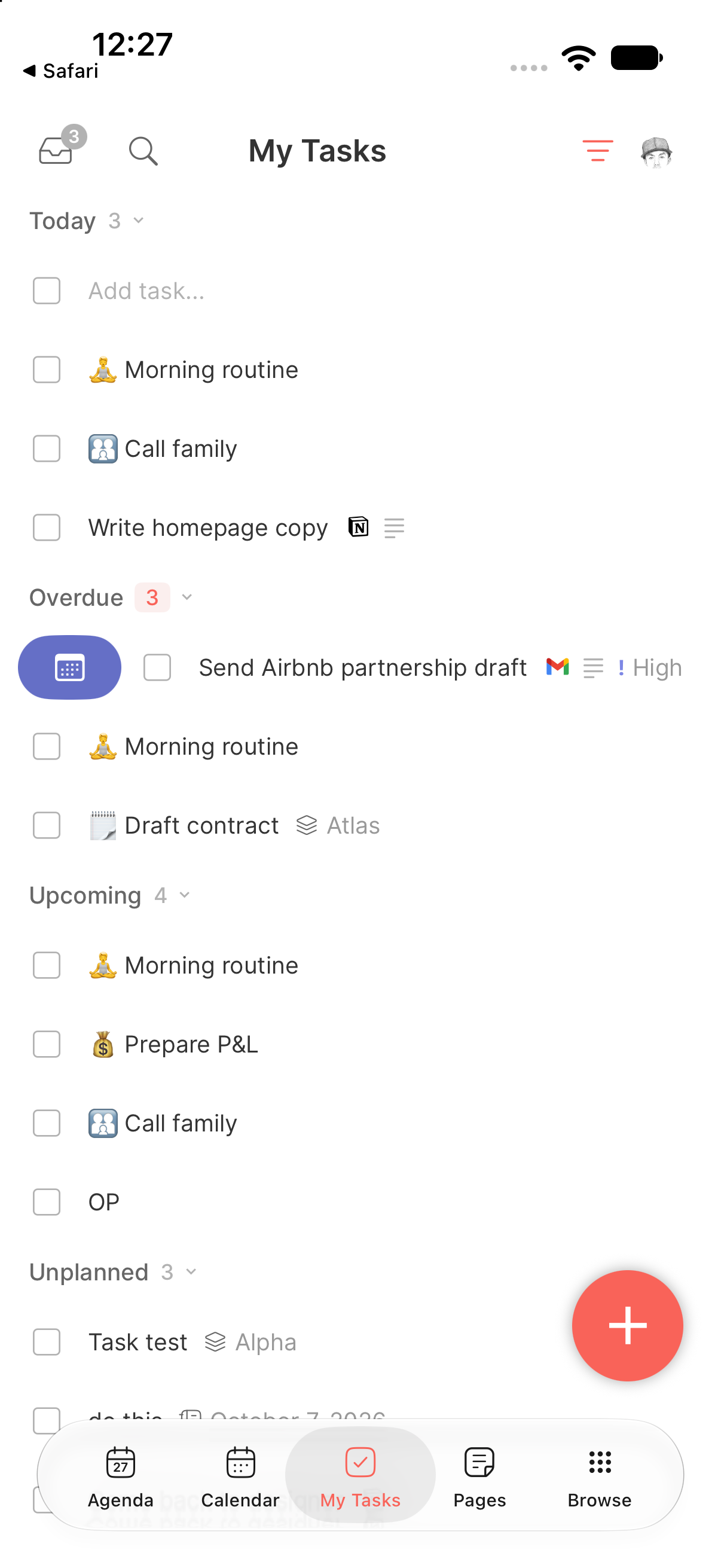
You can now swipe left to quickly delete a task and right to quickly plan.
A sound a stronger haptic was added when completing a task
Tasks can now be dragged between sections (today, week, unplanned etc.)
When completing several tasks in a row, an Undo button appears
⚡ AI
AI also got major improvements:
Agents and Automations are now supported on iOS. You can create and edit them.
The Assistant now lists the 3 most recent conversations for quick access
AI voice commands has been improved to indicate that voice is being captured. In addition a few bugs have been fixed. More optimizations to come soon.
⚙️ Settings
The Settings have been enriched with new screens
Account displays information about your account: email address, method of log in etc.
Subscriptions lists all your organization subscriptions
Integrations lists the enabled services and allows to reconnect if necessary
🚣 Changes
A few other changes improve the experience drastically:
The app boot time was reduced to <2 seconds for the largest accounts, <1s for most accounts
A
…menu was added to the Label screen to allow deleting/renaming, along with+button to add a new labelA task occurrence now displays the recurrence it comes from; tapping it allows to edit the frequency
The Agenda and Calendar screen opening time was further reduced along with battery usage
Pressing
ENTERwhen creating a task in “Add task…” now reputs focus in “Add task…” to allow creating a new task right awayThe Calendar current time line now takes only the width of the current day to more easily spot the current day
A
…menu has been added to custom objects to allow deleting, moving etc.
🐞 Fixes & improvements
The “Calendar syncing…” bug has been fixed
Deleting a task/page/event/object etc. now deletes children recursively
The offline mode indicator is back
A button to go back to today in Journal, Calendar and Agenda was added
Properties (e.g tasks’ extended properties) are now shown even if unset
Previous/next buttons in Agenda/Calendar are now shown even in iPhone landscape and iPad
The state of the task sheet under Agenda/Calendar is now remembered across launches i.e shown or hidden
Using the Share extension with a long title now longer hides buttons behind the keyboard
Many many more….
🖥️ Desktop
A few improvements have been made to desktop as well:
Integration connectors can now be updated to switch to a newer version, without reconnecting the account
Apollo tasks can be synced as Routine tasks and authentication now relies on OAuth
Monday items from a selected board can now be synced as Routine tasks, with the board's status and due-date columns mapped in the setup wizard
Outlook emails from a selected folder or category can now be synced as Routine tasks, and completing a task marks the email as read
External MCP servers can now be authenticated through OAuth
The planner sidebar's Week section follows the displayed week (that of its first day)
Many bug fixes
👉 Coming Next
We are currently working on:
Adding Microsoft Outlook calendar integration
Bringing Android to par with iOS
More polishing on iOS following your feedback