Secure your seatbelt, this is by far the biggest release we’ve ever done!
Routine is now officially a local-first app 🎉. Local-what???
People want their productivity app to (i) run super fast and (ii) work all the time (even in the subway).
Traditional apps (Notion, Todoist, Evernote etc.) all follow the same pattern: the app’s “brain” is in the Cloud along with your data. Those apps are known as Cloud-first. For the app to work when you lose Internet connectivity, those apps provide an offline mode that is quite limited (because the brain of the app is in the Cloud and therefore requires Internet connectivity).
We’ve decided to take another approach, known as Local-first. With this paradigm, the data and the brain of the app live on your device: desktop (macOS/Windows/Linux) but also mobile (iOS/Android).
The results?
Increased privacy because your data is always accessible locally
Improved performance because the data is close by
Offline access, no matter if it is for a minute or a month
We're thrilled to unveil Routine Desktop 0.21, our biggest release so far.
⚠️ Note that you will need to upgrade your apps (macOS, Windows, iOS & Android) for your data to be migrated to this new version. It should be automatic. But if you run into any problem, just download the latest version of the app for your platform.
🍾 New Features
Offline
All the Routine apps are now offline ready. This means you can use Routine without an Internet connection. When back online, everything synchronizes automatically.
NOTE: if you find some pages named “Orphan event notes”, do not worry, those are old notes from events that we could not put back in the appropriate events.Menu bar widget
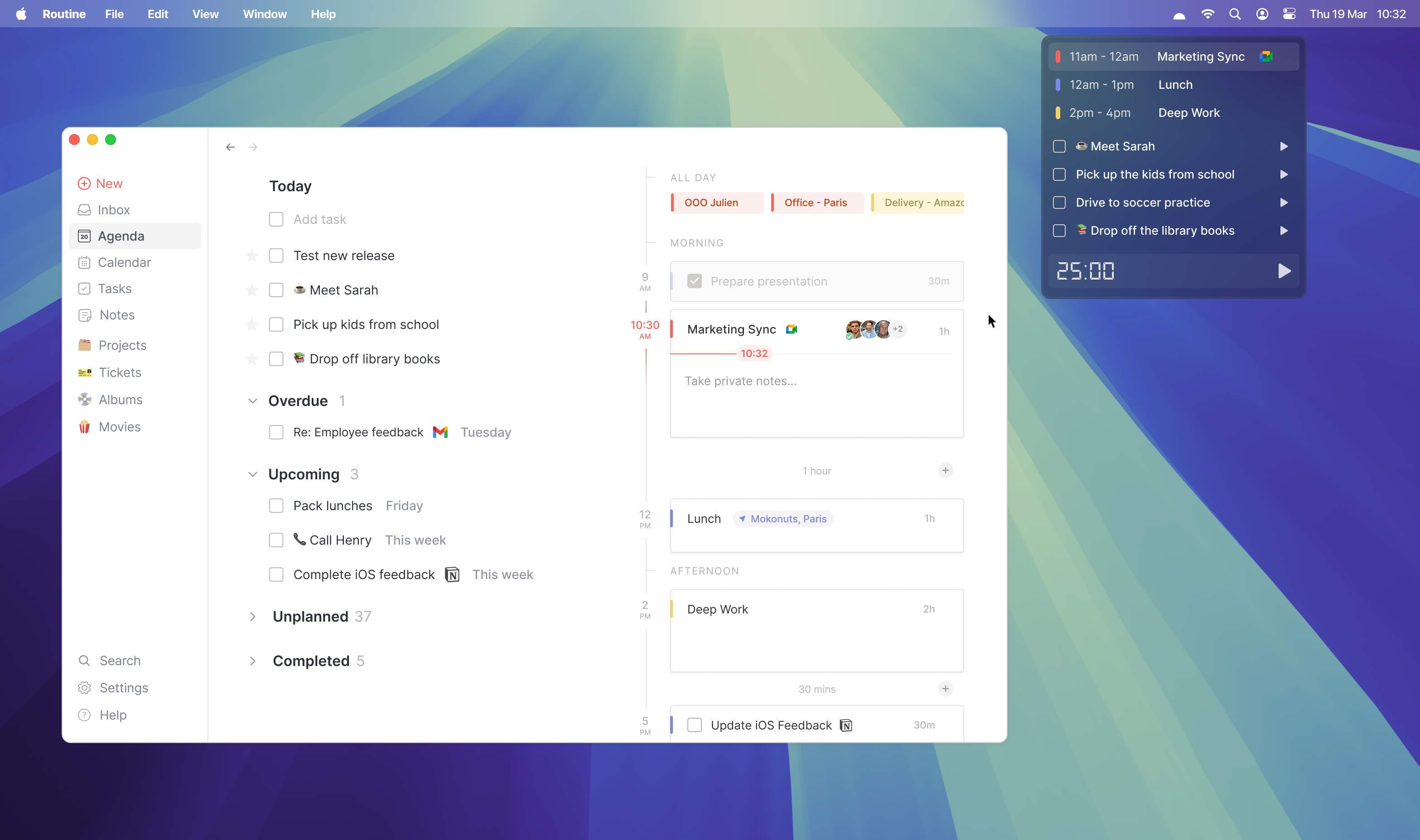
Routine now comes with a powerful widget that sits in the menu bar on macOS and Windows, always displaying the upcoming event.
The widget, if clicked displays the events and tasks of the day along with task-specific timers that record the time spent in your calendar and a special Pomodoro timer.
Read more →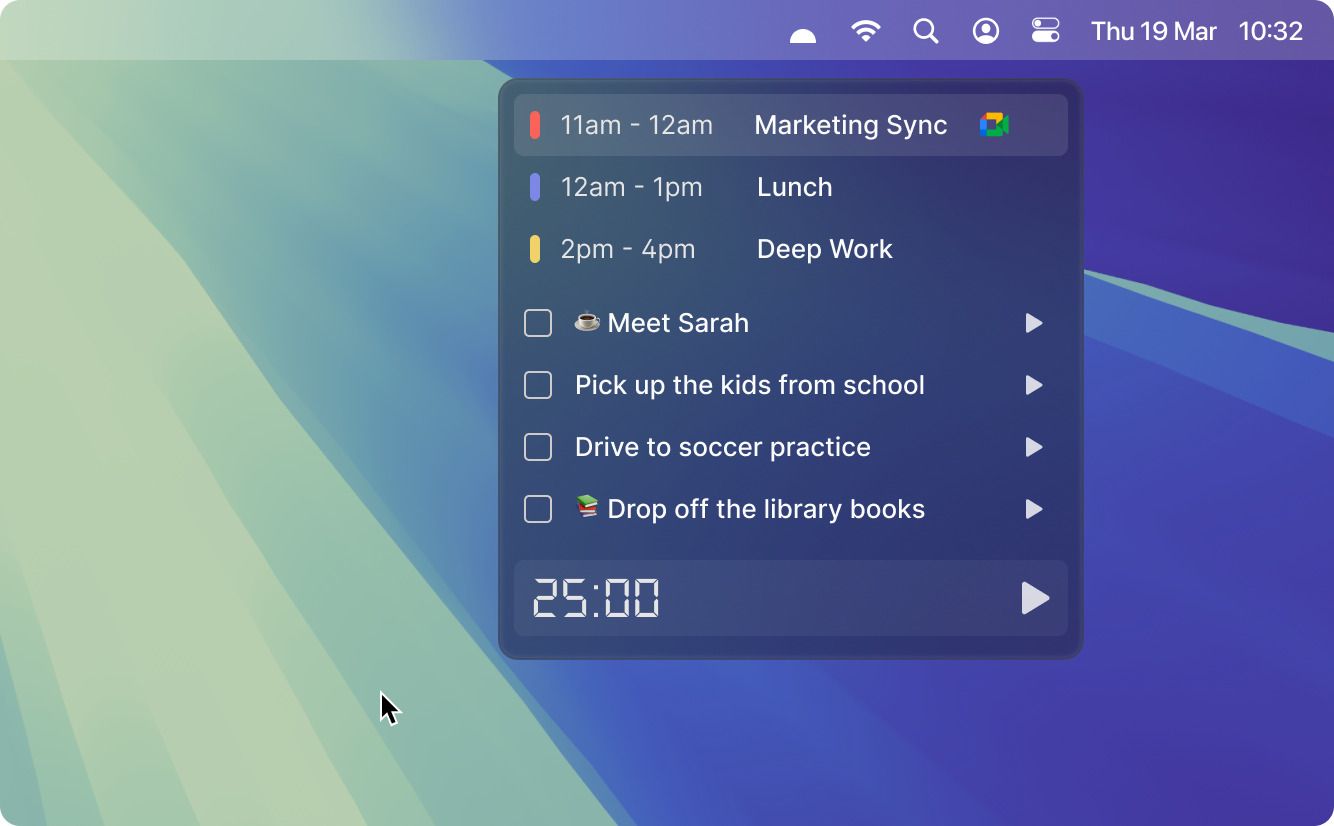
Customizable menu
Not only can you now hide the menu items you are not using/do not want to see, but you can also pin objects (tasks, events, pages, people) for quick access from the app menu.
Read more →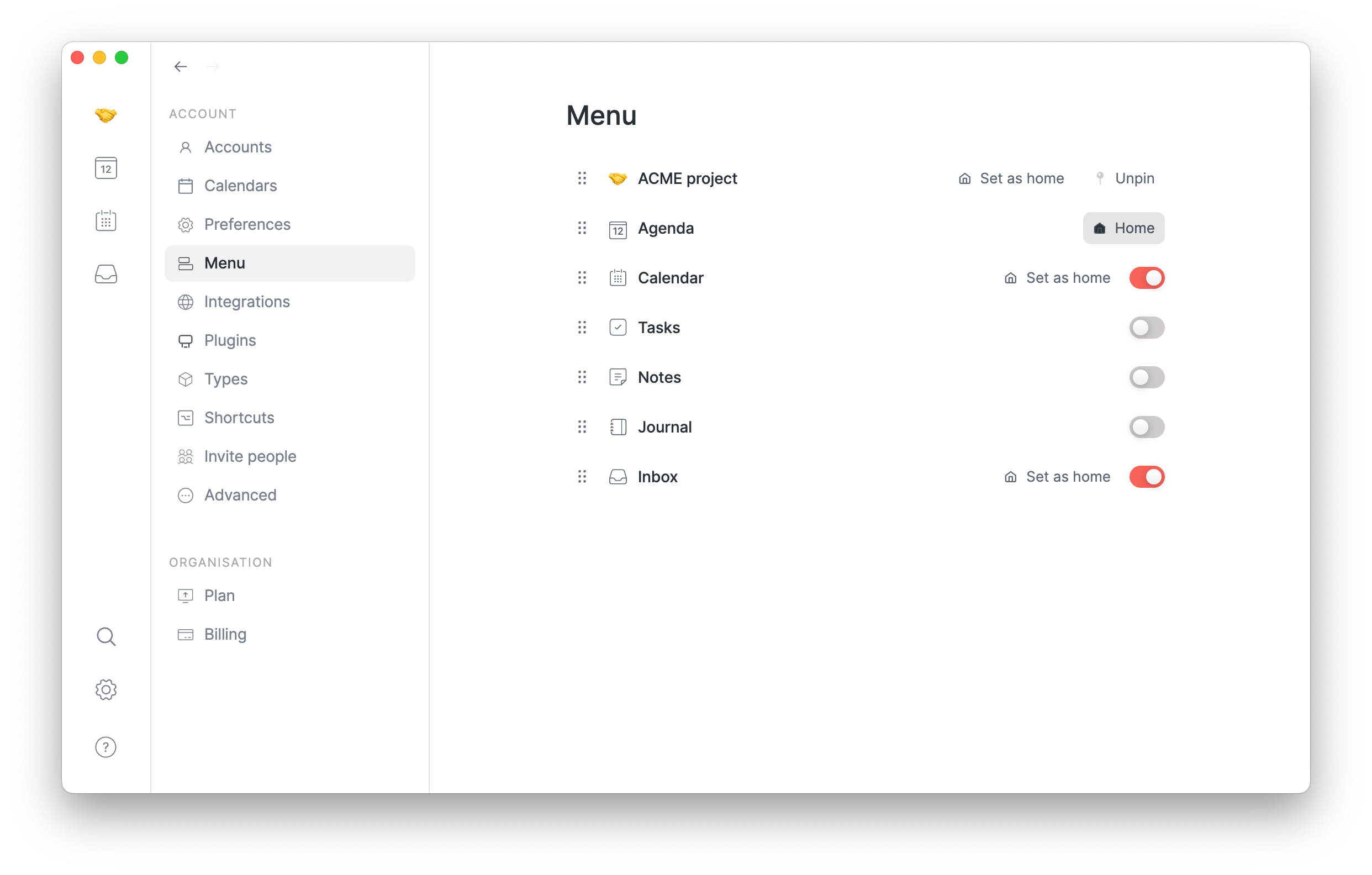
MCP server
The Modal Context Protocol (MCP) has recently become the de-facto standard for allowing AI models (ChatGPT, Claude, Gemini) and services (Zapier, Cursor etc.) to talk to other apps.
Routine now supports the MCP which you can connect to you favorite model/app.
Read more →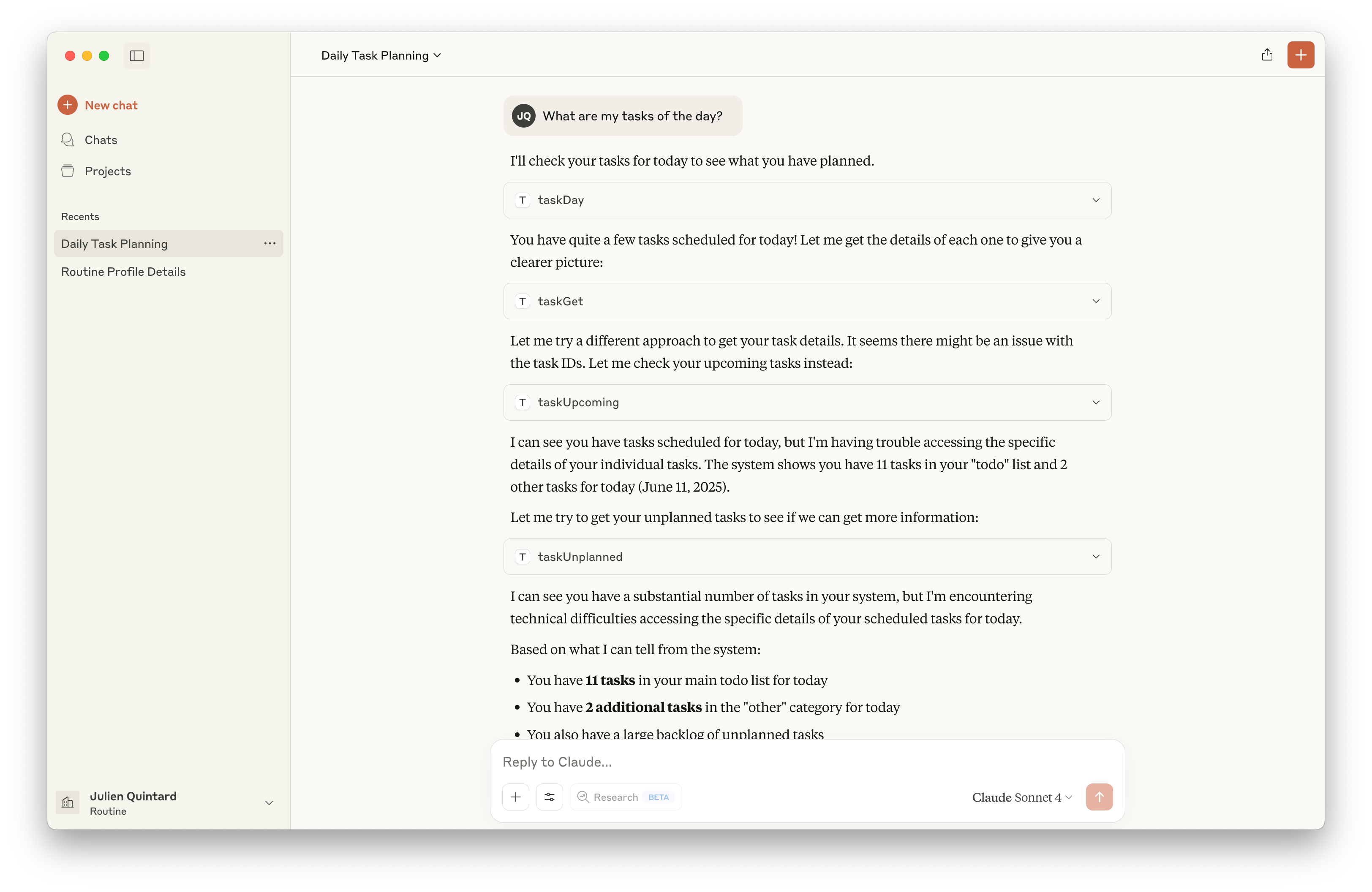
Launch at startup
You can now automatically launch Routine when your computer starts.
Head to Settings / Preferences and click theLaunch at Startuptoggle.
✂️ Improvements
In addition to those new features, we’ve been hard at work improving key components of the Routine experience.
Plan action
The Schedule and Postpone actions have been merged and replaced by a new Plan action. This new action is simpler to understand, has a beautiful user interface and supports natural language for the most advanced users.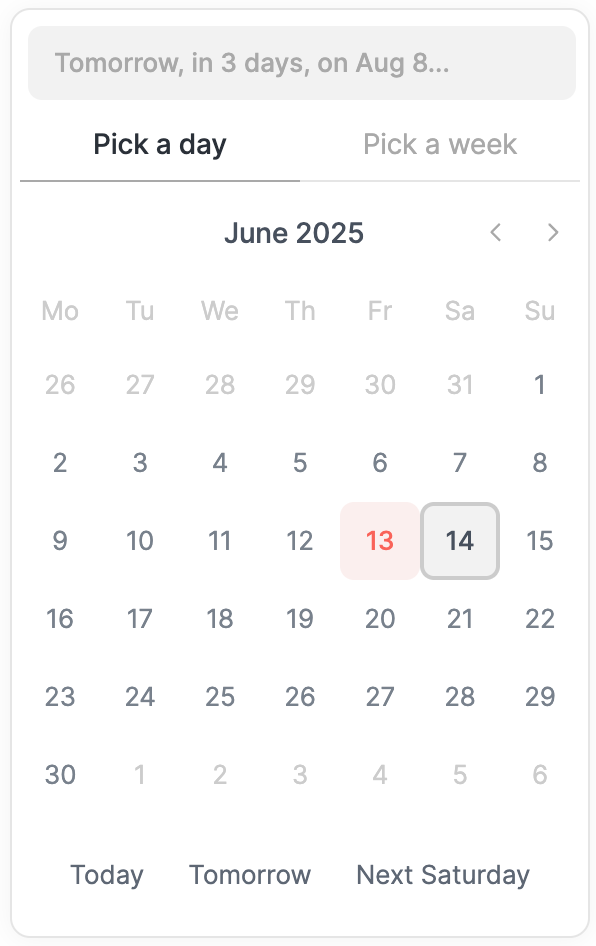
Agenda layout
The Agenda has been reworked to improve re-planning your day. It now features sections for overdue, upcoming and unplanned tasks.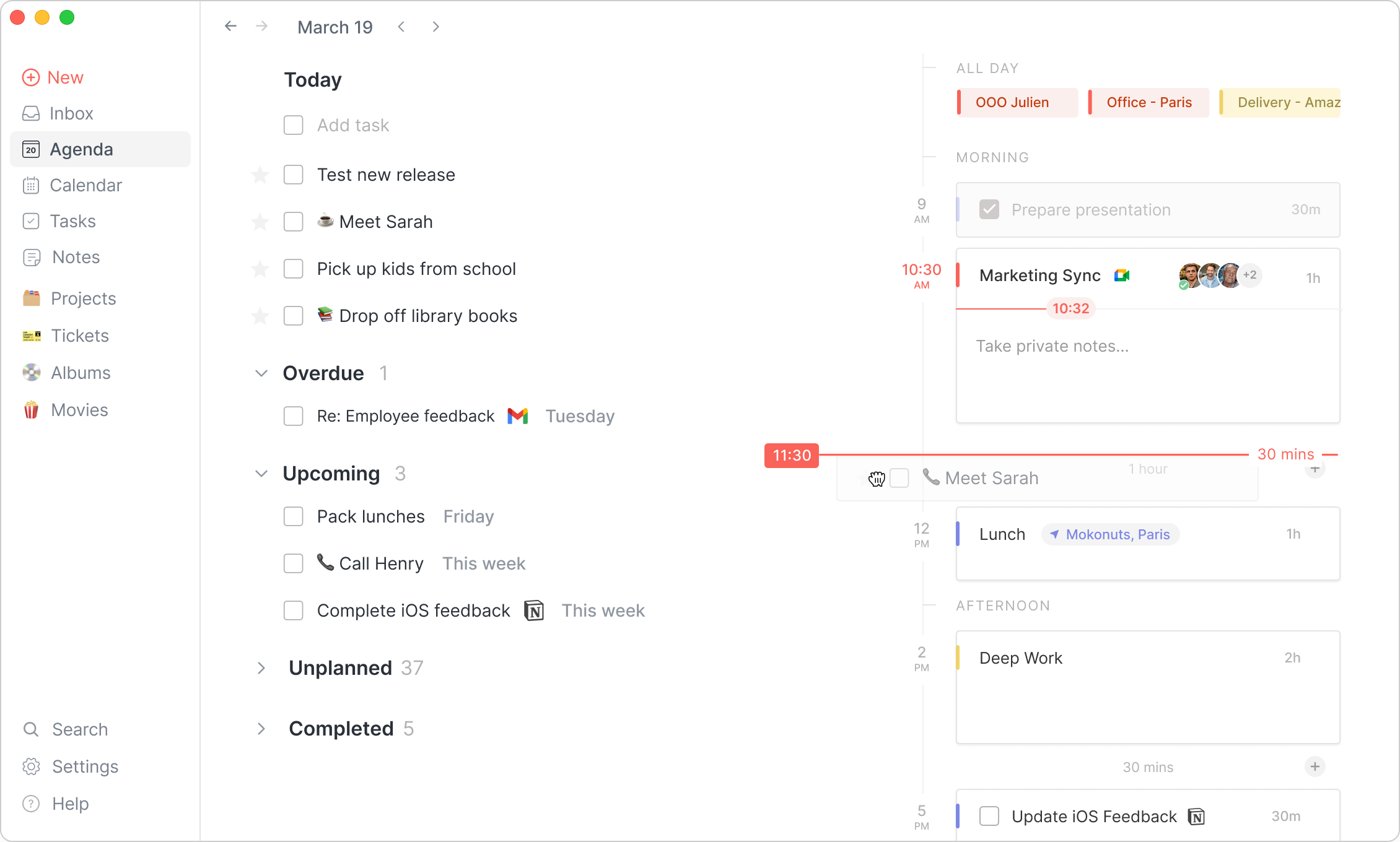
Notes editor
We’ve improved the notes editor quite a lot:Many keyboard shortcuts to select blocks
CMD/CTRL+A,SHIFT+clicketc.Normal click to open links (instead of
CMD/CTRL+click)More keyboard shortcuts for formatting
CMD/CTRL+SHIFT+C,CMD/CTRL+SHIFT+Setc.Add block above/below with the
+button and keyboard shortcuts e.gALT/OPT+ENTERImproved hyperlink manipulation and keyboard shortcuts e.g
CMD/CTRL+KSupport for emoji with
:and/emoji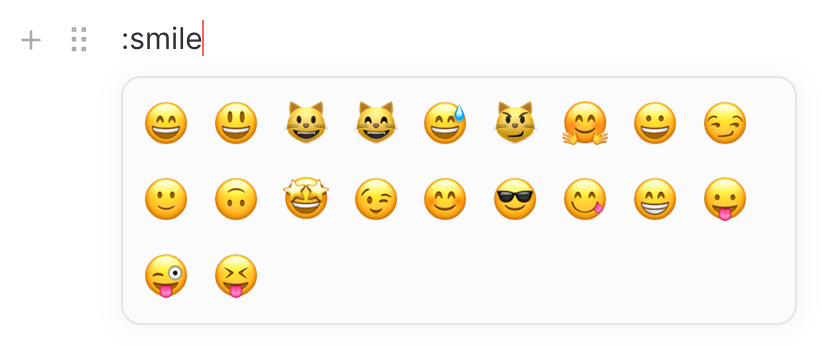
And many more bug fixes
The inbox now features a discreet counter to indicates how many items are in there to process.

The all-day events are now displayed in the Agenda’s timeline
The drag & drop onto the timeline has been improved, in particular regarding early/late hours
The Journal has been re-introduced (note that you can hide it thanks to the customizable menu)
Pages can now be reordered in the pages hierarchy
And of course, many bugs have been fixed, too many to mention…
🎯 Coming Next
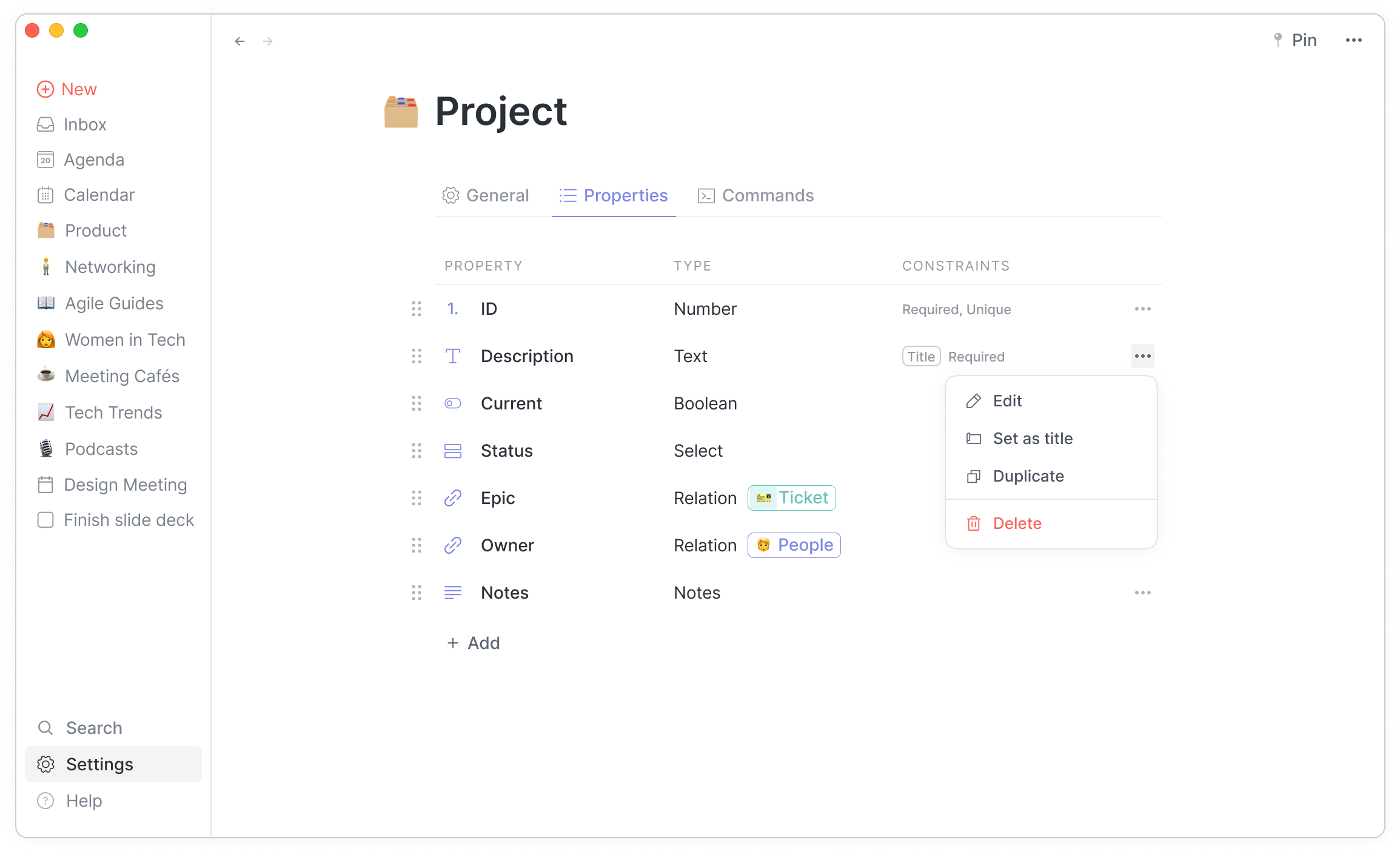
We are currently working on the custom types, allowing you to create any type of items you want to manipulate, from movies, books, classes etc. to projects, tickets, bug reports, customers and more for professional uses cases.